Free Contractor Proposal Templates
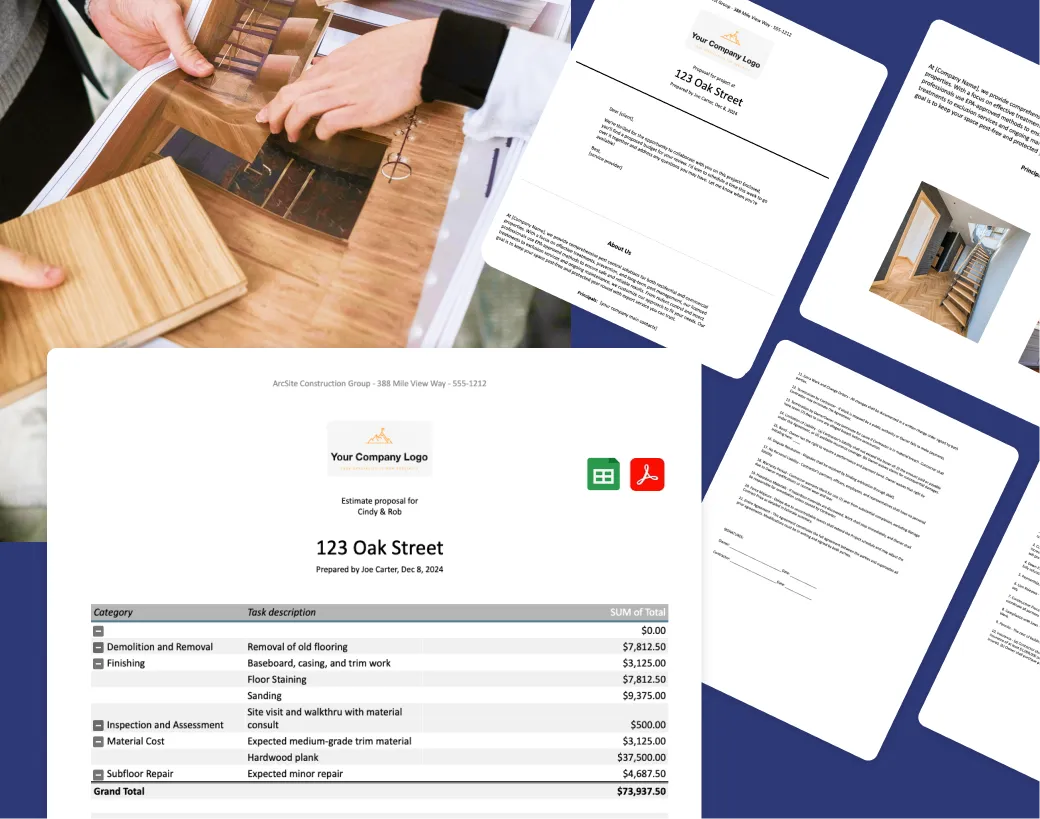
ArcSite's Contractor Proposal Template helps specialty contractors create and share professional project proposals with ease. It includes ready-to-use sections for estimates, payment schedules, and sample contract language, so you can send a complete, client-ready proposal in minutes.


- View the initial set of instructions for the proposal template. Understand how the spreadsheet works, including which fields you should edit.
- Set up cost categories for estimating work. Stay organized by grouping your quoted line items into categories.
- Build the project estimate. Enter line items for materials and labor, detailing unit costs.
- Preview the client-facing summary. Once your pricing is finalized, review the summary tab.
- Prepare and send the proposal. With your estimate, scope of work, and contract finalized, export the proposal to a polished PDF and share it digitally or print a hard copy for client signatures.
How to Get Started With the Proposal Template
- View the initial set of instructions for the proposal template. Understand how the spreadsheet works, including which fields you should edit.
- Set up cost categories for estimating work. Stay organized by grouping your quoted line items into categories.
- Build the project estimate. Enter line items for materials and labor, detailing unit costs.
- Preview the client-facing summary. Once your pricing is finalized, review the summary tab.
- Prepare and send the proposal. With your estimate, scope of work, and contract finalized, export the proposal to a polished PDF and share it digitally or print a hard copy for client signatures.


Other tools & templates:




Frequently asked questions
How do I create a proposal with this template?
Fill in your project and client details. Built-in calculations generate a clear cost breakdown automatically, then preview it and export as a polished, ready-to-send PDF.
Can I customize the template?
Yes. Every section is editable, so you can adjust cost categories, add your branding, update labor rates, or modify payment terms to fit any project.
Does ArcSite offer more than templates?
Yes. ArcSite's mobile app lets you create on-site drawings, generate automatic takeoffs, and build precise material lists, so you can move from estimate to signed proposal without leaving the field.