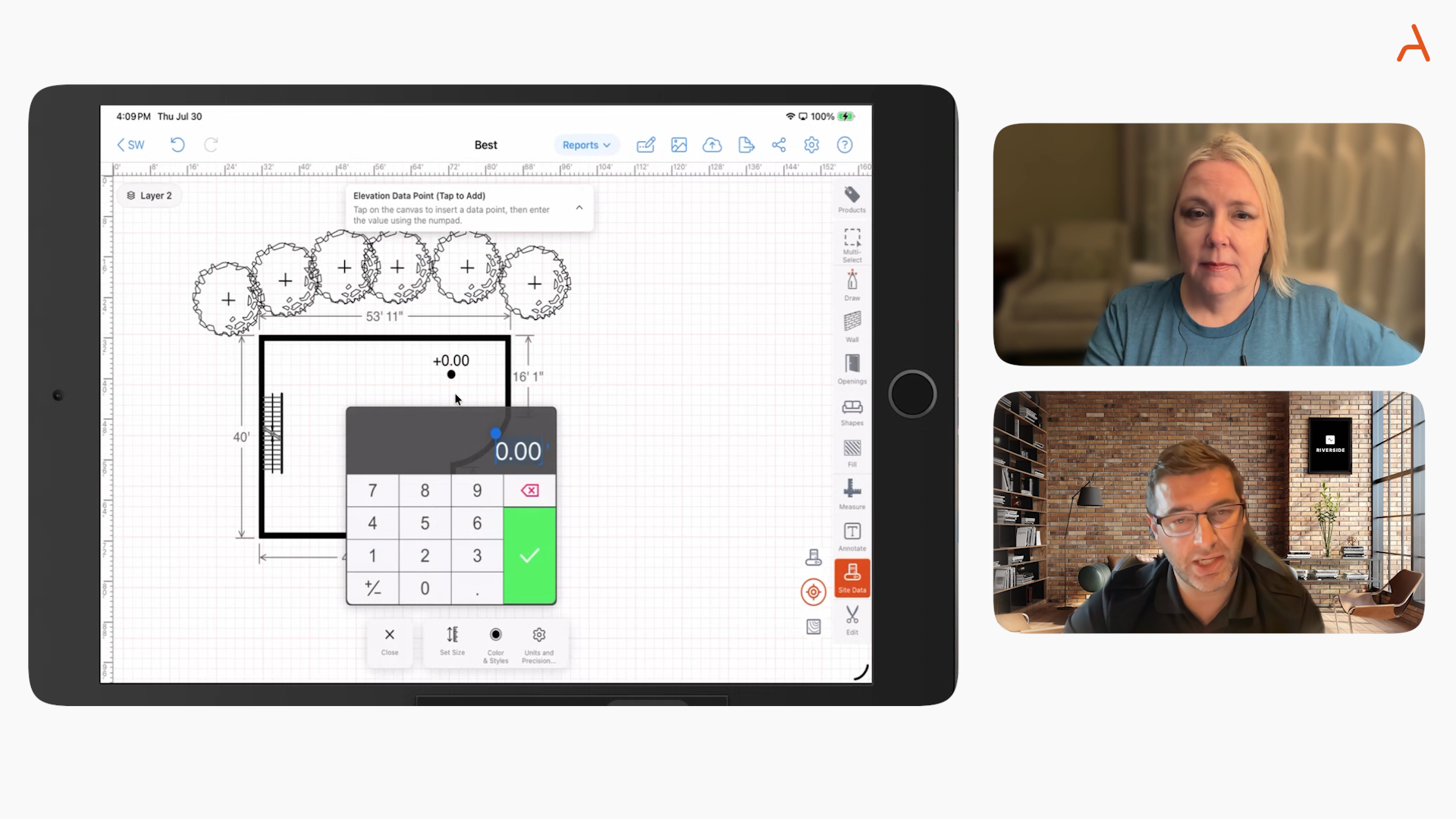

For decades, CAD software was chained to a powerful desktop computer. Today, the game has changed. Field professionals in construction, inspections, and home services need the power of CAD in the palm of their hands. A native mobile CAD app isn't just a "nice-to-have"—it's a critical tool for capturing accurate data, creating professional plans, and winning more bids on-site.
But with several options on the App Store, which one is truly built for the realities of field use? Let's compare the top contenders to see how they stack up.
The Mobile CAD Landscape: A Head-to-Head Comparison
We'll compare these apps based on the features that matter most to field professionals: drawing precision, integrated takeoffs and estimating, and the ability to create client-facing proposals.
A Deeper Dive into the ArcSite Alternatives
1. AutoCAD Mobile
AutoCAD is the name everyone knows in CAD. The mobile app is a solid companion for anyone living in the Autodesk ecosystem. It's excellent for viewing, editing, and annotating existing DWG files on the go. However, it's not designed from the ground up for creating new, complex plans quickly and efficiently in the field. Its primary function is as a mobile viewer and editor, not a stand-alone field-drawing and sales tool.
App Store Rating: 4.4
6.2K Ratings
2. Shapr3D

Shapr3D is an incredibly powerful and intuitive 3D modeling app for iPad. For industrial design, engineering, and 3D printing, it's a game-changer. However, for a contractor or field professional who primarily needs accurate 2D floor plans, site diagrams, and takeoffs, it can be overkill. The workflow is geared towards product design, not creating proposals from a floor plan.
App Store Rating: 4.7
32K Ratings
3. Morpholio Trace

Loved by architects and designers, Morpholio Trace is like having an infinite roll of digital tracing paper. It excels at free-form sketching, layering ideas, and design markup. It's a phenomenal design tool, but it lacks the structured, data-driven backend needed for generating precise material takeoffs and estimates automatically from your drawings.
App Store Rating: 4.7
10K Ratings
4. Magicplan

Magicplan's key feature is its ability to create a floor plan quickly using your phone's camera. It's fantastic for generating rapid, basic layouts and estimates. The trade-off is precision and control. For simple room layouts, it's very fast. For complex properties, detailed outdoor site plans, or industries requiring non-standard shapes and measurements (like pest control or fencing), you'll need the manual precision offered by a true CAD tool like ArcSite.
App Store Rating: 4.7
39K Ratings
5. Canvas

Similar to Magicplan but with a focus on 3D, Canvas uses the LiDAR scanner on newer iPhones and iPads to create impressive 3D models of spaces. It delivers great "measure-to-CAD" files for interior designers and architects. However, it is fundamentally a scanning tool. It doesn't offer the flexibility to draw new plans from scratch or the integrated workflow to turn a drawing into a material list and a customer proposal.
App Store Rating: 4.8
989 Ratings
Why ArcSite is Built for the Field Professional

After reviewing the alternatives, it's clear that many apps are either scaled-down versions of desktop software or designed for different use cases like 3D modeling or pure design.
ArcSite was built with a single user in mind: the field professional who needs to design, estimate, and sell.
- A True, Precise CAD Engine: ArcSite isn't a sketching app. It's a powerful and precise 2D CAD engine made intuitive for a touch interface. You get the accuracy you need, without the complexity of desktop software.
- The Drawing IS the Takeoff: This is the core advantage. As you draw, you're creating smart objects. A line isn't just a line—it's a wall, a fence, or a pipe with associated product and pricing data. This seamless integration means your takeoff is happening as you draw, eliminating the need to re-measure or perform manual counts.
- From Design to "Deal" in One App: ArcSite is the only platform in this comparison that takes you from a blank slate to a professional, client-signed proposal within a single, continuous workflow. Draw the plan, generate the takeoff, add photos and notes, and create a branded proposal on the spot.
App Store Rating: 4.7
6.7K Ratings
The Right Tool for Your Job
If you live in a desktop ecosystem, AutoCAD Mobile is a great viewer. If you are a 3D product designer, Shapr3D is your tool. If you need a quick, simple floor plan, Magicplan is a fast option.
But if you are a professional contractor, estimator, or salesperson who needs to create accurate, data-rich drawings in the field and quickly turn them into winning proposals, ArcSite offers a workflow and feature set that is unmatched by the competition.
Stop juggling apps. See the purpose-built solution for yourself. Get started with a free trial of ArcSite today!
Mobile CAD App Comparison
Categories
INDUSTRY


FAQs
AutoCAD Mobile is primarily a companion app for viewing and editing existing DWG files from your desktop software. ArcSite is a stand-alone tool designed from the ground up for creating new, precise 2D plans in the field and turning them into sales proposals.
Yes. ArcSite has a room scan feature that utilizes the LiDar-equipped Apple devices to create floor plans in seconds just by viewing room.
ArcSite is a specialized 2D mobile CAD app. For advanced 3D modeling, an app like Shapr3D is a more suitable choice. ArcSite's strength is in creating the 2D plans, takeoffs, and estimates needed for field sales and installation.
Not at all. ArcSite is designed for creating drawings and plans from scratch while you are on-site, making it ideal for capturing as-built conditions or designing new projects directly with a client.
In ArcSite, the drawing is the takeoff. When you draw a line, you're creating a "smart" object that can have product and pricing data associated with it. This allows you to generate a detailed material list and estimate automatically as you complete your drawing.
Related posts