How to Accurately Calculate Cubic Feet for Any Space or Object


If you're a contractor or DIYer, you've likely found yourself needing to calculate cubic feet. Whether it's to plan storage, shipping, or room layouts, it's a necessary skill to have. Firstly, you should know that this metric is usually called volume. Volume is the amount of physical space an object takes up. The easiest way to measure this is in cubic feet. A cubic foot is one cube having a foot length on each side. It simply shows how much space something occupies.
To find cubic feet for a square or rectangle, we use a basic dimensional calculation. We measure length, width, and height. Then, just multiply those together. This gives us the volume measurement of the space or object.
The process of calculation also depends on the type and shape of the object. Cylinders require a different equation, while irregular shapes need yet another. If you're feeling like you've been plopped right back into math class, don't worry. Let's break it down together.
For Cylindrical Objects
Think of a soda can - this is a cylinder. These objects have a circular bottom and straight sides. We need two measurements to calculate cubic feet for cylindrical objects. These are the radius of the base and the height of the object.
Here's the formula to use:
π × (radius × radius) × height
If the radius and height are in feet, the result will already be in ft3.
For instance, if the radius of the object is 1 foot, and the height is 4 feet, it will be calculated as:
3.14159×1×1×4 = 12.57 ft3 (using π ≈ 3.14159 for more accuracy)
For Irregular Shapes
Irregular shapes do not follow straight lines or smooth curves. That’s why no formula can be fixed for an irregular shape. But cubic feet can still be derived by dividing the object into several smaller parts, like rectangles, polygons, and cylinders. This approach keeps the calculation clear and helps maintain accuracy.
Let’s say you want to measure the cubic feet of an object that has a wide base but a smaller top. Divide it into two sections. The lower section may look like a rectangular block. The upper section may look like a smaller block. We measure the length, width, and height of each section to calculate the volume. The sum of the volumes of both sections gives the total cubic feet for the irregular object.
For Rectangular or Square-Shaped Spaces
Rectangular and square shapes are the easiest to measure. Most rooms, containers, shelves, and boxes fall into this category. That is why this measurement method is used most often. You only need three dimensions for the calculation - the length, width, and height of the space or object.
To calculate cubic feet, multiply these three values:
Length × Width × Height
This formula gives a cubic-foot measurement when the dimensions are in feet.
For instance, a storage box that is 4 feet long, 3 feet wide, and 2 feet high will have a volume of:
4 × 3 × 2 = 24 ft3
Check Your Answer with an Online Tool
Manual calculations may sometimes be inaccurate. If you need your final result in centimeters or inches, you will need to convert your result. This could also lead to wrong values. So, you should always verify your calculation with an online calculator.
Let’s have a demonstration of the process by checking the result with an online Cubic Feet Calculator,
Let's calculate the cubic feet of the same storage box we talked about before. This time, we will calculate it with dimensions in different units (cm) to check if our answer is correct. If the tool’s output matches the answer we found manually, it would mean that our calculation was accurate.
First, we will convert the dimensions into cm. As 1 foot is equal to 30.48 centimeters, the values of the dimensions will become:
- Length: 4 × 30.48 = 121.92 cm
- Width: 3 × 30.48 = 91.44 cm
- Height: 2 × 30.48 = 60.96 cm
Now, we will put them into the tool like this:
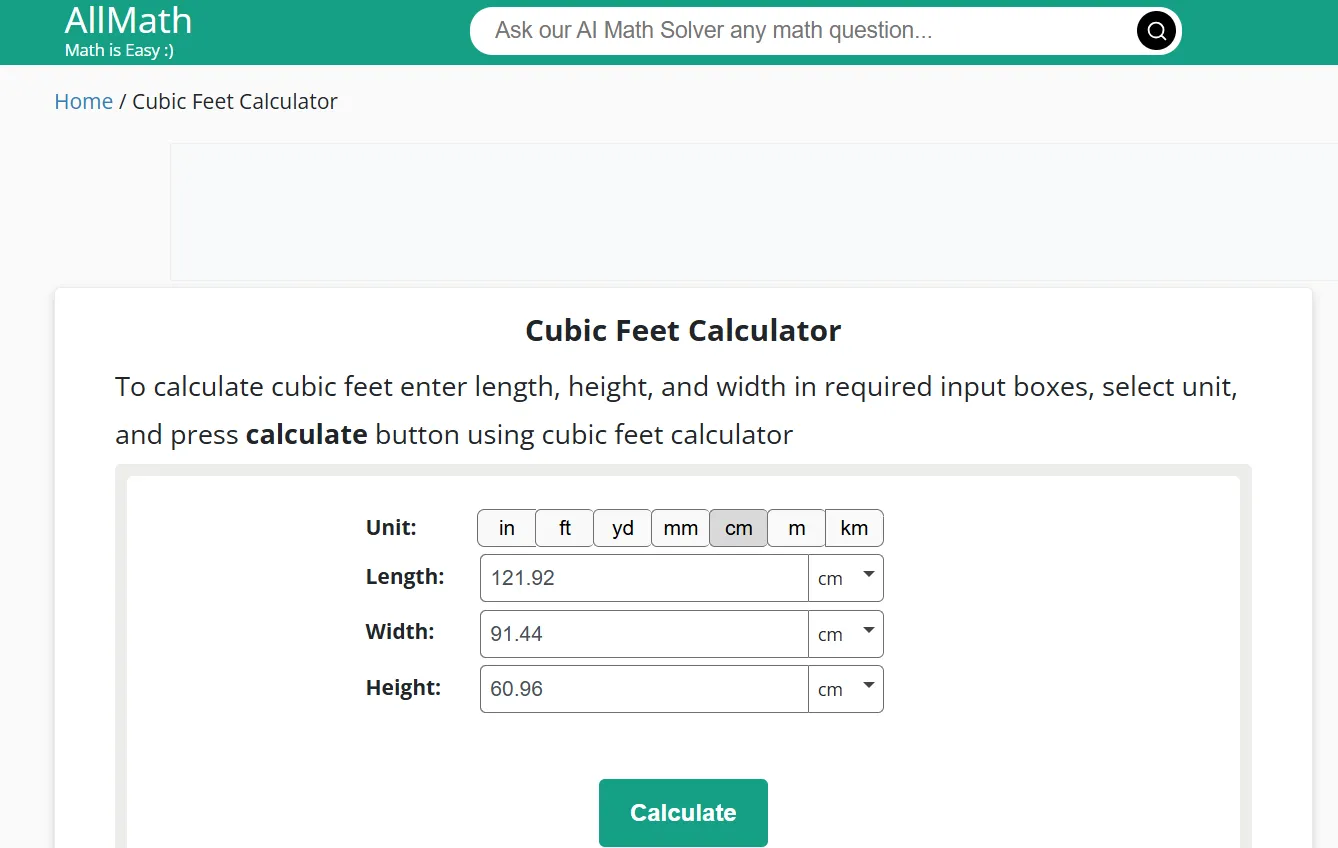
As soon as we hit the “calculate” button, here’s how the tool responded:
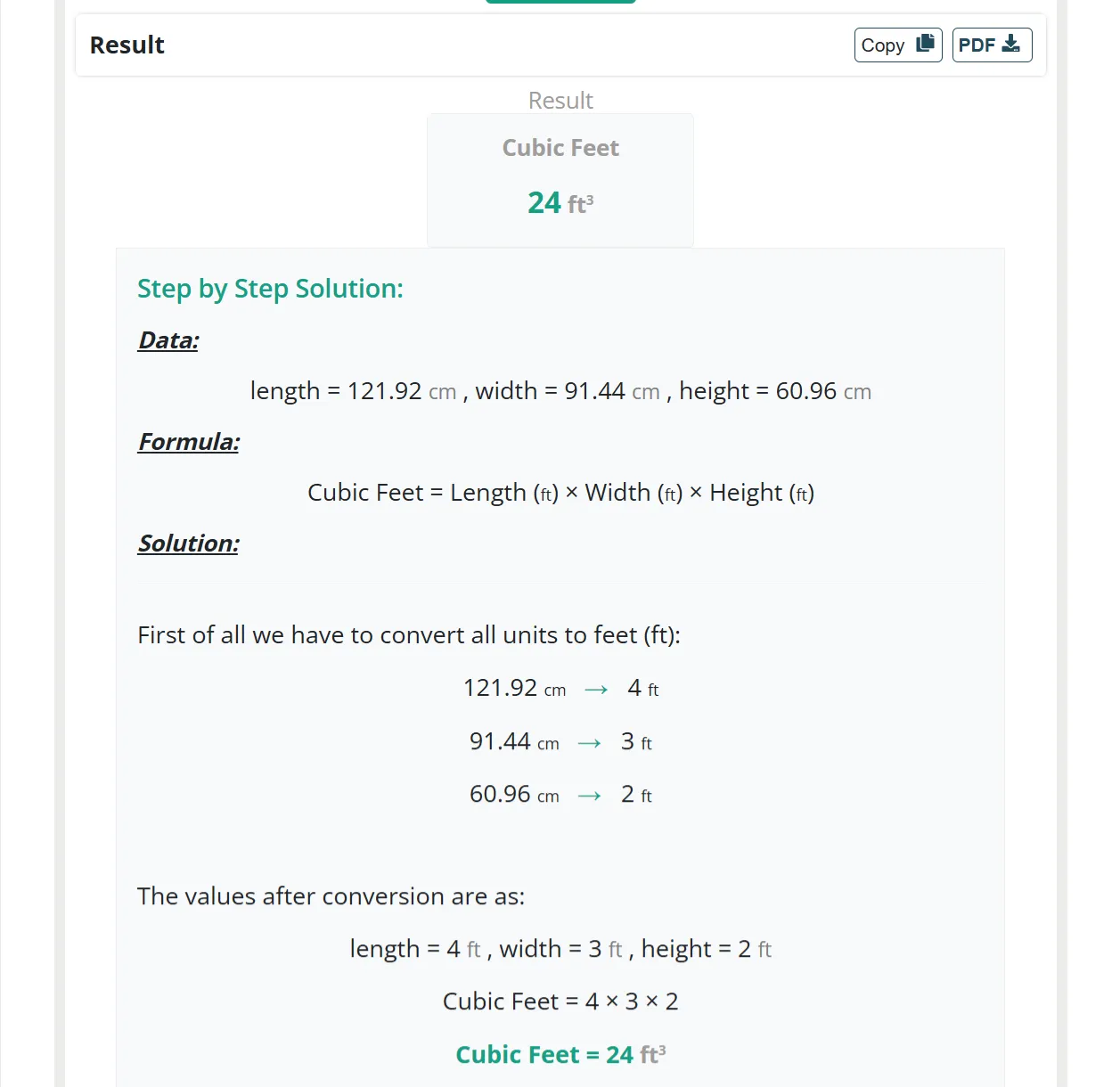
As we can see in this screenshot, the answer (24 cubic feet) is exactly the same as the one we calculated manually. It means that our manual evaluation using the Length × Width × Height formula was accurate.
The tool also provided us with a unit conversion table and how the cube with a volume of 24 ft3 looks.
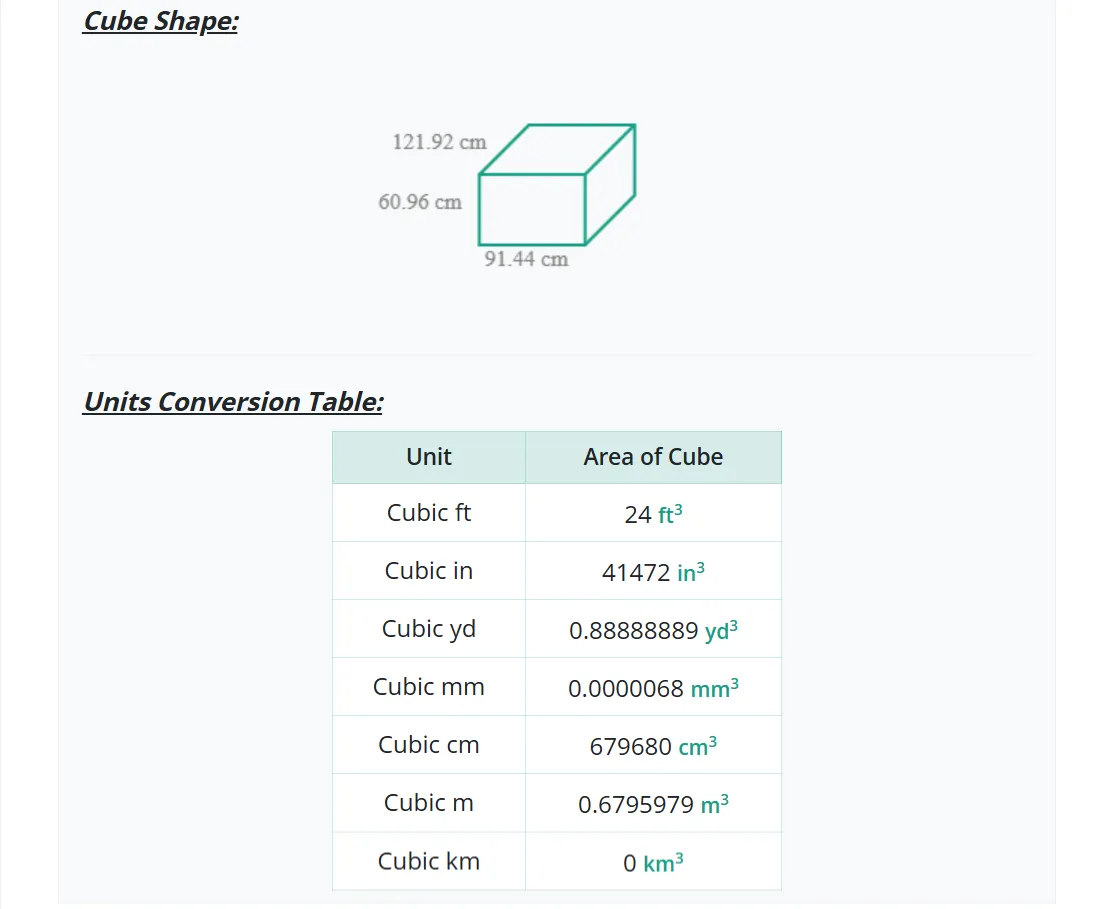
However, for rectangular or square shapes, the tool can calculate cubic feet from 7 different units of measurement, i.e., in, ft, yd, mm, cm, m, and km.
Trade Tools
How ArcSite Helps Contractors Calculate Cubic Feet On-Site Instantly
Volume measurements are a critical part of planning and quoting in the field. Whether you're figuring out how much turf to order, how much space a tank or unit will occupy, or what it will take to remove or install bulk material, cubic feet is a critical measurement for contractors across landscape, decking, fencing, pest control, foundation repair, and more.
ArcSite helps teams calculate cubic footage in real time with out a calculator or spreadsheet.
ArcSite Does the Math For You
With ArcSite, you draw the shape of the object or area directly on your tablet using your finger. Add dimensions from your laser level. Then, ArcSite can calculate volume automatically for rectangular, square, and cylindrical objects, using your drawing as the input.
For example, ArcSite can help you calculate:
- Excavation volume – Draw the length and width of a trench or pit and input the depth to get cubic feet for soil removal.
- Storage space planning – Sketch a rectangular room or shipping container and calculate available space for equipment or product.
- Concrete pours – Use ArcSite to outline a footing, slab, or form and enter height to determine the volume of concrete needed.
- Tank or pipe volume – Measure cylindrical shapes with radius and height, and ArcSite applies the correct formula for volume in ft³
- Turf calculations - quickly measure the amount of turf rolls you need to buy for a job
Because ArcSite ties quantities to your pricing catalog, the cubic feet measurement can also be used to:
- Automatically generate material costs (e.g., concrete, turf, insulation, backfill)
- Estimate labor based on standard production rates
- Show customers visual breakdowns of what’s being installed or removed
Why This Matters in the Field
Most takeoff tools stop at area and linear footage. ArcSite goes further by enabling volume-based quoting right from your site walkthrough. That means:
- No more mental math or switching to a separate calculator app
- No guessing on cubic feet when building quotes or placing orders
- No delays from having to double-check your math back at the office
Final Tips
Ensure the measurements are uniform by using a measuring tape, AR scan, or laser level. With the latter two, the measurements populate directly into ArcSite. Measure each dimension twice to minimize possible errors.
Enter the value immediately in ArcSite so nothing gets forgotten or confused. Keep all units the same, and convert them first if required. These small steps will help you take more accurate measurements, every time.
If you do a lot of volume measurements for field work, book a demo with ArcSite.
Categories
INDUSTRY


FAQs
Related posts