Projector CAD Block
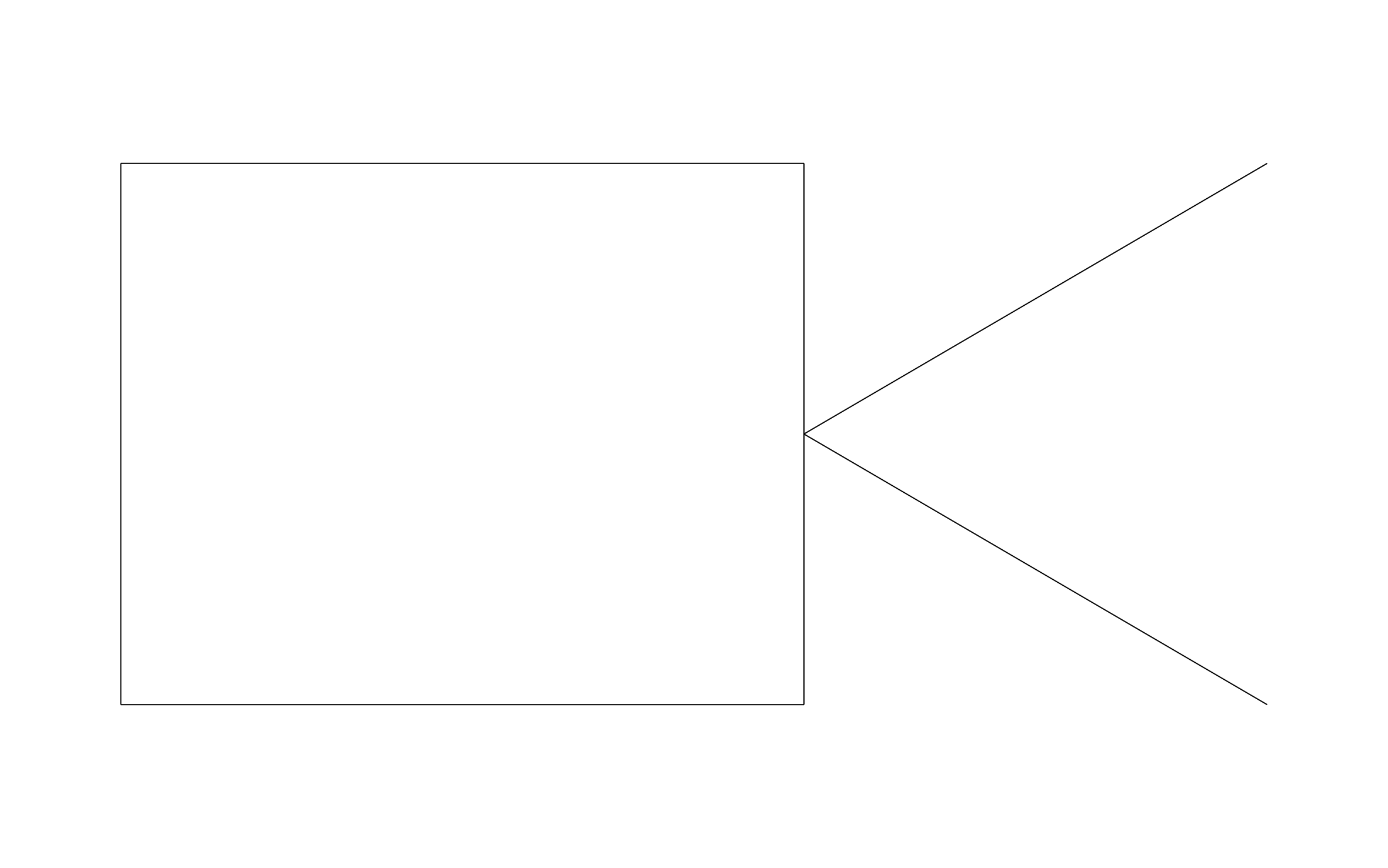
Projector CAD block free in DWG, DXF, PNG, and PDF. Two lines spread from the lens toward the screen.
Key Features
- Throw Direction: The open cone points at the screen wall, showing where the image lands.
- Ceiling Mount Spot: Mark the mount location on a reflected ceiling plan.
- Screen Alignment: Aim the cone at the screen wall so the projector and screen line up.
- AV Rooms: Works for conference rooms, classrooms, churches, and home theaters.

Industry specific

Fully customizable


Design from anywhere
Trusted by Pros. Recognized by the Industry.
With top ratings across Software Advice, GetApp, and Capterra, professional contractors choose us for ease of use, powerful tools, and unmatched customer support.





Unlock 1,200+ Free CAD blocks with the ArcSite app

CAD blocks. Floor plans. Estimates. Do it all with ArcSite's mobile app.
Free access to over +1,200 blocks included with the ArcSite CAD app
Security, AV & Technology
CAD blocks you might like
Frequently asked questions
Does it show the projection direction?
How far should the projector sit from the screen?
What formats is it available in?



Ask AI about ArcSite: