
Shadow Box Fence Shop Drawing
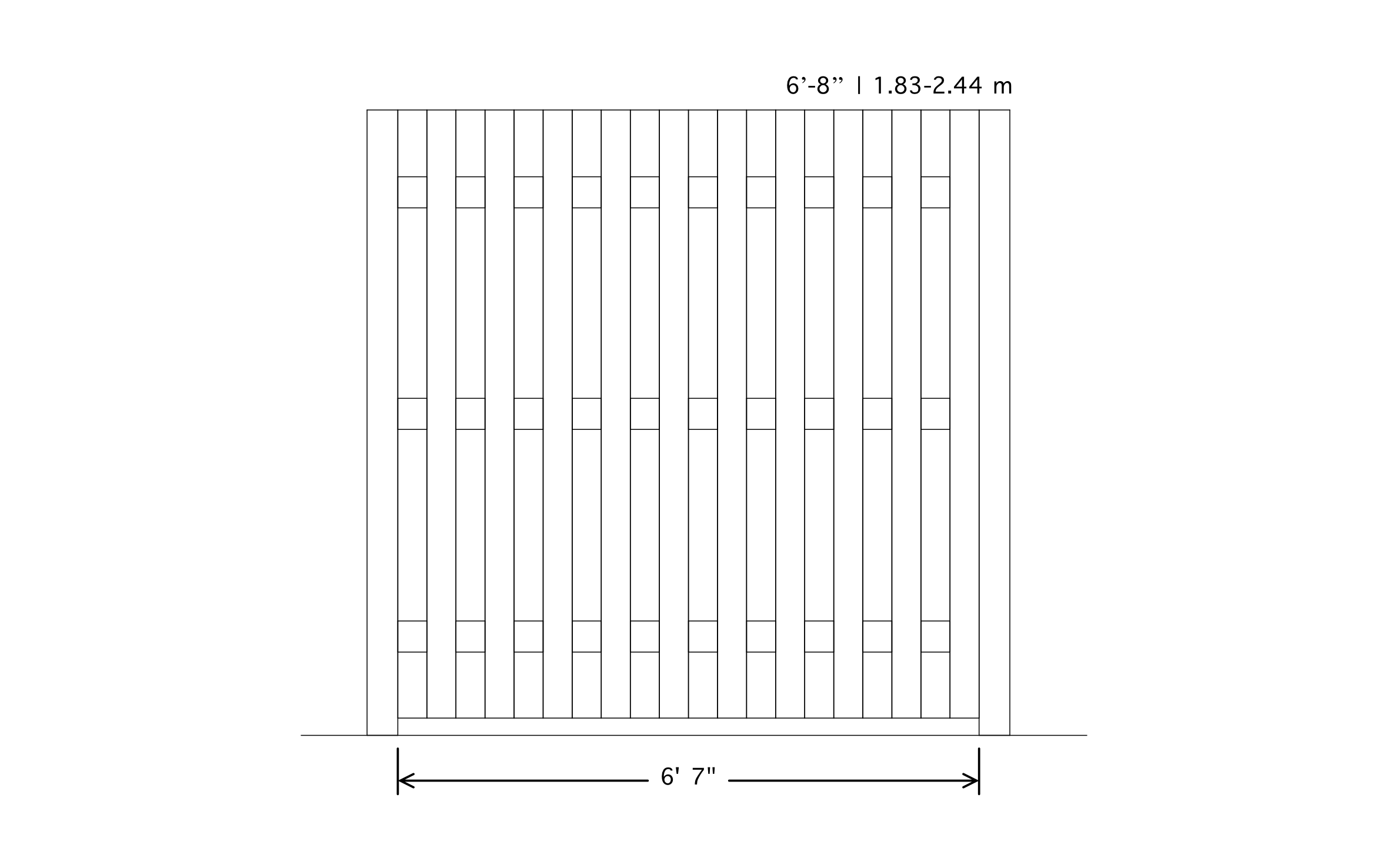
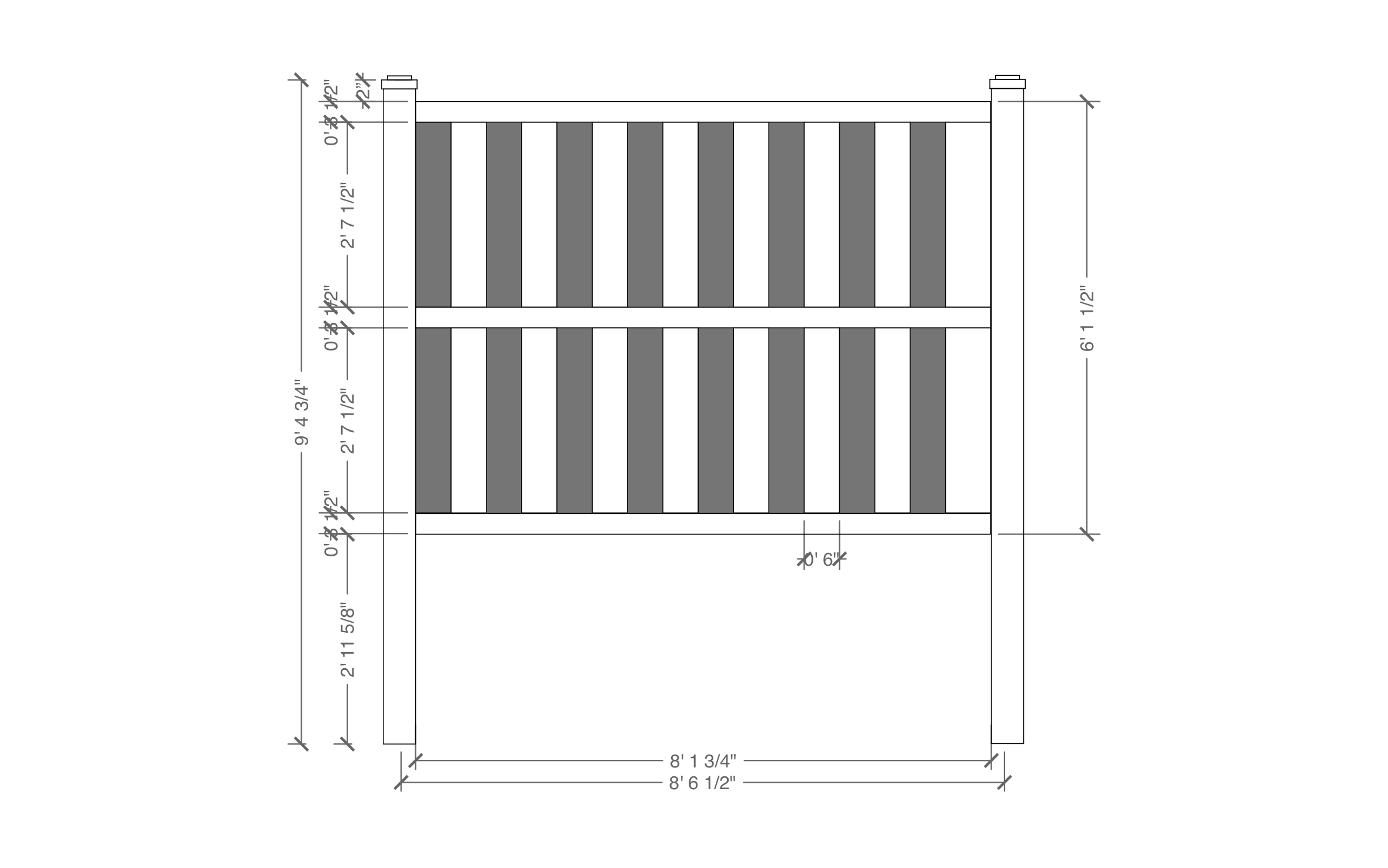
A shadow box fence looks finished from both sides, which makes it a good-neighbor choice for a shared property line. ArcSite's shadow box fence shop drawing shows how the boards alternate across a full panel.




Free access to over 1,200 shapes and blocks included with the ArcSite CAD app
Key Features
This shadow box fence shop drawing includes:
- 6'7" panel width between posts
- 6' to 8' (1.83 to 2.44 m) height range
- Boards alternating front and back of the rails
- Three horizontal rails
- Bottom board running the width of the panel
- End posts on both sides
The rails show through the gaps on both faces, so neither neighbor gets the back of the fence, which makes this style easy to sell on a shared lot line.
Trusted by the Pros. Honored for Innovation.





What is a Shadow Box Fence?
A shadow box fence hangs boards on alternating sides of the rails, so it looks the same from either yard and lets some air move through. In ArcSite, you can set the height anywhere in the 6' to 8' range and keep the board pattern intact.

Landscaping & Outdoor Living
templates you might like
FAQ
No. It shows boards alternating on each side of the rails across a 6'7" panel. Set your overlap in ArcSite based on the board width you're using.
Absolutely. You can stretch the panel to any height in the 6' to 8' range in ArcSite.
Yes! ArcSite exports DWG and DXF files, so an architect or engineer can open your drawing in AutoCAD or other CAD software.






