

H Brace Fence Diagram
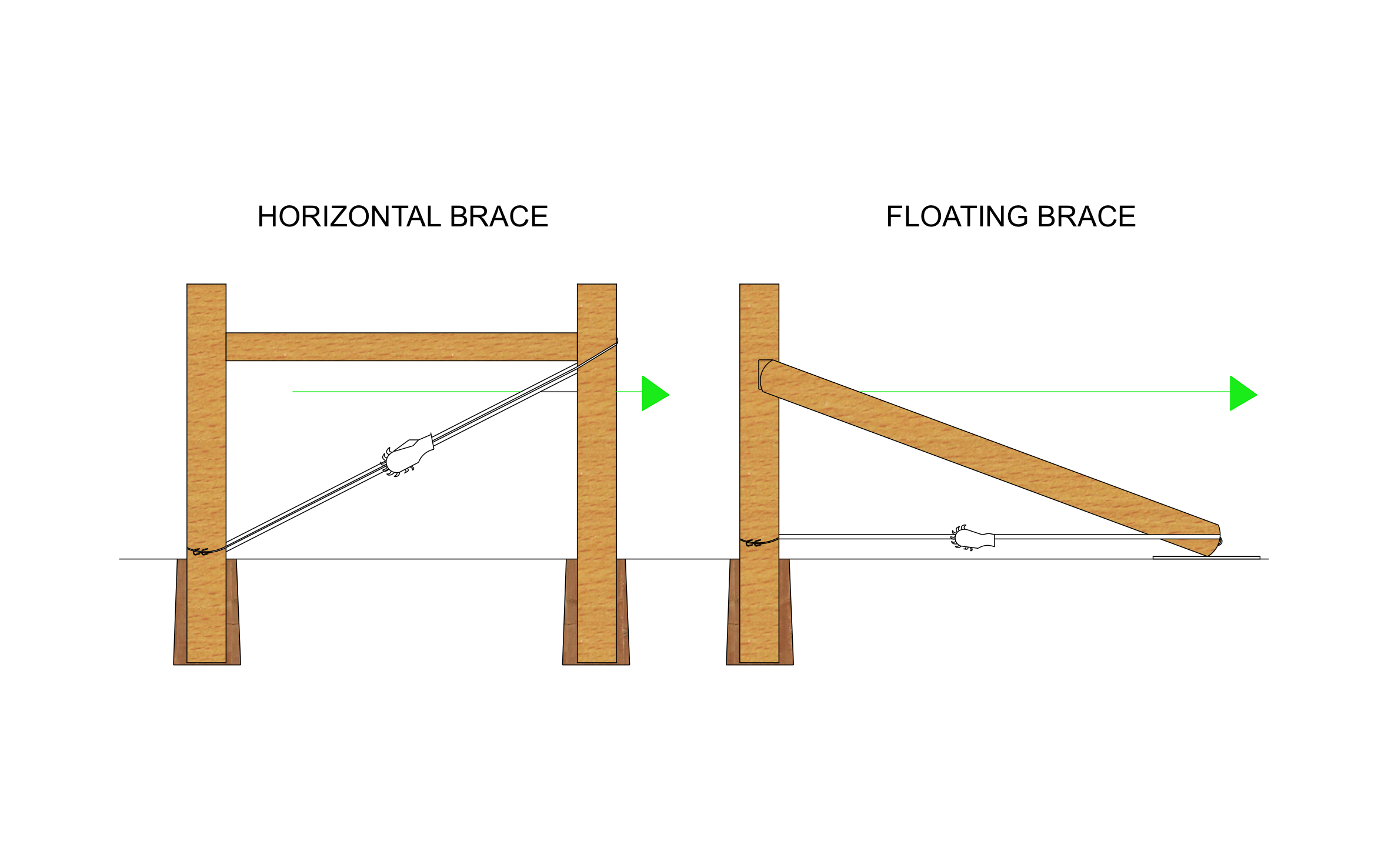
A tight wire fence pulls hard on its corner posts, and an H brace is what keeps them standing straight. ArcSite's H brace fence diagram sets a horizontal brace beside a floating brace so you can pick the one that fits the job.
Opens right in your browser — no install.
Make it yours within minutes.


Free access to over 1,200 shapes and blocks included with the ArcSite CAD app
Key Features
This H brace fence diagram includes:
- Horizontal brace with two posts and a brace rail
- Brace wire from brace post top to corner post base
- Wire strainer on each brace wire
- Floating brace with one post
- Ground pad under the angled brace
- Arrows showing the fence pull
- Backfill around each post below grade
The floating brace does the same job with only one post in the ground, since its angled brace sits on a support base instead of a second post.
What is an H Brace Fence?
An H brace joins the corner post and a brace post with a horizontal rail, so both posts share the pull of a tight fence. The brace wire runs from the top of the brace post to the bottom of the corner post, and installing it backwards adds force to the corner post instead of relieving it. In ArcSite, you can place H braces at every corner and gate on your fence layout before you order posts.

Trusted by the Pros. Honored for Innovation.





Landscaping & Outdoor Living
templates you might like
FAQ
A horizontal brace uses two posts joined by a rail. A floating brace uses one post and an angled brace that rests on the ground, held in place by a brace wire.
Yes! Relabel the posts and rails in ArcSite to match the steel or wood you're setting.
Absolutely. Mark each corner and gate brace on your ArcSite layout and attach it to the proposal before the customer signs.






