
Pest Control Diagram
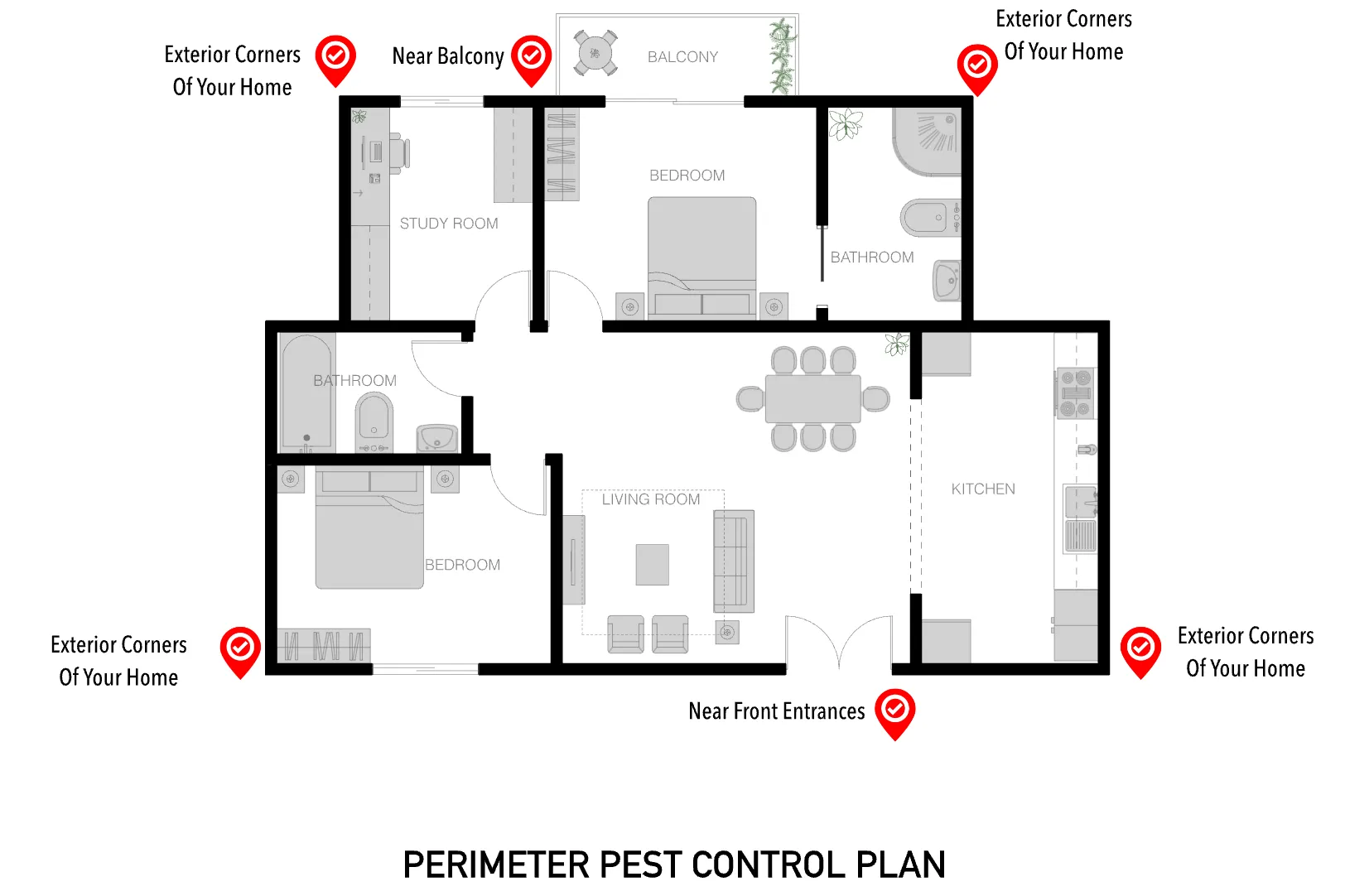
A pest control diagram shows a customer exactly where treatment gets applied around their home, not just that treatment happened somewhere. ArcSite's pest control diagram lays out those perimeter application points, ready to adjust to a specific property.




Free access to over 1,200 shapes and blocks included with the ArcSite CAD app
Key Features
This pest control diagram includes
- Exterior corner treatment points
- Application point near the balcony
- Application point near front entrances
- Key perimeter application markers around the home
The application points cluster around corners and entry points rather than running evenly along the whole perimeter, since that's where pests actually get in.
Trusted by the Pros. Honored for Innovation.





What is a Perimeter Pest Control Plan?
A perimeter pest control plan creates a treatment barrier around the exterior of a home to keep pests from getting in, with application points placed at the spots pests are most likely to enter. In ArcSite, you can mark up this diagram with your own application points for the property you're treating.

Landscaping & Outdoor Living
templates you might like
FAQ
An accurate diagram helps identify critical infestation zones, entry points, and targeted treatment areas, ensuring a comprehensive and efficient pest control strategy. With clear, visual documentation, professionals can plan and implement treatments more effectively.
ArcSite enables precise on-site measurements, easy labeling of problem areas, and swift updates as conditions change. This digital approach streamlines collaboration with clients and team members, helps track treatments over time, and ensures consistent, organized record-keeping.
ArcSite offers a 14-day free trial, during which you can explore all of its features. If you decide it’s the right fit, you can choose from a range of subscription plans to continue using its design and documentation tools.






