How to Layout Deck Footings
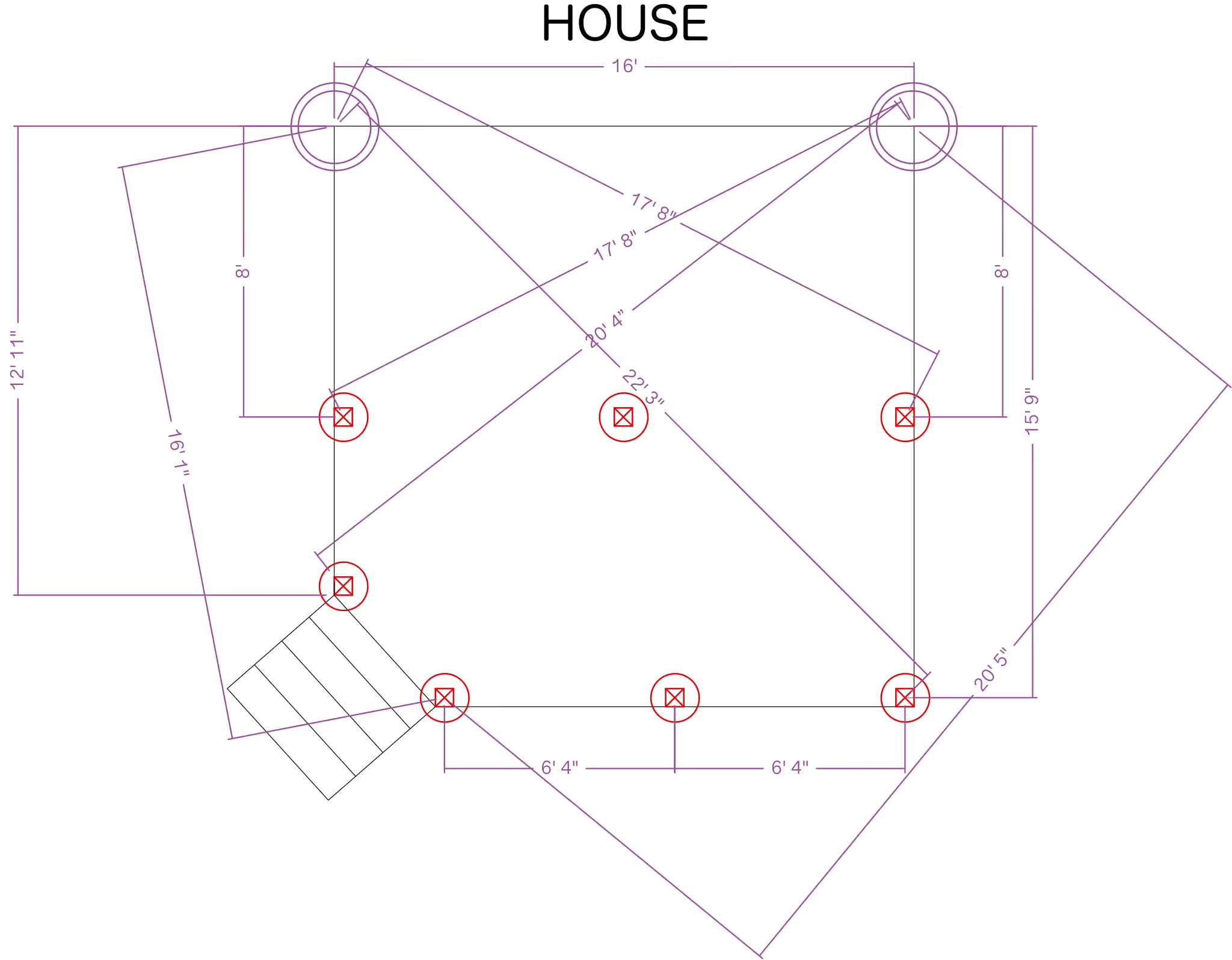
Footing placement is the first thing to lock down on a deck, since post spacing and framing all build off it. ArcSite's deck footing layout template walks through that placement step by step, ready to adjust to your own site.
Key Features
This deck footing layout includes
- Footing locations marked from the ledger line
- Corner squaring reference points
- Support post placement for 6x6 posts
- Angled footing placement for non-standard deck shapes
- Stair footing locations
- Notes on meeting local building code
This template focuses on the layout sequence itself, from squaring corners to marking footing centers, rather than the spacing math covered in ArcSite's other deck footing templates.


Accurate to scale


Design from anywhere


Professional results
Design tips
Key Considerations When Laying Out Deck Footings
Footing layout starts on the ground, not on paper, so this template works through the order most builders actually follow: mark the ledger line, square the corners, then locate each footing before digging. In ArcSite, you can adjust the footing count and spacing in this layout to match your own deck size and local frost depth.
Trusted by Pros. Recognized by the Industry.
With top ratings across Software Advice, GetApp, and Capterra, professional contractors choose us for ease of use, powerful tools, and unmatched customer support.





Landscaping & Outdoor Living
templates you might like

Frequently asked questions
Why is precise footing placement important?
Can this template be adjusted for larger decks?
Is ArcSite free to use?