

Chain Link Fence Parts Diagram
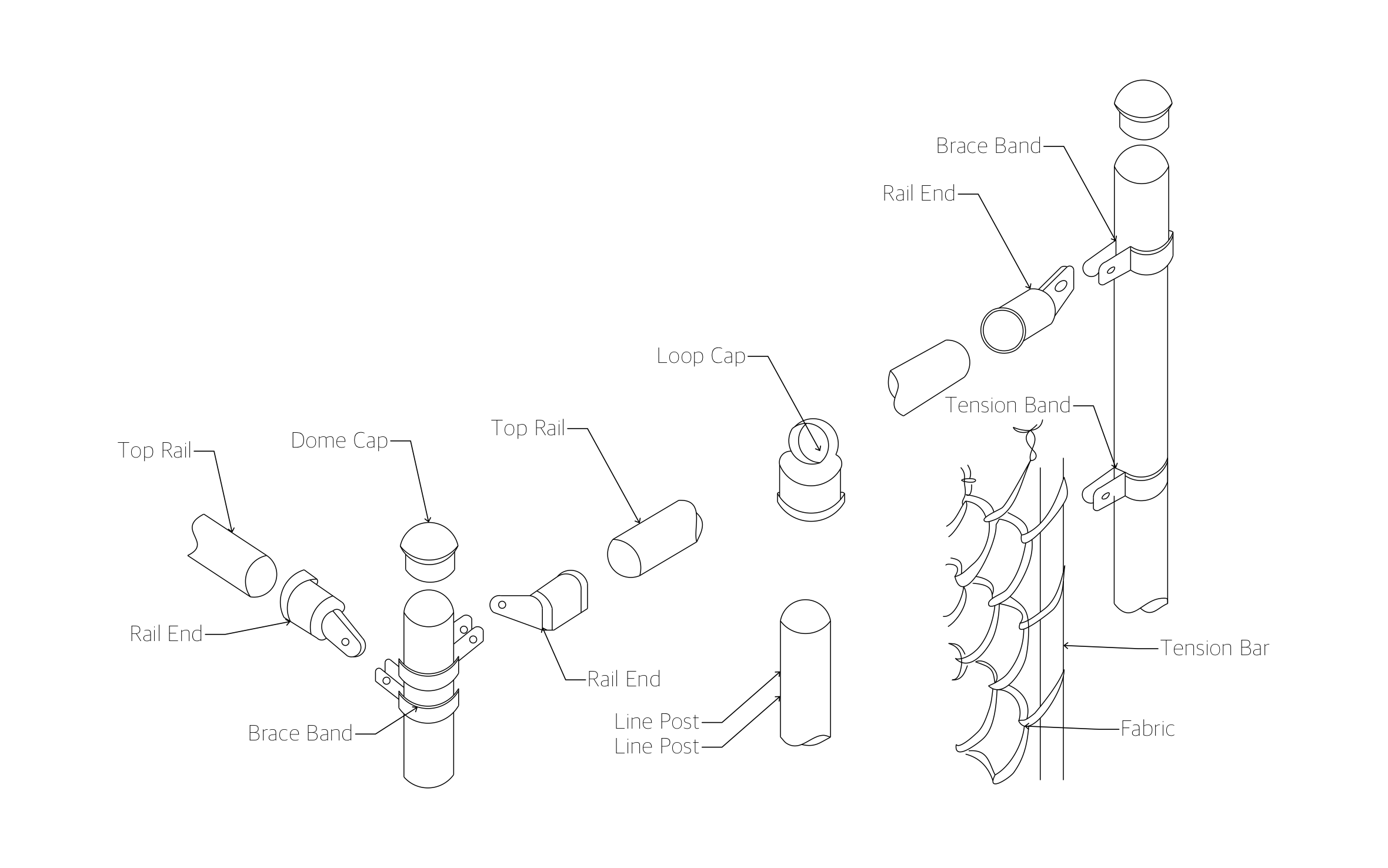
Chain link keeps the dog in the yard and the equipment lot locked up at night, all without blocking the view. ArcSite's chain link fence parts diagram labels every cap, band, and rail end so your crew loads the right fittings.
Opens right in your browser — no install.
Make it yours within minutes.


Free access to over 1,200 shapes and blocks included with the ArcSite CAD app
Key Features
This chain link fence parts diagram includes:
- Terminal post with a dome cap, brace bands, and rail ends
- Line post with a loop cap
- Top rail sections and rail ends
- Tension bands holding the tension bar
- Tension bar woven through the fabric
- Exploded isometric view of every fitting
The loop cap is what separates a line post from a terminal post: the top rail slides straight through it instead of stopping at a rail end.
Key Considerations When Installing a Chain Link Fence
Every terminal post needs tension bands, brace bands, and rail ends, while line posts only take a loop cap for the top rail. In ArcSite, you can mark each post type on your fence run so your material takeoff counts the right fittings.

Trusted by the Pros. Honored for Innovation.





Landscaping & Outdoor Living
templates you might like
FAQ
No. It covers posts, rails, and fabric fittings only. Add hinges, latches, and the gate frame in ArcSite when your run includes a gate.
Yes! You can add a bottom rail, tension wire, or extra brace bands to the drawing in ArcSite.
Sure can. Drawings sync across your team, so the estimator and the install crew open the same plan.






