
Electric Fence Installation Diagram
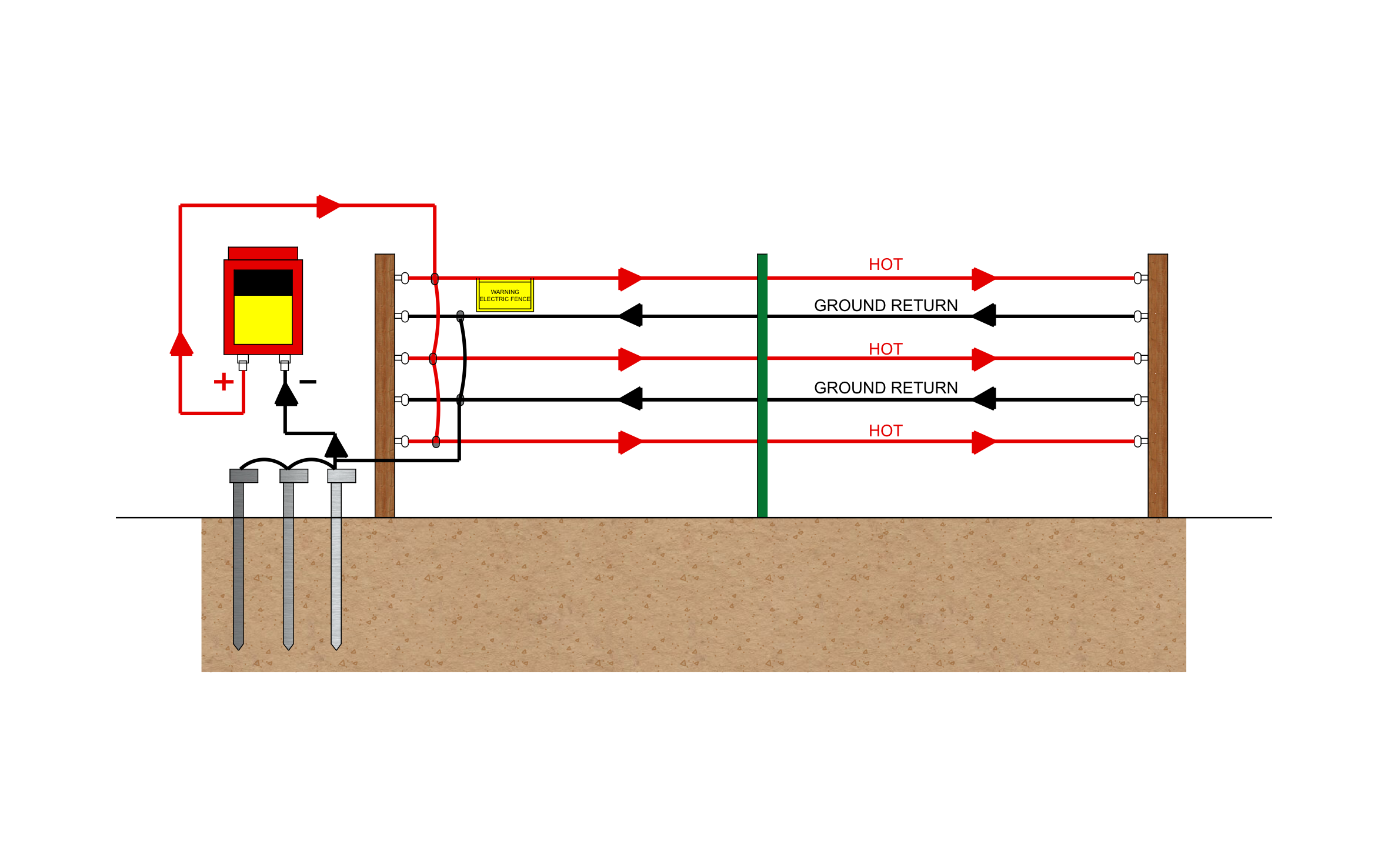
An electric fence keeps livestock in and predators out across acres of pasture with far less material than a solid fence. ArcSite's electric fence installation diagram shows the full hot and ground return wiring, so the system works the day you switch it on.




Free access to over 1,200 shapes and blocks included with the ArcSite CAD app
Key Features
This electric fence installation diagram includes:
- Five wires alternating hot and ground return
- Energizer with positive and negative terminals
- Three ground rods linked together
- Jumper wires tying the hot wires and the ground return wires together
- Wood end posts with insulators and a steel line post
- Warning sign on the fence line
- Arrows showing current flow on each wire
The ground return wires keep this setup working in dry or frozen soil, where a ground-only system loses its shock, a detail to raise with any customer in a dry climate.
Trusted by the Pros. Honored for Innovation.





Key Considerations When Installing an Electric Fence
Grounding decides whether an electric fence actually shocks, and this design hedges against dry soil by running ground return wires between the hot wires. ArcSite lets you change the wire count and spacing on this drawing to match the animals you're fencing.

Landscaping & Outdoor Living
templates you might like
FAQ
Those wires connect back to the energizer's ground side, so an animal touching a hot wire and a ground wire at the same time completes the circuit, even when the soil is too dry to do it alone.
Yes! You can add or remove wires in ArcSite and keep the hot and ground return pattern.
Yes. With an ArcSite team plan, your office and field crews can work from the same drawings instead of passing files around.






