

Door CAD Block
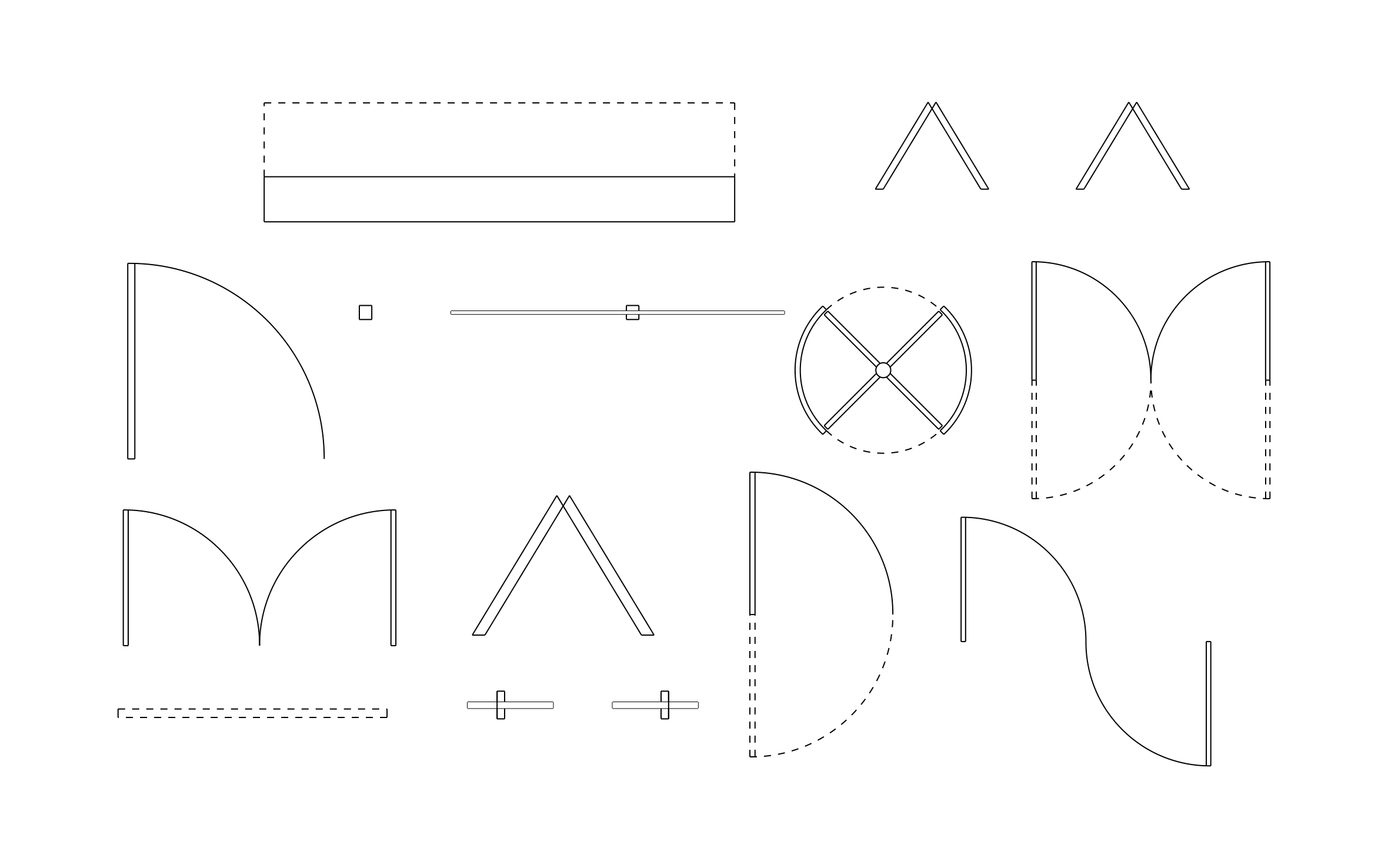
Door CAD block free in DWG, DXF, PNG, and PDF. More than a dozen door symbols in plan view, each showing its swing or travel path.
Key Features
ArcSite's Door CAD Block
- Swing Doors: Single and double doors with swing arcs show how much floor space each door needs.
- Double-Acting Doors: Dashed arcs mark doors that swing both ways, like kitchen and service doors.
- Bifold and Sliding Doors: Folding panels and sliding door symbols suit closets and tight hallways.
- Revolving Door: A four-wing revolving door covers commercial entries.
- Garage Door: An overhead door with a dashed open position shows the door's reach into the garage.
Unlock 1,200+ Free CAD blocks with the ArcSite app

CAD blocks. Floor plans. Estimates. Do it all with ArcSite's mobile app.
Free access to over +1,200 blocks included with the ArcSite CAD app
Trusted by the Pros. Honored for Innovation.





Based on 21,000+ reviews from


Architectural Symbols & Site Annotation
CAD blocks you might like



FAQs
Which door types are included?
Single and double swing, double-acting, bifold, sliding, revolving, and garage doors.
Can I use it to check door swing clearance?
Yes, the swing arcs show exactly how far each door opens into the room.
What formats is it available in?
DWG, DXF, PNG, and PDF.





Ask AI about ArcSite:

