

Roof Drainage Plan
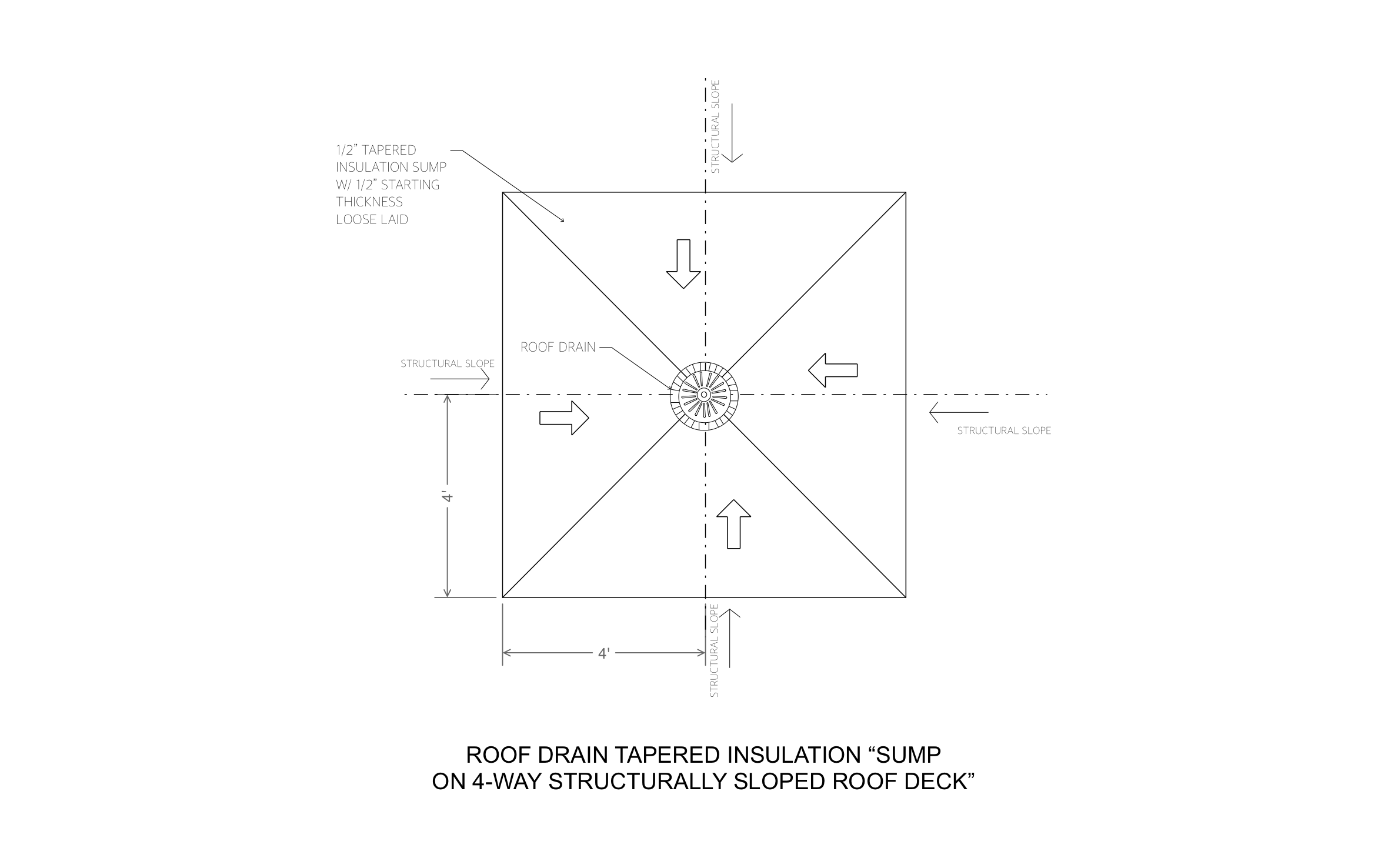
On a low-slope roof, every storm should end up in the drain, not in ponds that wear out the membrane. Water runs in from all four sides to the drain in ArcSite's roof drainage plan.
Opens right in your browser — no install. Make it yours within minutes.


Free access to over 1,200 shapes and blocks included with the ArcSite CAD app
Key Features
This roof drainage plan includes:
- Roof drain at the center of the sump
- Tapered insulation sump extending 4' on each side of the drain
- 1/2" starting thickness, loose laid
- Diagonal lines from each corner to the drain
- Flow arrows pointing into the drain
- Structural slope arrows on all four sides
- 4' dimension callouts
The deck itself slopes four ways toward the drain, so the sump only has to correct the last few feet around it instead of building the whole slope out of insulation.
Key Considerations When Designing a Roof Drainage Plan
Every roof drain sits in a low spot, and the tapered insulation sump around it makes sure the last few feet of roof slope into the drain instead of away from it. Your roof plan in ArcSite can carry a sump at every drain, so the building owner sees where water goes before tear-off starts.

Trusted by the Pros. Honored for Innovation.





Architectural Elements & Site Features
templates you might like
FAQ
No. It details the sump around one drain. Copy it to each drain on your roof plan in ArcSite, and add overflow drains or scuppers where the roof needs them.
Yes! You can resize the sump in ArcSite to match the drain spacing and insulation you're installing.
Site photos go into the proposal beside this detail, so the building owner sees the ponding you found and the fix together.






