As Built Drawing Title Block
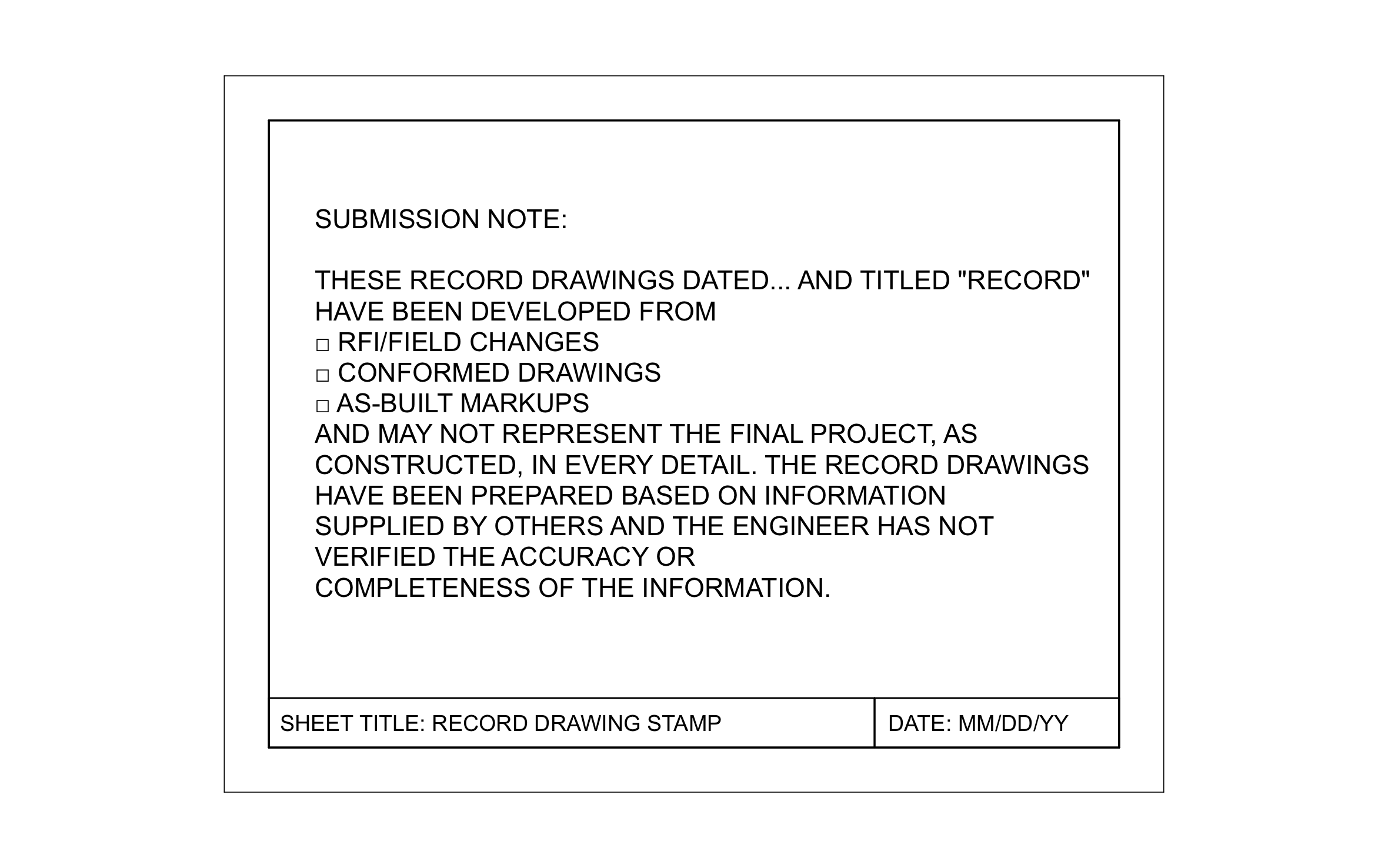
When the job is done, the owner needs a set of drawings that shows what actually got built, not what the original plans said. ArcSite's as built drawing title block adds a record drawing stamp with checkboxes for RFI and field changes, conformed drawings, and as-built markups.
Key Features
This as built drawing title block includes:
- Submission note for record drawings
- Blank for the record set date
- Checkbox for RFI and field changes
- Checkbox for conformed drawings
- Checkbox for as-built markups
- Note that the info came from others
- Sheet title set to Record Drawing Stamp
- Date field
The note says the engineer hasn't verified information supplied by others, so check with your engineer or GC before you change that wording.


Start from template


Fully customizable


Professional results
Design tips
Why an As Built Drawing Title Block Matters
Trusted by Pros. Recognized by the Industry.
With top ratings across Software Advice, GetApp, and Capterra, professional contractors choose us for ease of use, powerful tools, and unmatched customer support.





Architectural Symbols & Site Annotation
templates you might like

Frequently asked questions
What's the difference between as-built and record drawings?
Can I check more than one box?
Can the building owner pull up the record set later?