
The top mistake is treating inspections as one-off tasks instead of a data-driven, repeatable workflow. A modern building inspection app turns field notes into precise drawings, instant takeoffs, and clear estimates that protect margins and timelines.
If you have ever left a site thinking, "We will fill in the details back at the office," you know what happens next: missing photos, unclear notes, and inconsistent measurements. The stakes are higher than ever. Clients expect same-day clarity, and projects move too fast for rework. The right building inspection app closes the loop in the field, not later.
At ArcSite, we have seen specialty contractors lose hours - and dollars - because information captured on-site does not translate into precise scopes and estimates. The #1 mistake? Relying on manual, disconnected processes. The fix is a mobile CAD, takeoff, and estimating workflow that captures reality once and uses it everywhere.
Why this mistake hurts specialty contractors
When inspections are treated as checklists rather than workflows, small errors compound into profit loss. Common issues include:
- Ambiguous site notes that require follow-up calls or repeat visits.
- Photos without context - no location, no dimension, no tie to scope.
- Hand sketches that do not align with final drawings or BOMs.
- Manual takeoffs that miss materials or labor line items.
- Estimates delayed by back-office rework, slowing approvals and cash flow.
These gaps lead to change orders, wasted trips, and strained client trust. The result is margin risk on every job, especially in multi-site or code-driven work where documentation must be airtight.
How ArcSite prevents the pitfall
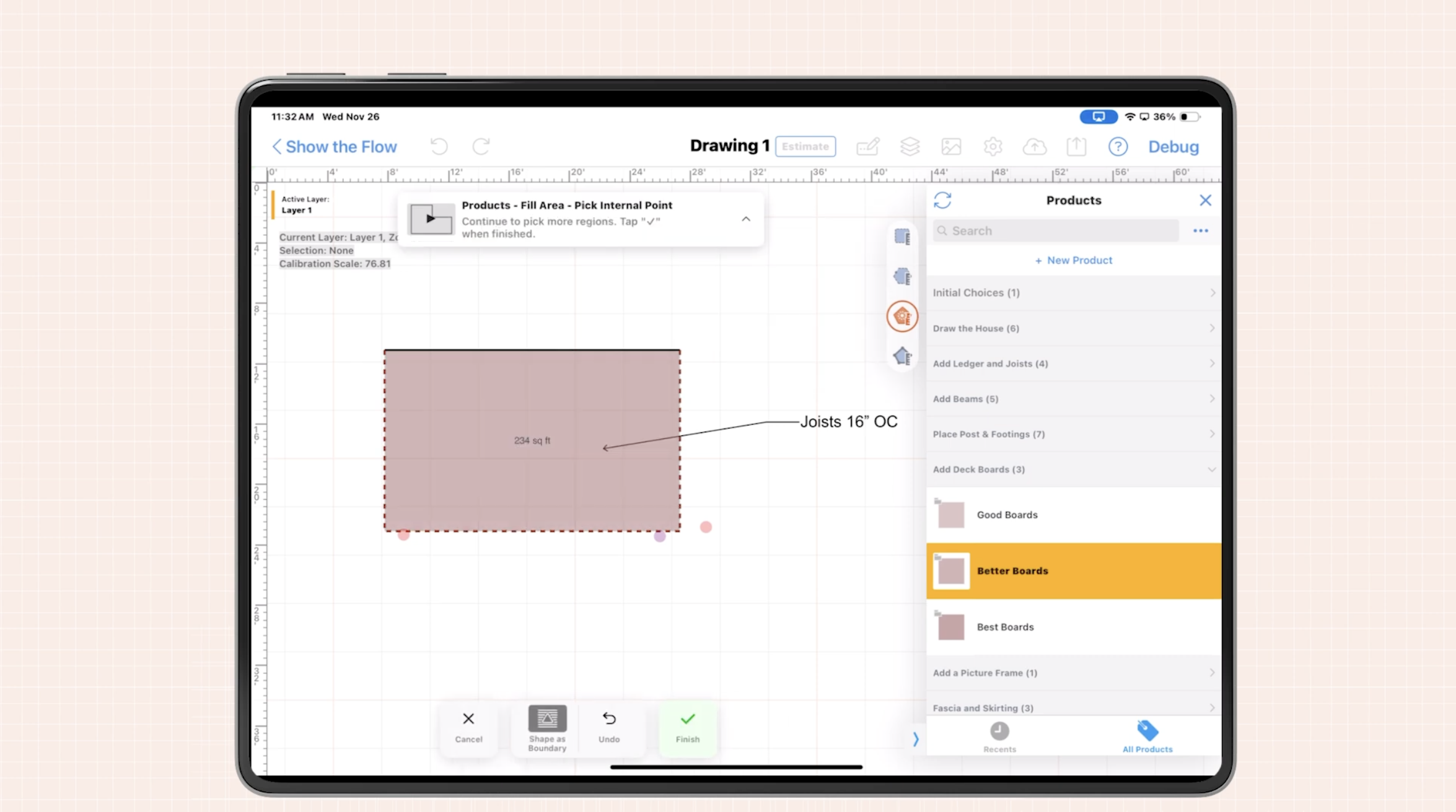
ArcSite was built to make the first capture the final source of truth. On a phone or tablet, inspectors can draw precise site conditions with mobile CAD, tag measurements to photos, auto-calc quantities, and generate professional estimates on the spot. Here is how the core capabilities map to your day-to-day:
- Mobile CAD on-site: Sketch floor plans, mark issues, and drop smart symbols that carry metadata. Draw once and reuse for scope, submittals, and as-builts.
- Instant takeoff: Turn geometry into quantities automatically - linear feet, area, count - with pricing rules that reflect your catalog.
- Estimating in minutes: Build customer-ready proposals with branded PDFs and clear line items. No more waiting for the back office to decipher handwriting.
- Photo and note context: Pin photos to exact locations in the drawing. Every image has a purpose and a place.
- Team consistency: Standardize symbols, forms, and pricing so every inspector follows the same playbook.
Practical workflows that raise inspection quality
1) Pre-site setup
Create a template for each inspection type - fire life safety, envelope, roofing, electrical, mechanical, ADA, or general facility assessments. Include:
- Required photos and checklist items.
- Standard symbols for defects, code references, and device types.
- Pricing rules for materials and labor tied to measurements.
When you arrive on-site, you are ready to capture what matters - consistently.
2) Field capture without rework
- Open the project and trace the floor layout or import a background image if available.
- Drop symbols for devices or issues (e.g., crack, corrosion, clearance violation).
- Measure with the device camera or laser, snapping dimensions directly to the drawing.
- Attach photos to symbols so each image is geolocated within the plan.
- Use notes to record code section references or remediation recommendations.
Because every data point is tied to geometry, takeoffs and estimates calculate instantly.
3) One-tap takeoff and estimate
- Run takeoff to produce quantities by type - counts, area, and linear footage.
- Apply pricing rules per material and labor crew. Adjust production rates for site complexity.
- Generate a client-facing estimate with scope visuals and exclusions called out clearly.
What once took days now takes minutes - and it is all based on accurate, visual proof.
4) Close the loop with clear deliverables
- Export a clean plan with photo callouts and dimensioned details.
- Send the estimate while you are still on-site or the same day.
- Share a punchlist or phased plan so work starts without confusion.
Implementation and change management
Adopting new tools is as much about people as software. Here is a practical rollout approach that works in the field:
- Nominate champions: Pick 1-2 inspectors who embrace technology and document their best practices. Let them lead the playbook.
- Start with one inspection type: Nail the template, symbols, and pricing for the most common job. Expand only after wins are proven.
- Create a standard kit: Tablet with case, laser measure, and photo checklist. Ensure everyone uses the same setup.
- Shadow and iterate: Run paired inspections for a week. Compare time-on-site, estimate speed, and error rates. Adjust rules accordingly.
- Coach to outcomes: Reward first-visit close rates, zero rework, and same-day proposals - not just completed checklists.
Measuring ROI and success
To avoid the #1 mistake, measure the impact of your new workflow. Track:
- Time on-site: Minutes saved per inspection by drawing and calculating in one pass.
- Estimate turnaround: Hours from site visit to delivered proposal - aim for same-day.
- Revisit rate: Percentage of jobs requiring a second trip due to missing info. Drive this toward zero.
- Win rate and average project value: Visual estimates and clear scope increase client confidence and approvals.
- Variance between estimate and actuals: Accurate takeoffs reduce overruns and protect margin.
Teams typically see compounding gains: faster close, fewer disputes, and cleaner handoffs to operations. The compounded value often exceeds simple time savings because confidence and clarity shorten the entire project cycle.
Tips to avoid the common pitfalls
- Draw during the walk: Do not wait until you get back to the truck. Capture reality while it is fresh.
- Photo discipline: Every photo gets a symbol and a note. If it does not tie to scope, it is noise.
- Use reusable symbols: Standardize defect and device markers so reports look the same across inspectors.
- Price from rules, not memory: Let the catalog and production rates do the math. Memory drifts; rules scale.
- Document exclusions: Add a simple list of what is not included to avoid later disputes.
What makes ArcSite different
Many tools claim to be an inspection solution, but they stop at forms. ArcSite connects drawing, measurement, takeoff, and estimating in one mobile-first workflow. You get the speed of a field app and the precision of CAD without the complexity.
When you eliminate the manual gaps, your team spends less time chasing details and more time moving projects forward. That is how you avoid the #1 mistake - by designing a process that cannot lose information in the first place.
Next steps
If you are ready to upgrade from paper, photos, and spreadsheets to a streamlined inspection-to-estimate workflow, we would love to show you how ArcSite can help. See a live walkthrough tailored to your trade - book a demo today.
Categories
INDUSTRY


FAQs
The top mistake is treating inspections as one-off tasks instead of a data-driven, repeatable workflow.
It leads to ambiguous notes, photos without context, misaligned sketches, missed materials in takeoffs, delayed estimates, change orders, wasted trips, and margin risk.
ArcSite offers mobile CAD for precise drawings, instant takeoffs, on-site estimating, photo and note context tied to drawings, and standardized symbols and pricing for team consistency.
Creating pre-site templates with required photos and pricing rules, capturing field data without rework by tracing layouts and attaching geolocated photos, running one-tap takeoffs and estimates, and delivering clear, timely client proposals.
Draw during the walk while information is fresh, attach photos with symbols and notes, use reusable standardized symbols, price using catalog rules not memory, and document exclusions clearly.
Related posts