If your construction contract template still relies on paragraphs of text and hope, you are leaving room for mismatched expectations, rework, and margin erosion. This article shows how to embed clear visuals directly into your contracts so scope is obvious to clients, crews, and subs.
Even well-written agreements can fail when jobsite realities do not match what the client imagined. Specialty contractors know the cost: callbacks, change orders that sour relationships, and crews stuck waiting for answers. By pairing your construction contract template with field-ready visuals - site drawings, markups, photos, and counts - you can make scope unambiguous and speed approvals.
The communication gap specialty contractors face
Most disputes start with scope. Descriptions like "replace damaged panels along north fence" or "seal perimeter joints" are open to interpretation. Clients picture one thing; your crew delivers another. The risk shows up as:
- Change orders that feel like surprises to the customer
- Delays while teams clarify measurements, locations, or product options
- Inconsistent estimates across sales reps or branches
- Margin erosion from rework and material waste
When projects span multiple stakeholders - sales, estimators, project managers, foremen, and subs - the handoff friction multiplies. The fix is not more words; it is better shared context.
Why visuals belong inside the contract
Visuals turn assumptions into agreements. When the contract includes a plan view sketch with measurements, labeled callouts, and photo references, every party sees the same scope. That alignment drives faster sign-offs and fewer mid-project surprises.
Visual elements that clarify scope
- Site drawings: Quick mobile CAD sketches over a floor plan or satellite image
- Smart markups: Color-coded areas, line types, and symbols tied to assemblies
- Dimensions and counts: Auto-calculated lengths, areas, and quantities
- Annotated photos: Before images with arrows and notes for edge cases
- Alternates and options: Side-by-side visuals to show choices clearly
Embedding these assets in the agreement - not as separate email attachments - ensures they travel with the contract through approvals, kickoff, and closeout.
How ArcSite closes the loop: capture, calculate, and contract
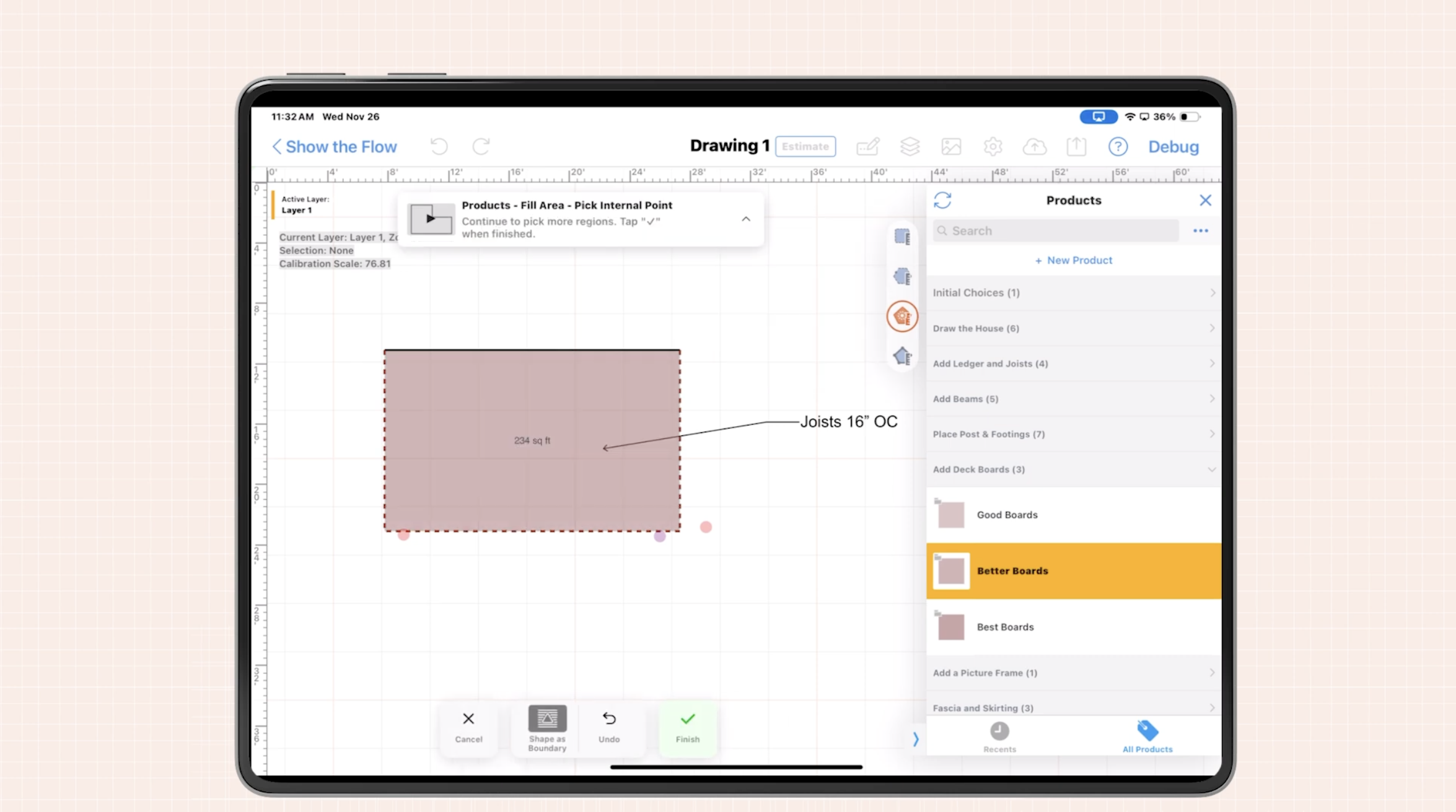
ArcSite combines mobile CAD, takeoff, and estimating in one app, so visuals and numbers are captured together in the field and flow straight into your contract documents.
- Draw on site: Create accurate plan sketches on a phone or tablet, even without connectivity.
- Attach evidence: Drop pins for photos, add notes, and mark existing conditions.
- Automate takeoff: Convert geometry into live quantities with trade-specific assemblies.
- Price instantly: Build estimates from your catalog with labor, materials, and options.
- Package a contract: Output a branded scope sheet with embedded drawings, callouts, and line items ready for signature.
Because drawings, takeoffs, and pricing originate from the same source, what the customer signs is exactly what the crew sees. That alignment reduces handoff errors and accelerates mobilization.
Practical workflows using a construction contract template
Whether you are updating your internal forms or adopting ArcSite-generated documents, the key is to pair structured language with visuals that remove ambiguity. Use a construction contract template as the base, then embed annotated drawings and calculated quantities from ArcSite.
Concrete and flatwork
- Draw the slab footprint with control joints and thickened edges.
- Auto-calc square footage, linear feet of forms, and rebar counts.
- Show sawcut locations and dowel placements with symbols.
- Contract clause references the drawing ID and auto-generated quantities.
Fencing
- Trace fence runs over a satellite image and mark gate locations.
- ArcSite counts posts by spacing and calculates fabric length automatically.
- Add photos of terrain obstacles with notes for rock drilling or clearing.
- Contract includes the sketch, materials list, and alternates for gate types.
Waterproofing and sealants
- Color-code joints by product type and movement rating.
- Area and linear measurements drive material yield and labor hours.
- Attach close-up photos of failed joints to document conditions.
- Contract ties product specs to the color legend to avoid substitutions.
HVAC service and replacement
- Diagram equipment locations and duct runs with numbered tags.
- Link accessories (disconnects, pads, curb adapters) to tagged items.
- Include before photos for access and crane planning.
- Contract bundles scope per tagged asset to prevent partial misunderstandings.
Line striping and pavement marking
- Overlay stalls, ADA spaces, and stencils on a lot layout.
- Auto-calc linear feet, stall counts, and symbol quantities.
- Include an option set for paint types and colors.
- Contract uses the drawing legend so facility managers can validate quickly.
Template structure: what to include
To make visuals actionable within your contract, structure your template with clear cross-references:
- Scope summary: 2-4 sentences referencing Drawing ID(s) and legend.
- Defined inclusions: Bullet list tied to callout numbers and symbols.
- Exclusions and assumptions: Note site access, power, permits, or hazardous conditions.
- Quantities: Table or line items sourced from the live takeoff.
- Alternates/options: Clearly priced and visually distinguished in the drawing.
- Client initials/signatures: Fields next to key choices or alternates.
In ArcSite, these elements are generated from the drawing and catalog, so you minimize manual editing while maximizing clarity.
Implementation and change management
Set up your template library
- Start with your current contract and add placeholders for Drawing ID, legend, and photo references.
- Standardize assemblies in ArcSite so drawings map cleanly to line items.
- Create trade-specific legends (colors, symbols) and keep them consistent across teams.
Train crews in 1-2 workflows
- Pick your most common job types and build example projects.
- Run shadow estimates: a rep draws and prices in ArcSite while another uses the old method. Compare outcomes.
- Capture field feedback on where visuals remove the most confusion, then refine templates.
Integrate estimating and approvals
- Decide where approvals happen: in person on a tablet, via emailed PDF, or through your CRM.
- Lock versions: when the client signs, the drawing and quantities freeze for production.
- Route to operations with the same packet so crews build from the signed visuals.
Measuring ROI and success metrics
Visual-first contracts should yield measurable improvements in speed and accuracy. Track:
- Change order frequency: Aim for fewer scope-related changes per job.
- Approval time: Measure hours from proposal sent to signed.
- Revisits and callbacks: Reduce site returns caused by unclear scope.
- Win rate: Visuals often improve customer confidence and close rates.
- Gross margin protection: Fewer surprises means more predictable margins.
- Estimator time: Minutes saved per quote by drawing once and pricing automatically.
Set a baseline. For 30 days, record your averages with the old process. Then implement visual contracts for the same job types for the next 30 days. Even small gains add up. For example, if visual contracts save 20 minutes per estimate and you produce 25 estimates per week, that is more than 8 hours saved monthly - one extra day regained for selling or production planning.
Beyond time savings, the biggest ROI often comes from avoided rework. A single prevented callback can offset the cost of adopting better tools.
Common objections and how to respond
- "Our clients do not need drawings." - Visuals are not for decoration; they prevent disputes. Even simple markups show professionalism and protect both parties.
- "It takes too long to draw on site." - With mobile CAD and reusable assemblies, sketches take minutes and automatically produce quantities and pricing.
- "Crews will not follow the plan." - When the signed contract includes the drawing, foremen are incentivized to build to the same reference the client approved.
- "This will complicate our process." - The goal is fewer tools, not more. Capture, takeoff, and pricing in one app simplifies handoffs.
Getting started with ArcSite
If you already use a construction contract template, the quickest win is to embed ArcSite drawings and auto-calculated quantities into that document. Over time, standardize your clauses and legends so every proposal looks familiar and professional. The result: faster approvals, fewer disputes, and stronger margins across branches and crews.
Ready to eliminate scope confusion and close work faster? See how ArcSite connects field visuals to accurate pricing and contract-ready documents. Book a demo to get a tailored walkthrough for your trade.
Categories
FAQs
Relying only on text leads to mismatched expectations, change orders perceived as surprises, delays in clarifications, inconsistent estimates, and margin erosion from rework and waste.
Embedded visuals like site drawings, markups, and annotated photos make scope unambiguous, align all parties on the same details, and speed approvals by reducing misunderstandings.
ArcSite offers mobile CAD drawing, photo attachments, automated takeoffs with trade-specific assemblies, instant pricing, and contracts packaged with embedded visuals and detailed line items ready for signature.
A template should have a scope summary referencing drawing IDs and legends, defined inclusions tied to callouts, exclusions and assumptions, quantities from live takeoffs, clearly priced alternates or options, and client signature fields next to key choices.
Contractors track metrics like reduced change order frequency, faster approval times, fewer callbacks, improved win rates, protected gross margins, and time saved per estimate through drawing and automatic pricing integration.
Related posts