

Pier CAD Block
Pier CAD block free in DWG, DXF, PNG, and PDF. Place any helical, push, or drilled pier on Windows, iOS, or Android.
Key Features
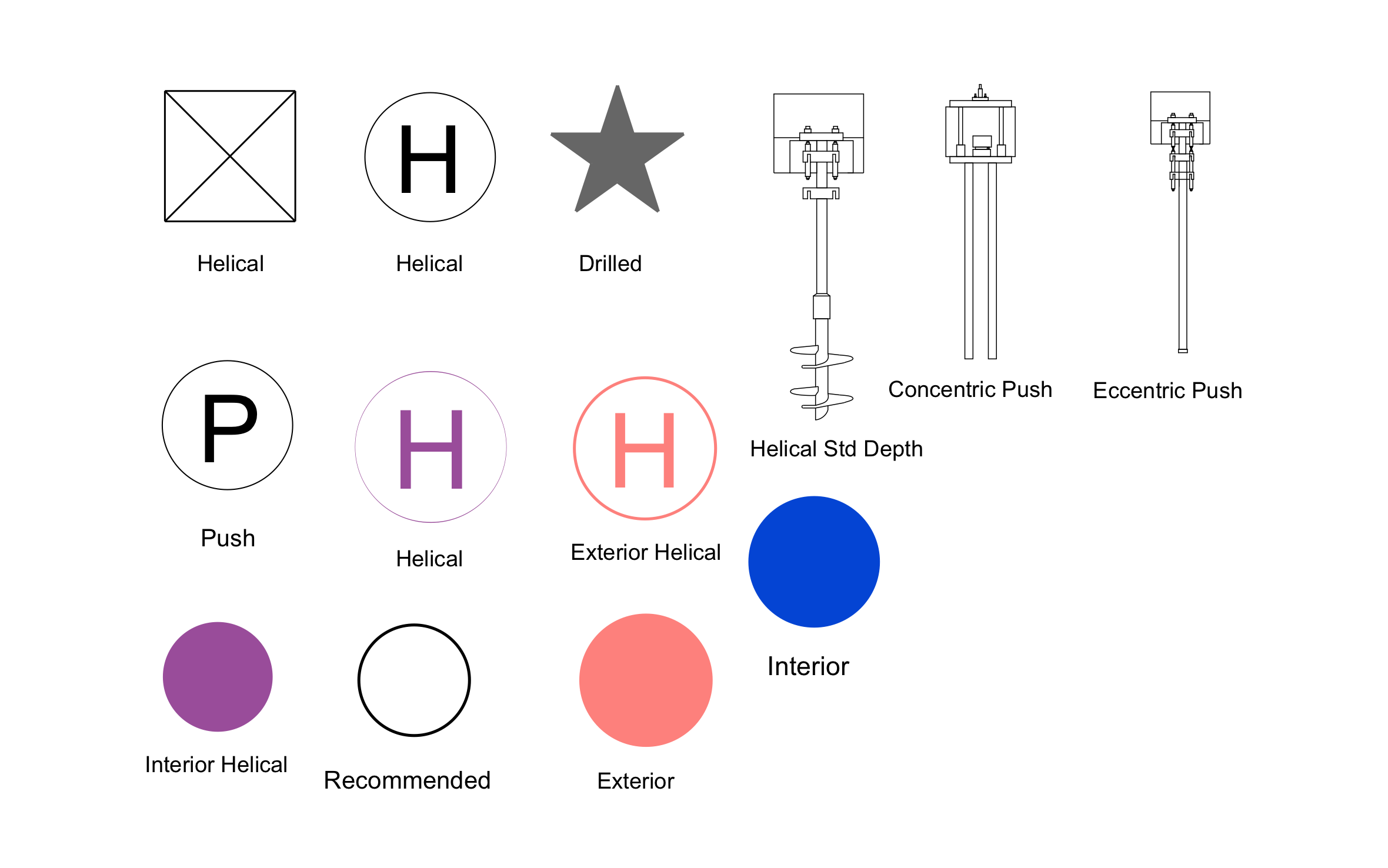
ArcSite's Pier CAD Block
Helical Pier Symbols: Included for both interior and exterior placement
Push Pier Symbols: Included in concentric and eccentric bracket styles
Drilled Pier Symbol: Included for cast-in-place work
Recommended-Pier Flag: Included to mark the preferred type at a given point
Helical Bit Depth Callout: Built into the symbol set for depth notes
Unlock 1,200+ Free CAD blocks with the ArcSite app

CAD blocks. Floor plans. Estimates. Do it all with ArcSite's mobile app.
Free access to over +1,200 blocks included with the ArcSite CAD app
Trusted by the Pros. Honored for Innovation.






Foundation Repair & Structural
CAD blocks you might like


FAQs
Helical, push (concentric and eccentric bracket styles), and drilled, each with interior and exterior variants.
Yes, if a pier is poured into a Sonotube form, place both blocks so the drawing shows the permanent pier and the temporary form separately.
DWG, DXF, PNG, and PDF.






