Split Rail Fence Shop Drawing
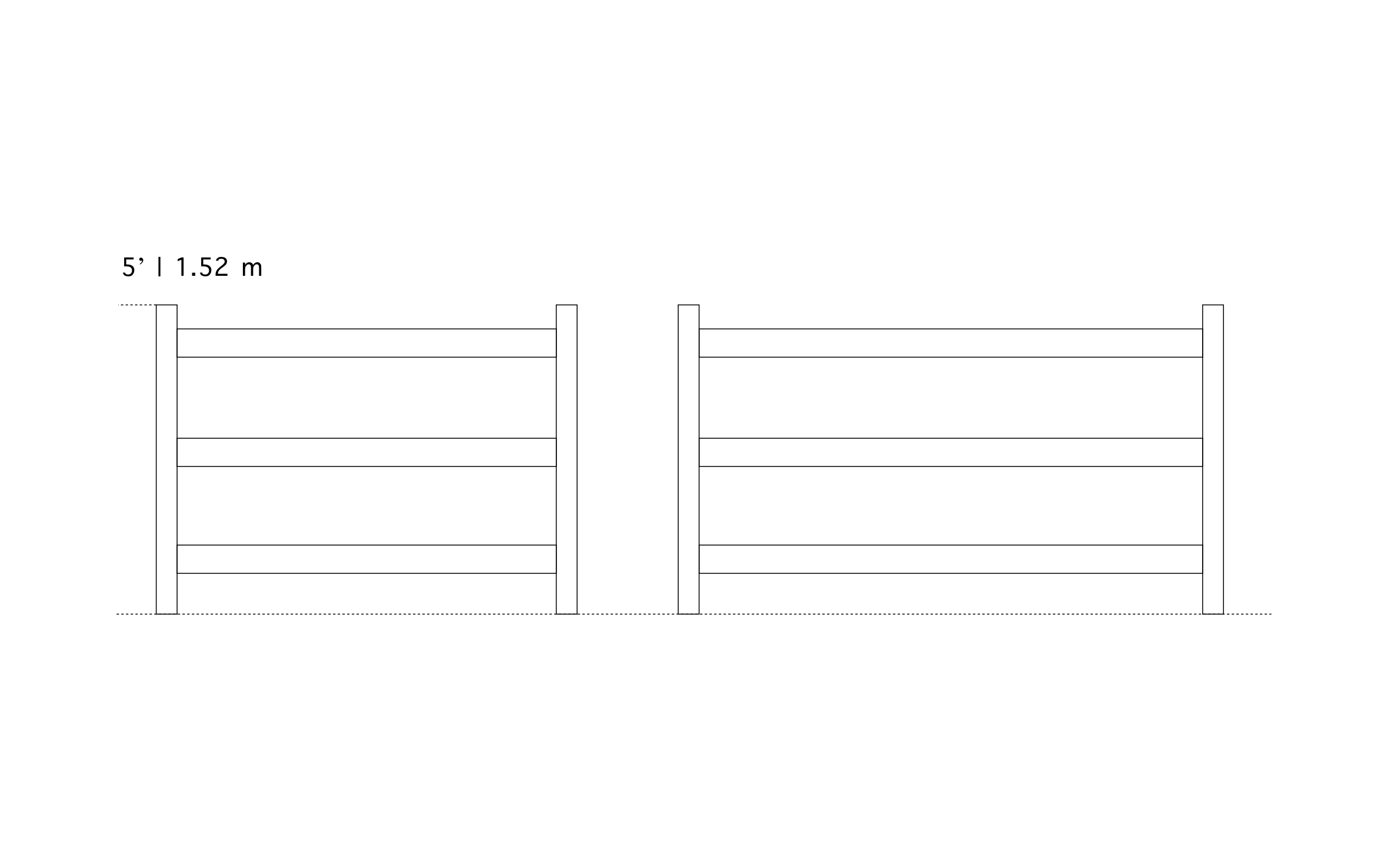
A split rail fence frames a property line, a garden, or a long country driveway with a rustic look that doesn't block the view. ArcSite's split rail fence shop drawing gives you two section lengths to plan the run around.
Key Features
This split rail fence shop drawing includes:
- 5' (1.52 m) fence height
- Three horizontal rails per section
- Short and long section lengths side by side
- Posts set to a shared grade line
- Imperial and metric height callout
The short and long sections share the same height, handy for laying out a run where the last bay won't land on a full rail length.


Accurate to scale


Industry specific


Ready made to share or export
Trusted by Pros. Recognized by the Industry.
With top ratings across Software Advice, GetApp, and Capterra, professional contractors choose us for ease of use, powerful tools, and unmatched customer support.





Landscaping & Outdoor Living
templates you might like

Frequently asked questions
Is this a two-rail or three-rail split rail fence?
Can I change the post spacing?
Can I send this drawing to my customer for approval?