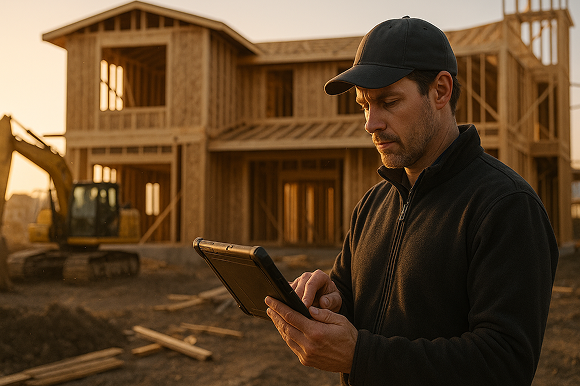

Visual, on-site proposals powered by modern gutter estimate software help specialty contractors close work faster, reduce mistakes, and deliver a more professional experience that homeowners trust.
Homeowners do not want to imagine what their new gutters might look like - they want to see it. At the same time, your team cannot afford callbacks or mis-measured runs caused by rough sketches and back-of-the-truck math.
This is where mobile CAD, takeoff, and estimating tools like ArcSite change the game. By turning field drawings into instant, visual proposals, contractors are winning more jobs at higher margins while spending less time in the office.
Why traditional proposals are costing gutter contractors jobs
Even experienced crews struggle when the sales and estimating process relies on paper and guesswork. Common pain points include:
- Messy, hard-to-read sketches that lead to confusion between sales, production, and installers.
- Measurement errors that turn into lost profit, wasted material, or awkward change orders.
- Slow estimates that require going back to the office to price the job, giving competitors time to slip in.
- No visual story to help homeowners understand options like different profiles, colors, or gutter protection.
- Inconsistent pricing across sales reps, creating margin leakage and customer distrust.
The stakes are high. When a customer is comparing multiple bids, the contractor who shows a clear, visual plan will often beat a cheaper quote written on a carbon copy form. A professional-looking proposal signals that your team will be just as organized during installation as you were during the estimate.
How ArcSite turns site visits into visual, sellable proposals
ArcSite brings mobile CAD, takeoff, and estimating into one workflow your team can use directly on a tablet or phone. During the site visit, your rep can:
- Sketch the home footprint and roofline to scale.
- Trace existing gutters and downspouts.
- Add proposed new runs, downspouts, and accessories.
- Label sections with sizes, materials, colors, and notes.
Behind the scenes, ArcSite is automatically calculating linear footage, fittings, and other materials based on your catalog. That means you get:
- Accurate takeoffs in real time as you draw.
- Consistent pricing using your own labor rates, margin rules, and product options.
- Instant proposals you can review with the customer before you leave the driveway.
Because the drawing, quantity takeoff, and estimate are all connected, there is far less room for human error. Change the layout or add a run, and the quantities and price update automatically.
What makes a visual proposal so effective?
Visual proposals work because they bridge the gap between technical details and homeowner understanding. Instead of pages of text, you are showing a picture of the project backed by precise numbers. The most effective visual proposals typically include:
- A scaled drawing of the home outline with gutters, downspouts, corners, and accessories clearly marked.
- Color-coded sections to show different gutter materials, styles, or upgrades like gutter guards.
- Callouts for key problem areas - rotted fascia, overflowing sections, poor drainage - and how your design solves them.
- A clear scope of work tied directly to the drawing so there is no confusion about what is included.
- Good-better-best options that let the homeowner compare investments visually instead of just by price.
Because ArcSite generates all of this on-site, your sales reps can walk the customer around the property, tablet in hand, and explain exactly what will be done. That combination of visual clarity and technical accuracy builds trust fast.
Practical gutter workflows using mobile CAD and estimating
To get the most value from a visual proposal workflow, it helps to standardize how your team uses the tool. Here is a simple, repeatable approach many gutter contractors follow in ArcSite.
1. Capture the site and problem areas
Start with a quick sketch of the home perimeter. Then:
- Mark rooflines, valleys, and existing gutters.
- Highlight problem spots like water stains, erosion, or foundation concerns.
- Take reference photos and link them to the plan for your installers.
This first step builds a shared visual understanding between the homeowner, sales, and production teams.
2. Draw the proposed solution
Next, lay out your new gutter system directly on the drawing:
- Trace new gutter runs and downspouts with preset symbols.
- Add leader heads, miters, end caps, and leaf protection systems.
- Use layers or colors to show different options or phases.
Because the drawing is to scale, you are not guessing at lengths - the software is tracking them for you.
3. Generate quantities and pricing automatically
With the design complete, ArcSite can instantly produce:
- Linear footage by profile and material.
- Counts of corners, outlets, hangers, and accessories.
- Labor estimates using your production rates.
You can then apply your pricing rules and markups in seconds. If the homeowner wants to compare standard versus premium options, simply duplicate the layout and adjust materials - the numbers update automatically.
4. Present the visual proposal on-site
When you present, keep it simple and visual:
- Show the before-and-after drawing, focusing on how your design solves specific issues.
- Walk through the scope of work tied to the picture, not just a line-item list.
- Offer a couple of clearly labeled options rather than overwhelming the customer with choices.
Because everything is clear and documented, homeowners have fewer questions and objections, and many will commit on the spot.
Rolling out visual proposals to your team
Any new workflow requires change management, but you do not need to overhaul your entire operation on day one. A phased approach works best:
- Pilot with a small group. Choose a few sales reps or crew leads who are open to technology. Have them use ArcSite on a subset of jobs.
- Standardize templates. Build common symbols, assemblies, and proposal templates tailored to your gutter business so every rep is selling the same way.
- Train with real jobs. Run short, hands-on sessions using recent projects instead of generic examples.
- Collect feedback. Ask what slows them down, what is confusing, and where visual proposals are helping close deals.
- Expand gradually. Once the process feels smooth for the pilot group, roll it out to more teams and refine your best practices.
Because ArcSite runs on mobile devices, adoption is typically smoother than desktop CAD - reps are already comfortable using tablets and phones in the field.
Measuring ROI from gutter estimate software
To justify any technology investment, you need clear metrics. Contractors using visual proposals with mobile takeoff and estimating commonly track:
- Close rate - percentage of estimates approved, especially same-visit approvals.
- Average job value - impact of offering premium or add-on options visually.
- Time per estimate - total time from site visit to sent proposal.
- Rework and change orders - reductions as drawings become clearer and more detailed.
- Material variance - difference between estimated and actual material usage.
Even modest improvements in these areas can add up quickly. For example, shaving 20 minutes off each estimate and adding one or two additional sold upgrades per week can cover the cost of software while freeing up your team for more revenue-producing work.
The real value, though, is consistency. When every proposal is built the same way from a clear drawing, your business becomes easier to manage, scale, and train around.
Turn every visit into a professional, visual sales experience
Homeowners remember how you made them feel at the estimate. A clean, accurate, and visual proposal tells them you run a tight operation and will take the same care with their home.
By combining mobile CAD, automated takeoffs, and instant estimating into a single workflow, ArcSite helps gutter contractors turn everyday site visits into a powerful sales tool - without adding extra office work.
If you are ready to see how visual proposals could fit your process, book a demo with our team and explore how ArcSite can streamline your estimating, strengthen your proposals, and help you win more of the right jobs.
Categories
INDUSTRY


FAQs
Traditional proposals often cause messy sketches, measurement errors, slow estimates, lack of visual clarity, and inconsistent pricing, leading to lost jobs and customer distrust.
ArcSite enables reps to create scaled sketches, trace existing gutters, add proposed runs and accessories, and automatically calculate quantities and pricing in real time on mobile devices.
Effective visual proposals include scaled drawings with clear markings, color-coded sections, callouts for problem areas, a clear scope of work, and good-better-best options for easy homeowner comparison.
Contractors should capture the site and problem areas, draw the proposed solution to scale, generate quantities and pricing automatically, and present a simple, visual proposal on-site.
They can track metrics such as close rate, average job value, time per estimate, reductions in rework and change orders, and material variance to evaluate the software's impact.
Related posts