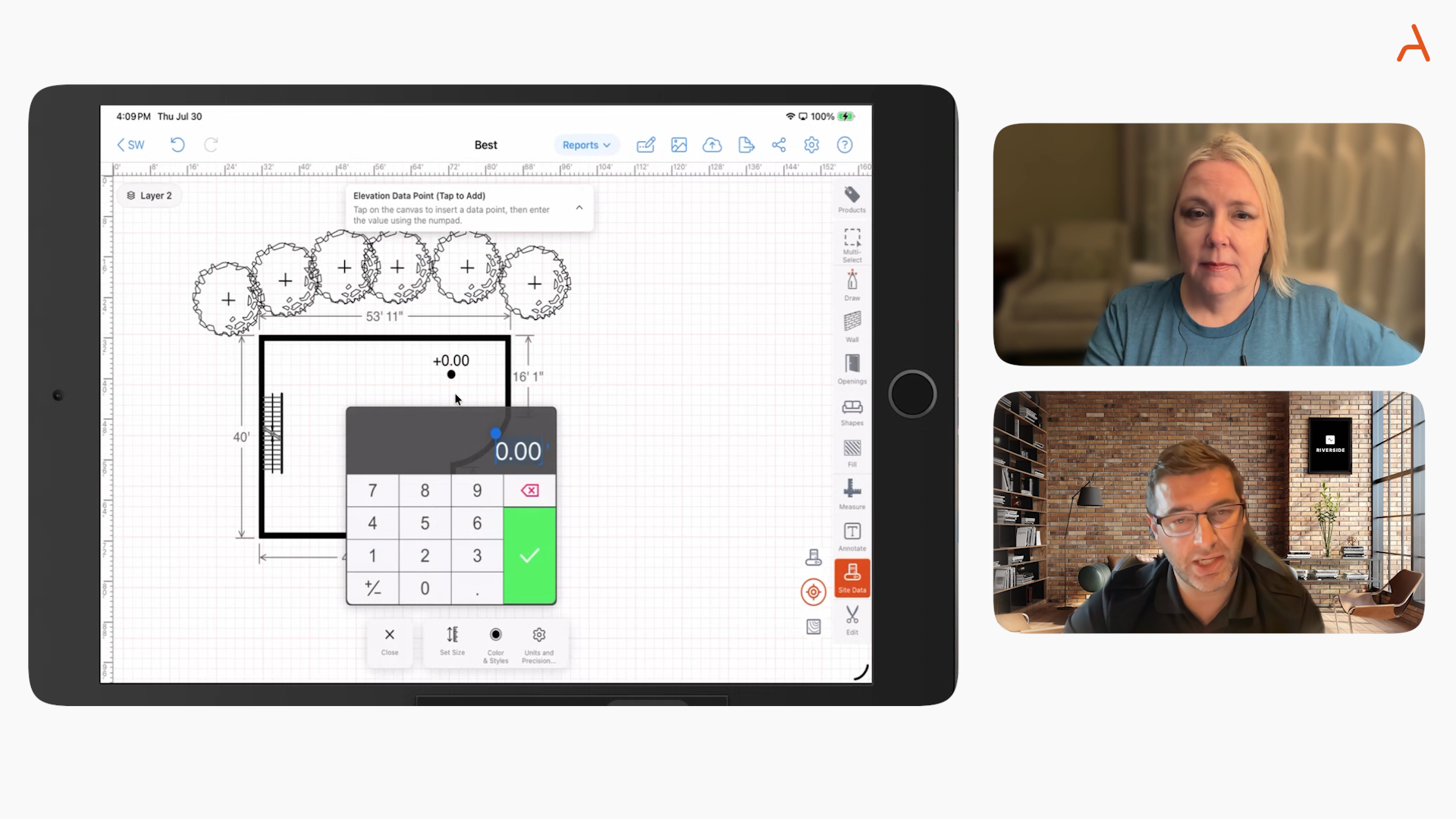
This article explains how specialty contractors can connect estimating, takeoff, and invoicing to a digital contract workflow, starting from a proven construction contract template and scaling it with mobile CAD, automated quantities, and eSignatures.
Contractors are under pressure to move faster without sacrificing accuracy. A modern approach begins with a reliable construction contract template and extends all the way through on-site sketching, real-time takeoff, price-accurate estimates, and instant invoices.
At ArcSite, we help field teams replace scattered documents and double entry with one connected workflow. The result: fewer errors, faster approvals, and clearer scope control from the first site visit to final payment.
What is at stake for specialty contractors
Relying on paper forms, static PDFs, and manual retyping creates friction that shows up as delays, disputes, and margin loss. Common pain points include:
- Scope ambiguity - vague line items or missing exclusions lead to change orders and unhappy clients.
- Slow handoffs - estimates created in one tool and contracts drafted in another add days to cycle time.
- Quantity errors - manual takeoffs or rough counts inflate risk and reduce profit.
- Version confusion - multiple contract copies in email threads cause misalignment in the field.
- Late or partial invoicing - delayed progress billing hurts cash flow.
These issues are solvable when estimates, contracts, and invoices share the same source of truth, populated by accurate field data gathered once.
How ArcSite connects takeoff, estimating, and digital contracts
ArcSite combines mobile CAD sketching, automatic takeoff, and estimating so your contract is built on verifiable quantities and approved pricing. Key advantages:
- Sketch to scope in minutes - draw on a tablet at the site, drop smart symbols, and auto-calc material and labor.
- Templates that enforce standards - preload line items, terms, and exclusions so every proposal is consistent.
- Instant client-ready documents - generate a digital contract with embedded scope, pricing, and signature fields.
- Change-ready workflows - revise the drawing, recalc quantities, and update pricing without manual rework.
- Invoice from the same data - convert approved contracts and progress milestones into invoices instantly.
Because the estimate and the contract reference the same measured sketch and item catalog, your team reduces disputes and accelerates approvals.
Practical workflows using a construction contract template
Start with a standard, legally reviewed template and let ArcSite auto-populate the details. A practical end-to-end flow looks like this:
1) Capture site conditions and scope
- Open ArcSite on your tablet and create a new project at the job site.
- Sketch the area, add dimensions, and place trade-specific symbols (ex. fixtures, meters, valves, panels, fencing, drainage).
- Attach photos with callouts for existing conditions and client notes.
Outcome: a measured, visual representation of scope that drives quantities and pricing.
2) Auto-takeoff and estimate
- Use your item catalog with material, labor, and assemblies configured for your trade.
- Let ArcSite compute linear footage, area, counts, and labor hours from the drawing.
- Apply markups, taxes, and optional alternates or add-ons.
Outcome: a clear, accurate estimate aligned to the actual site geometry and chosen line items.
3) Generate the digital contract
- Merge the estimate with your company terms using your standard construction contract template.
- Auto-insert scope of work, inclusions/exclusions, warranty notes, and schedule assumptions.
- Enable e-signature so the customer can approve on-site or via email.
Outcome: a professional, consistent contract created in minutes, with no retyping.
4) Manage changes with confidence
- When scope shifts, update the drawing, recalc takeoff, and issue a change order from the same template.
- Track revision history so field crews always work from the latest approved scope.
Outcome: transparent change management that protects margin and reduces disputes.
5) Convert to invoice
- Bill on milestones or percent complete, referencing the same contract line items.
- Attach as-built sketches and photos as proof of work for faster payment.
Outcome: streamlined billing with supporting documentation that accelerates cash flow.
Tips for standardizing your template and process
- Define must-have clauses - payment terms, change order process, scheduling windows, and site access requirements.
- List inclusions and exclusions - be explicit about demolition, disposal, permits, patch/paint, and owner responsibilities.
- Use item families - group similar parts and assemblies to keep proposals readable while maintaining detail in the background.
- Prebuild add-on options - upsells like premium finishes, extended warranties, or maintenance plans improve deal value.
- Embed visuals - include the sketch and key photos inside the proposal for clarity.
By embedding these standards into your template and catalog, every proposal looks professional and protects your business.
Implementation and change management
Rolling out a connected estimating-contracting workflow is straightforward when you focus on people, content, and feedback loops.
People
- Identify champions - one office lead and one field lead to shepherd the process.
- Start with a pilot crew - select a small team to document wins and refine workflows.
- Train to outcomes - teach reps to sketch quickly, produce an estimate, and secure a signature in one visit.
Content
- Build your item catalog - standardize descriptions, units, and labor factors.
- Finalize your template - include legally reviewed terms and brand elements.
- Create snippet libraries - prewritten inclusions, exclusions, and scope notes for common jobs.
Feedback loops
- Weekly review - look at cycle time from first visit to signed contract.
- Field feedback - gather questions customers ask most and turn them into template clarifications.
- QC audits - spot-check proposals to ensure scope and pricing match the sketch.
Most teams see immediate gains when they retire spreadsheets, PDFs, and manual re-entry in favor of a single, connected workflow.
Measuring ROI and success
Track a few practical metrics to quantify impact:
- Time to quote - minutes from site visit to proposal sent. Goal: same-day or on-site proposals.
- Close rate - percent of proposals won. Clear visuals and e-signature typically lift win rates.
- Revision cycle time - speed of issuing approved change orders with updated pricing.
- Gross margin - fewer takeoff errors and tighter scope control reduce leakage.
- DSO (days sales outstanding) - faster invoicing and better documentation accelerate payment.
Tie these metrics to baseline performance from your legacy process. Even small improvements in time to quote and close rate can yield outsized ROI when applied across a full season of jobs.
Why this matters now
Clients expect clarity, speed, and digital convenience. Competitors who produce visual, accurate proposals in one visit set the standard. By uniting takeoff, estimating, contracts, and invoicing, you reduce delays, prevent errors, and create a better buying experience that wins more profitable work.
Next steps
Ready to modernize your workflow from the first sketch to final invoice? See how ArcSite connects your estimate to a professional digital contract and streamlines change orders and billing. Book a demo to evaluate the approach with your team and your catalog.
Categories
FAQs
Specialty contractors often face scope ambiguity, slow handoffs between tools, quantity errors, version confusion, and delayed invoicing when relying on paper forms and manual retyping.
ArcSite combines mobile CAD sketching, automatic takeoff, and estimating with standardized templates and e-signatures to create verifiable, client-ready digital contracts and invoices from the same data source.
The workflow includes capturing site conditions and scope with sketches, auto-taking off quantities for estimates, generating a digital contract, managing changes with tracked revisions, and converting approved contracts into invoices.
Standardization involves defining must-have clauses, explicitly listing inclusions and exclusions, grouping items into families, prebuilding add-on options, and embedding visuals like sketches and photos in proposals.
They can track metrics such as time to quote, close rate, revision cycle time, gross margin improvements, and days sales outstanding to quantify efficiency and profitability gains.
Related posts