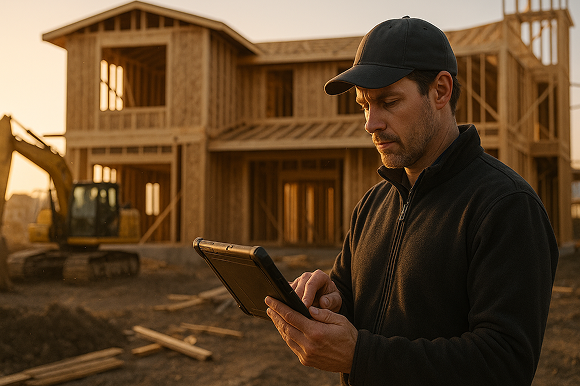

See how modern concrete takeoff software and digital proposals help concrete contractors turn on-site measurements into fast, accurate estimates and professional proposals that win more profitable work.
Concrete work is won or lost in the field. Your sales reps and project leads walk a site, sketch a layout, capture measurements, and promise a quote - often while juggling paper notes, photos, and separate estimating spreadsheets back at the office.
When that process is manual, it leads to delays, errors, and missed opportunities. At ArcSite, we work with concrete contractors who want to turn that on-site visit into a complete, accurate, and professional proposal - all from a tablet or phone - while standing with the customer.
The pain of manual proposals for concrete contractors
Most concrete field sales processes were never designed for speed and consistency. They evolved from habits and ad hoc tools that seemed efficient at the time but now hold teams back.
Common issues we hear from concrete contractors include:
- Slow turnaround on quotes: Measurements taken in the field have to be re-entered at the office, often delaying proposals by days.
- Hand-drawn sketches: Paper drawings are easy to lose, hard to read, and difficult to convert into precise quantities.
- Inconsistent pricing: Every estimator has their own spreadsheet or method, leading to inconsistent margins and confusion for customers.
- Scope creep and disputes: Vague proposals lead to disagreements about what was included, which hurts relationships and profitability.
- Missed upsell opportunities: When pricing and options are not visible on-site, it is harder for reps to suggest alternatives or premium options.
The stakes are high. If your team cannot deliver detailed, clear proposals quickly, customers move on to the contractor who does. And if your numbers are wrong because of rushed takeoffs, the job can become unprofitable before you ever pour concrete.
How ArcSite connects takeoffs, estimates, and proposals
ArcSite is designed to turn on-site visits into accurate, digital proposals in one smooth workflow. Instead of bouncing between paper, CAD, spreadsheets, and email, your team can capture everything they need in a single mobile app.
At a high level, the process looks like this:
- Draw or trace the project in the field: Use mobile CAD tools to sketch slabs, footings, sidewalks, curbs, and other elements directly on a tablet or phone.
- Auto-calculate quantities: The drawing drives area, linear footage, volume, and count-based quantities instantly.
- Apply your pricing: Pre-built assemblies and pricing libraries turn quantities into a detailed estimate, including labor, material, and other costs.
- Generate a professional proposal: The estimate flows into a branded, line-item proposal that you can review with the customer on-site.
- Get buy-in immediately: Capture signatures digitally and sync everything back to the office for scheduling and project management.
Because drawings, takeoffs, and pricing are all connected, changes in the field automatically update your quantities and proposal. This reduces rework, cuts turnaround times, and helps you present a more professional, consistent experience to every client.
Designing concrete projects on-site with mobile CAD
Concrete work often starts with a rough sketch on graph paper. Mobile CAD makes that sketch far more powerful without making it more complicated for the field team.
With ArcSite, your crews can:
- Start from scratch or trace over a site plan, satellite image, or photo.
- Use simple tools to draw slabs, pads, stairs, curbs, and thickened edges to exact dimensions.
- Layer in details like expansion joints, reinforcement zones, or thickened footings.
- Snap to accurate measurements to avoid guesswork.
Because the drawing is digital, it becomes the single source of truth for the project. You do not have to interpret someone else's handwriting or guess which measurements go with which area. Every line and shape in the drawing can be tied directly to materials and labor in your estimate.
From drawing to takeoff in one tap
Once the drawing is in place, ArcSite turns geometry into quantities with no extra typing:
- Areas for slabs, driveways, patios, and parking lots.
- Linear footage for curbs, footings, and saw cuts.
- Volumes for thicker pours or special pads.
- Counts for features like bollards, piers, or isolated pads.
These quantities feed directly into your concrete mix, forms, rebar, and labor assemblies. The field team does not need to remember formulas or conversions - the software handles it based on your templates.
Building digital proposal workflows that match your business
Digital proposals should not force you into someone else's process. Instead, they should mirror how your company already sells, just with less friction and more consistency.
Here are practical ways to structure your workflows in ArcSite:
Standardize assemblies and line items
Start by defining your typical work packages as assemblies:
- 4-inch broom-finish slab per square foot.
- 6-inch thickened edge per linear foot.
- Sidewalk with control joints at a set spacing.
- Curb and gutter per linear foot.
- Driveway removal and replacement packages.
Each assembly can include materials, labor, equipment, and waste factors. When your team draws an area or length, they can apply the appropriate assembly and let ArcSite handle the math.
Offer good-better-best options
Digital proposals make it easier to show customers options and upgrades, such as:
- Standard vs. decorative finishes.
- Different thickness options based on load requirements.
- Add-ons like sealers, colored concrete, or stamped patterns.
You can configure optional line items or proposal templates so the field rep can quickly toggle options and show the impact on price in real time.
Include visuals for clarity
One major advantage of digital proposals is the ability to attach drawings and visuals:
- Embed the plan view from ArcSite directly into the proposal.
- Highlight areas of work with color or simple labels.
- Use layers to clearly show what is included and what is not.
When customers can see exactly what they are paying for, they are less likely to question the price and more likely to trust your expertise.
Implementing digital proposals with your field team
Even the best tools fail without thoughtful rollout. Implementing digital proposals is as much about change management as it is about technology.
Start with a pilot group
Begin with a small group of field reps or estimators who are open to new tools. Work with them to:
- Identify their current steps for site visits, sketches, and estimates.
- Replace the most painful steps with ArcSite workflows.
- Refine assemblies, templates, and proposal formats based on real jobs.
This pilot group becomes your internal champions and helps prove the value before rolling it out company-wide.
Train on real-world jobs
Training sessions are most effective when they use live or recent projects:
- Import an actual site plan and draw the project together.
- Walk through capturing measurements and creating the takeoff.
- Build a proposal and review it as if you were with a customer.
Hands-on practice shortens the learning curve and builds confidence. Most field users do not need to become CAD experts - they just need to be comfortable with a simple, repeatable workflow.
Align office and field teams
Digital proposals tighten the connection between field and office:
- The office team can review as-built drawings and estimates immediately after a visit.
- Changes requested by project managers can be pushed out as updated templates or assemblies.
- Sales, operations, and accounting all see the same information, reducing miscommunication.
Make sure all stakeholders understand how information flows through the system and where they can access what they need.
Measuring ROI from digital proposals and takeoffs
To justify change and refine your process, you need to measure results. The ROI from digital proposals often shows up in several areas:
1. Faster quote turnaround
Track the time from site visit to delivered proposal before and after implementation. Many contractors see this window shorten from days to hours, or even to real-time quotes on-site.
2. Higher close rates
Compare win rates on jobs that used digital, visual proposals against traditional ones. Clearer scopes, visuals, and faster turnaround often lead to higher conversion rates.
3. Improved margin consistency
Because assemblies and pricing are standardized, you reduce underbidding and forgotten line items. Monitor your average job margin and the variance from job to job to see if it tightens over time.
4. Reduced errors and rework
Fewer manual entries, clearer drawings, and better documentation mean fewer change orders due to misunderstandings. Track the number and value of change orders linked to scope confusion or takeoff errors.
5. Time saved for key staff
Estimators and project managers can spend less time re-drawing, double-checking math, and chasing missing information. Capture anecdotal feedback plus rough time savings for high-value roles.
Over time, these improvements compound into a more efficient, predictable, and scalable sales process.
Next steps: modernize your concrete field sales process
Integrating digital proposals into your concrete field sales process is not just a technology upgrade - it is a way to make every site visit more professional, more accurate, and more profitable.
By connecting on-site drawings, automated takeoffs, standardized pricing, and polished proposals in a single mobile workflow, you equip your team to sell with confidence and deliver what they promise.
Ready to see how ArcSite can fit your concrete business? Book a demo to walk through real-world workflows, review sample proposal templates, and explore how digital proposals can transform your field sales process.
Categories
INDUSTRY


FAQs
Manual proposals cause slow quote turnaround, lost or unclear hand-drawn sketches, inconsistent pricing, scope disputes, and missed upsell opportunities.
ArcSite enables on-site project drawing, automatic quantity calculation, application of pricing, professional proposal generation, and immediate digital customer sign-off all within a single mobile app.
Mobile CAD allows crews to create precise digital sketches with accurate measurements, layer details, and use site plans or photos as references, eliminating guesswork and handwriting interpretation.
By standardizing assemblies and line items, offering tiered options, and including visuals such as embedded drawings and labels, digital proposals mirror existing sales processes with more consistency and clarity.
Contractors can achieve faster quote turnaround, higher close rates, improved margin consistency, reduced errors and rework, and significant time savings for estimators and project managers.
Related posts