

If your team is still relying on clipboards, wheel measures, and spreadsheets, you are leaving time and margin on the table. Modern flooring takeoff software and mobile CAD tools can turn a rough sketch into a ready-to-send estimate before you even leave the site.
At ArcSite, we work with flooring, concrete coating, and other specialty contractors who need fast, accurate site measurements. Below is a practical, field-tested checklist you can use to evaluate digital tools and build a streamlined, mobile-first measurement and takeoff process.
Why outdated measurement methods are costing you
Before we jump into the checklist, it is worth clarifying what is at stake when you rely on manual methods:
- Lost time on-site: Walking and re-walking the same areas, double-checking dimensions, and redoing sketches.
- Data re-entry back at the office: Transferring notes into Excel or your estimating system, often late at night or days after the visit.
- Errors and costly rework: Misread handwriting, missing rooms, or incorrect conversions that turn into change orders or lost margin.
- Slow proposals: Competitors who use modern flooring takeoff software can send accurate quotes faster, winning the job before you.
- Lack of visibility: Owners and managers have no real-time view of pipeline, hit rates, or average margins at the job level.
Each of these issues chips away at profitability. The right digital toolkit reverses that by capturing accurate data once, at the source, and reusing it throughout design, takeoff, and estimating.
The core digital tools every field team should have
While there are many apps on the market, most successful specialty contractors standardize on a tight stack of tools. Here is the essential checklist.
1. Mobile CAD drawing and sketching
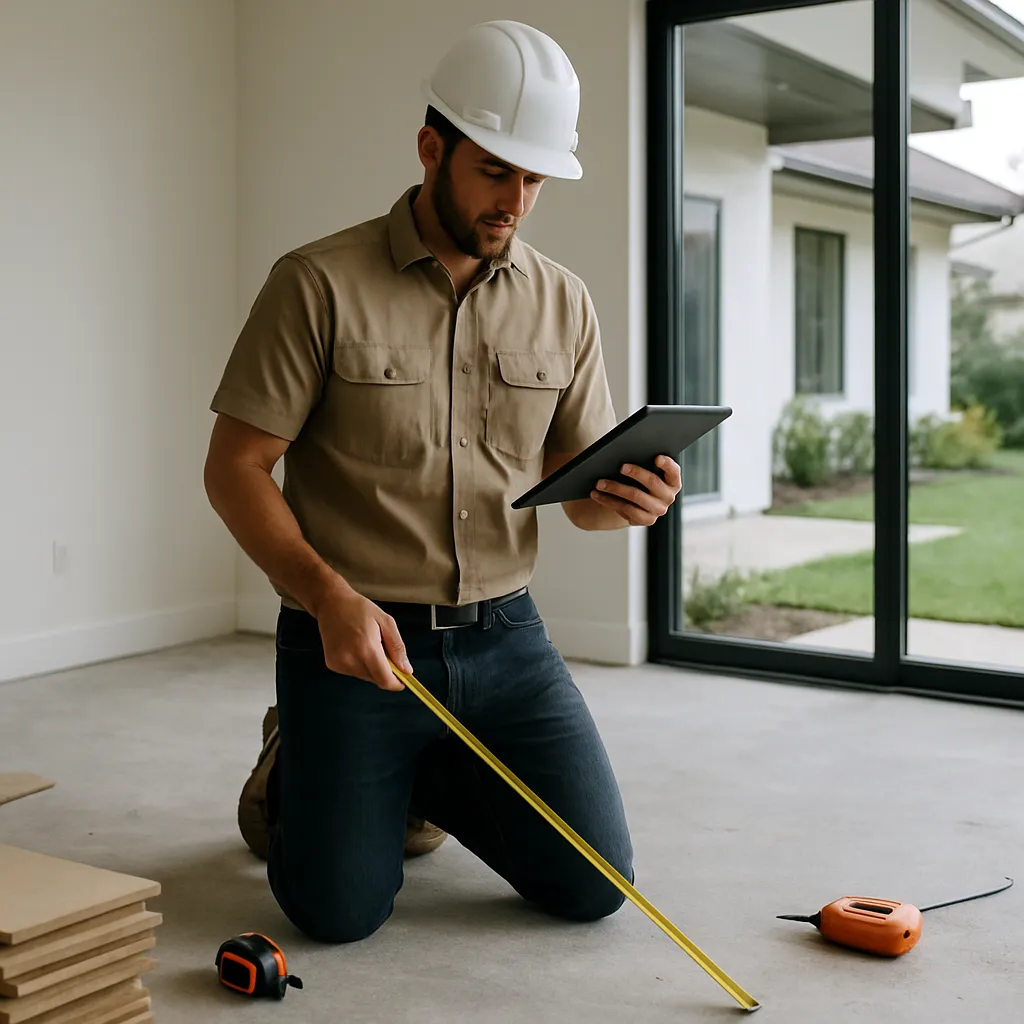
Your primary field tool should allow you to draw directly on a tablet or phone while walking the site. Look for mobile CAD capabilities that make this practical in real-world job conditions.
- Fast floor plan creation: Drag-and-draw walls, rooms, and hallways without fighting the interface.
- Smart objects and symbols: Doors, columns, stairs, and fixtures you can drop into the plan to avoid hand-drawing every detail.
- Photo markup: Snap photos, attach them to specific locations on the drawing, and annotate issues or conditions.
- Works offline: Reliable performance in basements, warehouses, or remote locations with no signal.
When mobile CAD is done right, your field sketch becomes the single source of truth for the entire project.
2. Integrated flooring takeoff software
Once you have a clean digital drawing, the next step is quantity takeoff. True flooring takeoff software should connect measurements to materials and labor without requiring manual calculations.
Key capabilities to look for include:
- Automatic area calculations: Tap a room or polygon and instantly see square footage, perimeter, and waste factors.
- Support for multiple materials: Carpet, LVT, hardwood, tile, epoxy, coatings, or any mix of finishes in a single project.
- Assemblies and layers: Underlayment, adhesive, base, and transitions grouped with primary floor coverings.
- Flexible waste assumptions: Ability to set waste percentages or roll widths for different products.
- One-click updates: When a room changes shape or size, takeoffs update automatically, reducing missed areas.
This is where ArcSite shines: drawings drive quantities, which in turn feed your estimates, cutting out multiple steps you would otherwise do by hand.
3. Connected estimating and proposal generation
Takeoffs are only as useful as the estimates they feed. The next tool on your checklist is an estimating engine that lives inside, or is tightly integrated with, your drawing and takeoff tool.
- Pricing tied to items and assemblies: Materials and labor rates directly linked to what you draw and measure.
- Pre-built templates: Standard room types, scopes, or packages your team can reuse for common jobs.
- Professional proposals: Branded, clear proposals you can send from the field, including options and upsells.
- Version control: Track revisions when scope changes so there is no confusion later.
With mobile estimating, sales cycles shorten, and your close rates typically improve because customers get detailed proposals while you are still on-site.
4. Digital measurement hardware (nice-to-have, not mandatory)
For some teams, pairing flooring takeoff software with digital measurement tools provides an extra accuracy and speed boost.
- Laser distance meters: Bluetooth-connected lasers that push dimensions directly into your drawing.
- Measurement wheels with digital output: Helpful for long corridors, parking decks, or exterior paths.
- Tablets with stylus support: Drawing with a pen-style tool is often faster and more precise than a finger.
When integrated properly, these devices remove manual keying of dimensions, reducing both time and mistakes.
How ArcSite ties your checklist together
ArcSite is designed to combine mobile CAD, takeoff, and estimating in a single app, making it a strong candidate when you evaluate flooring takeoff software.
Here is how a typical flooring workflow looks inside ArcSite:
- Walk and draw: On-site, you sketch the floor plan on your tablet, labeling rooms and conditions as you go.
- Apply products: Select floor finishes, base, and other materials from your catalog and apply them to spaces on the drawing.
- Instant quantities: ArcSite calculates areas, linear footage, and counts based on your drawing and product rules.
- Generate estimate: Quantities flow into a structured estimate using your current pricing and labor assumptions.
- Produce proposal: Create a polished, branded proposal and share it with the customer via email or PDF before leaving the site.
The entire process is built to minimize double entry and keep drawings, takeoffs, and estimates in sync.
Implementation tips: Rolling out digital tools to your team
Even the best flooring takeoff software will not deliver full value if it is not adopted. A few practical tips:
Start with a clear pilot
Choose one or two foremen, sales reps, or estimators to pilot the new process on a defined set of jobs. Document:
- How long they spend on-site before and after implementation.
- How quickly they turn around estimates.
- Any reduction in measuring or estimating errors.
This gives you a baseline and real examples to share with the rest of the team.
Standardize templates and catalogs
Spend time up front building product catalogs, assemblies, and drawing templates that reflect how you actually bid work. When users open the app, they should see your real materials, labor rates, and scope options—not a generic list.
Provide short, focused training
Rather than a long classroom-style session, focus on short, hands-on training blocks:
- How to draw a typical job from start to finish.
- How to handle common changes (add a room, split a space, change materials).
- How to create and send a proposal.
We recommend capturing these workflows as simple checklists or short videos so new team members can self-train.
Measuring ROI from flooring takeoff software
To justify the investment and refine your process, track a few key metrics before and after implementation.
Time savings
- Average time on-site per quote: Are your reps spending fewer hours measuring each project?
- Average time to deliver a proposal: Does the cycle compress from days to hours or minutes?
Accuracy and margin
- Change orders due to measurement errors: Are you seeing fewer disputes and unplanned costs?
- Average gross margin: More accurate quantities and standardized pricing often reduce underbidding.
Win rate and volume
- Quote-to-close rate: Faster, more professional proposals typically convert better.
- Number of quotes per week: With the same staff, teams can usually quote more work when takeoff and estimating are streamlined.
Even modest improvements across these metrics can translate into significant annual profit gains, especially for teams handling a high volume of residential or light commercial projects.
Putting the checklist into action
Digital tools are no longer a nice-to-have for specialty contractors—they are a competitive requirement. By standardizing on mobile CAD, integrated flooring takeoff software, and connected estimating, you can reduce errors, respond to customers faster, and protect your margins.
If you are ready to modernize site measurements and turn every visit into a complete drawing, takeoff, and estimate, explore how ArcSite can fit your workflow. Book a demo with our team to see real flooring workflows in action and determine whether ArcSite is the right solution for your business.
Categories
FAQs
Flooring takeoff software is a digital tool that converts site measurements and floor plan drawings into accurate material and labor quantities, helping contractors estimate jobs faster and with fewer errors.
ArcSite lets you draw floor plans on a tablet or phone, attach photos, and automatically calculate areas and linear footage, turning on-site sketches into ready-to-use flooring takeoffs and estimates.
Yes, modern flooring takeoff software like ArcSite supports multiple materials—such as carpet, LVT, tile, and coatings—along with related components like underlayment and base in a single project.
No, ArcSite works offline for drawing and measuring. When you regain connectivity, your projects can sync so office staff and other team members can access the latest information.
Track changes in time spent on-site, speed of proposal delivery, reduction in measurement-related change orders, and improvements in win rate and average margin to quantify the ROI of flooring takeoff software.
Related posts