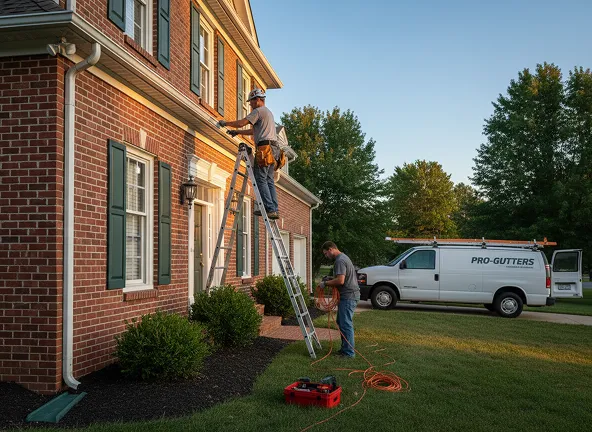

Let's dive into field-tested best practices for on-site measurements and data collection so gutter contractors can use gutter estimate software to generate fast, accurate, and professional estimates directly from the jobsite.
Missed downspouts, bad slope calculations, and handwritten notes that do not match the final proposal - issues like these quietly erode margin on gutter jobs. When measurements are off, we end up eating material costs, wasting crew time, and revisiting customers to fix mistakes.
Modern mobile CAD, takeoff, and estimating tools give us a better way. By standardizing how we capture on-site measurements and job details, we can go from rough guesses to repeatable, accurate estimates that close more work at healthier margins.
Why on-site accuracy matters for gutter contractors
Gutter projects look simple from the street, but the details determine whether a job is profitable or painful. Inaccurate or incomplete measurements create several high-cost problems:
- Underestimated material - Short on gutter, elbows, or hangers, requiring extra trips and rush orders.
- Overestimated material - Overstock that ties up cash and fills warehouse space.
- Incorrect slope or placement - Callbacks due to poor drainage or overflow during heavy rain.
- Change orders and disputes - Homeowners question why the final invoice does not match the original quote.
- Slow estimating cycles - Sales reps spend evenings deciphering notes instead of selling the next job.
Consistent, structured data collection on-site is the foundation for solving all of these. Once measurements and job conditions are accurate and organized, gutter estimate software can do the heavy lifting: calculating materials, pricing, and even generating customer-ready proposals in minutes.
How ArcSite supports accurate on-site measurements
ArcSite combines mobile CAD drawing, takeoff, and estimating in a single app, built for field teams. Instead of juggling tape measures, paper forms, photos, and spreadsheets, your sales reps can capture everything inside one digital workflow.
Key ways this improves on-site accuracy:
- Visual CAD-based drawings - Reps sketch rooflines, fascia runs, and downspout locations directly on a scaled drawing.
- Smart objects and symbols - Standard icons for gutters, corners, downspouts, end caps, and hangers ensure nothing is forgotten.
- Automatic takeoffs - As soon as a rep draws a run or drops a symbol, ArcSite calculates quantities and lengths in the background.
- Integrated estimate logic - Material and labor rates, waste factors, and upsell options are all tied into the drawing, so estimates update in real time.
- On-device use - Reps can measure, draw, and estimate even without a strong data connection, then sync later.
The result is a single source of truth for each job - what was measured, what was proposed, and what was ultimately installed.
Best practices for on-site gutter measurements
Tools alone do not guarantee accurate data. The following best practices help your team get the most out of mobile CAD and gutter estimate software in the field.
1. Standardize a pre-walk checklist
Before touching a tape or laser measurer, reps should run through a simple checklist. This keeps them focused and reduces rework:
- Confirm customer contact info and address.
- Note roof type, stories, and accessibility (steep, low pitch, multiple levels).
- Identify existing gutter materials and approximate age.
- Check for obvious problem areas (erosion, staining, overflow, rotten fascia).
- Clarify customer priorities - appearance, performance, or budget.
In ArcSite, these checklist items can be captured as required fields or notes tied to the project, so nothing is left to memory.
2. Measure in a consistent sequence
Measuring every house in the same order reduces missed sections. For example, train your team to always:
- Start at the front left corner of the home.
- Measure and draw the front elevation from left to right.
- Move clockwise around the house: left side, rear, right side.
- Capture any detached structures (garages, sheds, additions) last.
As they move, reps can draw each fascia run in ArcSite, snapping lines to roughly match the building footprint. Lengths are tracked automatically, and every run is visible at a glance so nothing gets skipped.
3. Use smart symbols to reduce missed components
Many measurement errors have nothing to do with lineal footage - they come from missed accessories. To prevent this, use a library of standardized gutter symbols:
- Left/right end caps
- Inside/outside corners
- Downspouts and offsets
- Hangers or brackets
- Outlets, miters, and splash blocks
Each symbol in ArcSite can be linked to real products and pricing. When a rep drops a symbol on the drawing, it is automatically added to the material list and estimate. This not only ensures completeness; it also makes upselling (for example, larger downspouts or leaf protection) much easier and more consistent.
4. Capture slope and special conditions as data, not just notes
Gutter performance depends on slope, outlet placement, and how water flows around the property. These details often live only in the rep's head or scattered notes.
Instead, create structured inputs for:
- Preferred outlet/downspout locations.
- Direction of slope for each run.
- Areas with high water volume (valleys, large roof sections draining to one run).
- Obstructions like decks, walkways, or landscaping that affect downspout routing.
ArcSite allows you to annotate drawings with arrows, labels, and notes so anyone reviewing the job - from the office or the crew - understands exactly how the system should be installed.
5. Take site photos tied directly to the drawing
Photos without context are only partially helpful. The best practice is to attach photos to specific elevations or details on the drawing:
- Front elevation before/after photos.
- Problem areas like rotted fascia or overflow spots.
- Close-ups of tricky transitions or rooflines.
When photos are tied to the plan in ArcSite, estimators, office staff, and installers can all see what the rep saw, reducing questions and callbacks.
Turning measurements into fast, accurate estimates
Once the field team has captured measurements and site conditions properly, the estimating process becomes much simpler.
Within ArcSite, you can configure:
- Product catalogs with your preferred materials, profiles, and sizes.
- Labor rates and production factors (for example, labor hours per foot, per story, or per complexity level).
- Waste factors and rounding rules to avoid under-ordering materials.
- Good/better/best options for gutter materials, downspouts, and guards.
Because the estimate is directly linked to the drawing, any change - such as adding a downspout or upsizing a run - automatically updates quantities and pricing. Sales reps can confidently present accurate pricing on-site instead of waiting to take it back to the office for manual cleanup. That speed alone can be the difference between winning the job and losing it to a faster competitor.
Reducing errors between sales and install crews
One of the biggest hidden costs in gutter work comes from misalignment between what was sold and what gets installed. When crews rely on handwritten notes or loosely described scopes, small misunderstandings turn into real-world problems.
With ArcSite, the same drawing used to build the estimate becomes the reference for production. Installers can see:
- Exact gutter runs and lengths by elevation
- Downspout locations and routing
- Notes about slope direction and drainage intent
- Photos tied to tricky areas or known issues
This shared visual reference reduces guesswork in the field, shortens install time, and cuts down on callbacks caused by miscommunication.
Creating a repeatable estimating process for every rep
Accuracy improves dramatically when everyone follows the same process. ArcSite makes it easier to standardize how measurements and data are captured, even across multiple reps or crews.
Best practices here include:
- Using the same symbol set and naming conventions on every job
- Requiring certain fields or notes before an estimate can be finalized
- Building templates for common home styles or gutter configurations
- Locking in pricing rules so estimates stay consistent across the team
When your top performers’ habits are built into the software, newer reps can produce high-quality estimates without years of experience.
Why better measurements lead to better margins
Accurate measurements do more than prevent mistakes—they protect margin. When your quantities are reliable and your scope is clearly documented:
- Material orders are tighter, with less waste
- Labor estimates reflect real effort, not guesswork
- Upsells like guards or larger downspouts are easier to justify
- Customers trust the quote because it’s clear and visual
Over time, this consistency adds up. Fewer corrections, fewer disputes, and more jobs that hit their target profit.
Bringing it all together with ArcSite
Gutter estimate software is only as good as the data you put into it. By using ArcSite’s mobile CAD tools to capture accurate measurements, document conditions visually, and tie everything directly to pricing, gutter contractors can turn site visits into confident, professional proposals—without extra trips or late nights.
If your goal is to estimate faster, reduce mistakes, and close more gutter jobs at healthier margins, it starts with how you measure on-site.
Want to see how ArcSite works in the field?
Book a demo and see how your team can move from measurements to signed proposals in one visit.
Categories
INDUSTRY


FAQs
Accurate on-site measurements prevent costly problems like underestimated or overestimated materials, incorrect slope causing drainage issues, change order disputes, and slow estimating cycles that reduce profitability.
ArcSite integrates mobile CAD drawing, smart symbols, automatic takeoffs, and real-time estimate logic in a single app to standardize data capture and reduce errors even without strong data connections.
Best practices include using a pre-walk checklist, measuring in a consistent clockwise sequence, employing smart symbols for components, capturing slope and special conditions as structured data, and attaching site photos directly to drawings.
Slope, outlet locations, water volume areas, and obstructions should be recorded as structured inputs with annotations like arrows and labels to clearly communicate installation requirements.
Accurate measurements linked to configured product catalogs, labor rates, waste factors, and pricing options allow estimate updates in real time, enabling sales reps to deliver accurate quotes on-site efficiently.
Related posts