

Range CAD Block
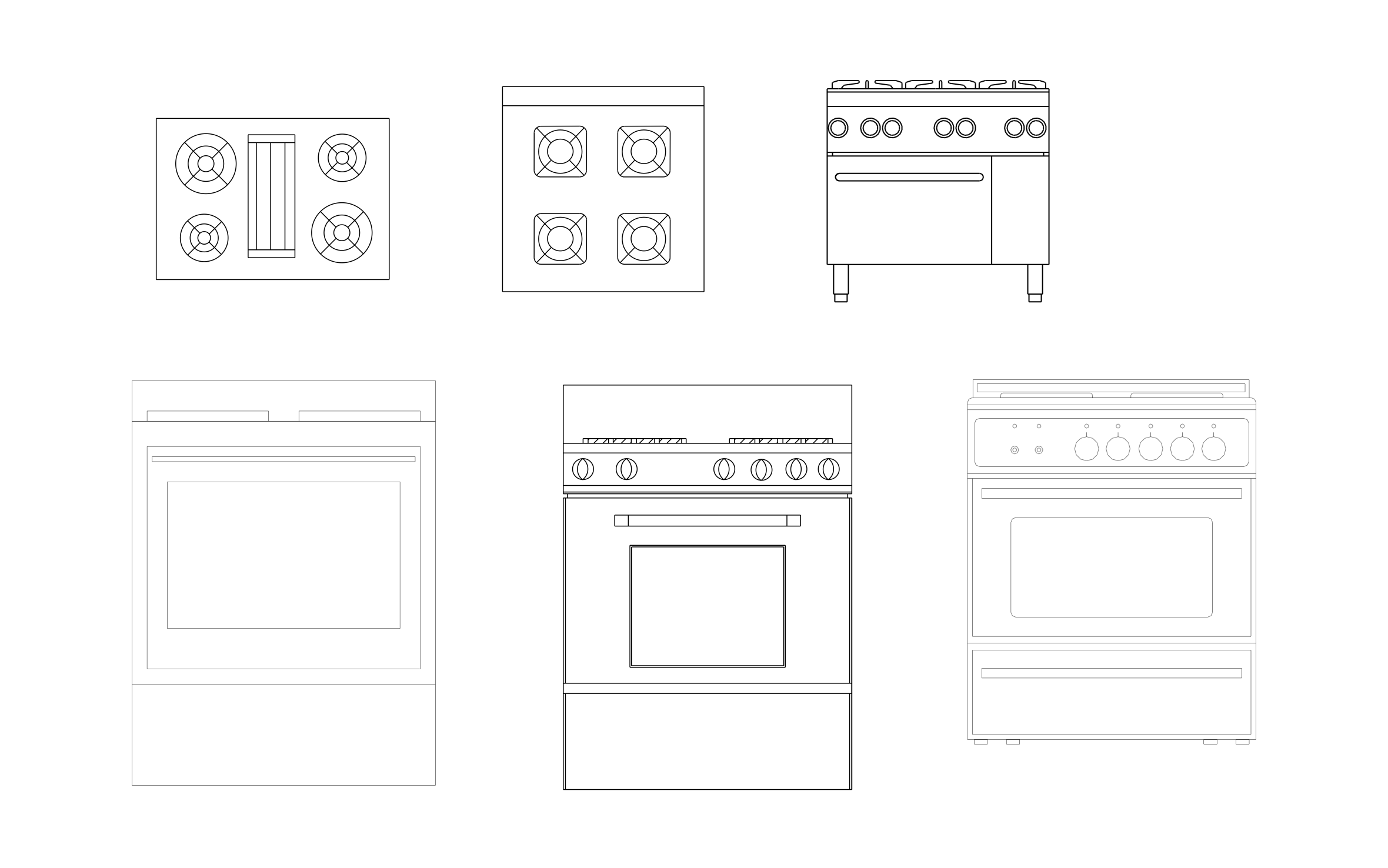
Range CAD block free in DWG, DXF, PNG, and PDF. Includes cooktops in plan view and ranges in front view.
Key Features
ArcSite's Range CAD Block
- Cooktops From Above: A four-burner top and a burner top with a center griddle.
- Freestanding Ranges: Three front views of home ranges with oven doors and control panels.
- Commercial Range: A range on legs with a row of knobs, for restaurant cook lines.
- Plan and Elevation: Use the cooktops on floor plans and the ranges on kitchen elevations.
Unlock 1,200+ Free CAD blocks with the ArcSite app

CAD blocks. Floor plans. Estimates. Do it all with ArcSite's mobile app.
Free access to over +1,200 blocks included with the ArcSite CAD app
Trusted by the Pros. Honored for Innovation.





Based on 21,000+ reviews from


Commercial Kitchen & Hospitality
CAD blocks you might like



FAQs
Does it include a griddle top?
Yes, one cooktop has a griddle between the burners.
Can I use it to plan an island cooktop?
Yes, set one of the plan view cooktops on the island and check the counter space on each side.
What formats is it available in?
DWG, DXF, PNG, and PDF.





Ask AI about ArcSite:

