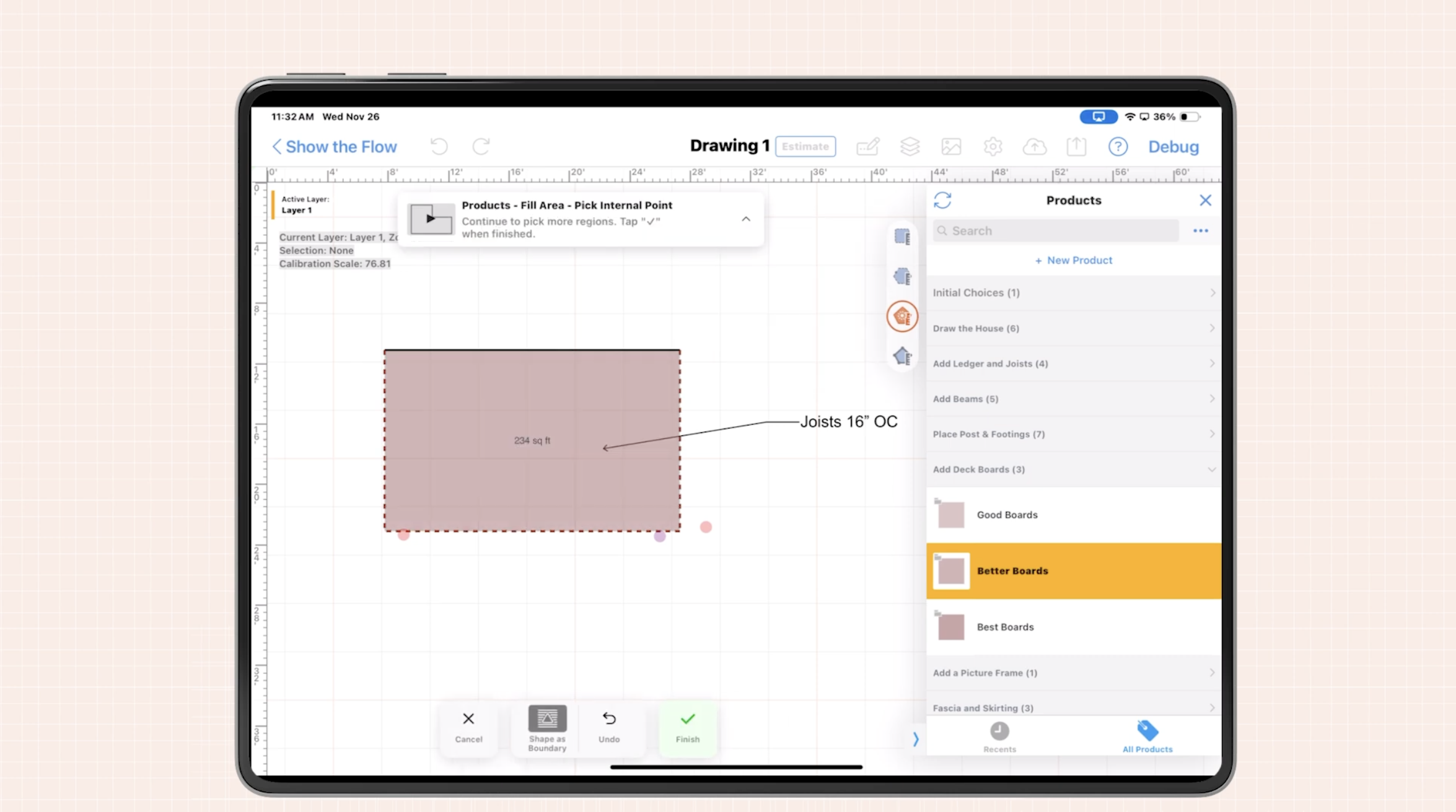

This guide explains how modern pest control proposal software helps pest service providers automate invoicing after job completion, reduce errors, and get paid faster by connecting on-site drawings, proposals, and estimates directly to billing.
Pest control teams work fast in the field, but paperwork often moves slowly. Technicians wrap up a job, promise to send an invoice later, and then spend evenings chasing missing notes, photos, and prices.
That lag between finishing the work and sending the invoice is where profits leak. We built ArcSite to close that gap - connecting site diagrams, proposals, and takeoffs so invoices can be prepared, reviewed, and sent almost immediately after job completion.
Why invoicing is so hard for pest services
Pest control operations face a specific set of invoicing challenges that traditional office tools or generic apps do not solve well.
Common pain points after job completion
- Scattered job details: Treatment areas, chemical usage, equipment, and exclusion work are recorded in different places - on paper, in text messages, or in separate apps.
- Handwritten notes and sketches: Technicians sketch property layouts, bait station locations, or rodent activity by hand, which must later be reinterpreted for billing.
- Estimate vs. actual drift: The team sells one scope, but on-site findings expand the work. Without clear documentation, upsells and change orders never make it to the invoice.
- Invoice delays: If office staff need to wait for paperwork to return, clean it up, and key it into an accounting system, invoices can go out days or weeks late.
- Disputes and callbacks: When property managers or homeowners question a charge, it can take multiple emails and calls to prove what was done, where, and when.
All of this adds up to slower cash flow, more administrative overhead, and a higher risk of errors that quietly eat into margin.
How ArcSite connects proposals, job data, and invoices
ArcSite brings design, estimating, and documentation into one mobile workflow so invoicing becomes a natural last step, not a separate headache.
Mobile CAD drawings tied to each job
Technicians can create precise site diagrams directly on a tablet or phone while on-site. They can mark:
- Structures, fence lines, and landscaping
- Infestation hot spots and inspection findings
- Bait stations, traps, and treatment zones
- Exclusion work like sealing entry points
Every symbol and line on the drawing can be connected to specific materials, labor, and service items. That data flows into takeoffs, proposals, and eventually into the invoice.
From proposal to invoice with shared data
Instead of reinventing the wheel after each job, ArcSite lets you reuse proposal and estimate data when you invoice:
- Start with a proposal: Build professional proposals with clear diagrams, line items, and pricing.
- Capture changes on-site: If the scope grows (additional units, expanded perimeter, termite discovery), techs update the drawing and items while still on the property.
- Lock in approvals: Customers can review the updated scope and sign on the device, so there is a clear record of what was approved.
- Generate invoice-ready data: Once the job is complete, quantities, line items, and pricing are already structured for invoicing.
The same data that sold the job now supports accurate, defensible billing without retyping or manual recalculation.
Practical workflows for faster, more accurate invoicing
Below are concrete ways pest control teams are using ArcSite to streamline invoicing after job completion.
1. Standardized service templates
Create templates for common services, such as:
- Quarterly commercial pest control
- Termite inspections and treatments
- Rodent exclusion work
- Bed bug heat or chemical treatments
Each template can include standardized:
- Line items and unit pricing
- Treatment notes and disclaimers
- Material and application standards
When a technician finishes the job, they only need to confirm quantities and any custom items. Invoices are both consistent and easy to build.
2. Visual documentation to prevent disputes
ArcSite lets techs capture visual proof that ties directly to billing:
- Annotated drawings showing treated zones or exclusion work
- Notes for high-risk areas requiring extra time or materials
- Optional photos attached to locations on the drawing (depending on workflow and integrations)
When a customer questions a charge, you have a professional diagram that matches the invoice line items, making it much easier to explain and justify the bill.
3. On-site review and draft invoices
Because the data lives on the mobile device, teams can build a draft invoice while they are still on the property. A common workflow looks like this:
- Technician completes the treatment and updates the drawing.
- They confirm materials used and time spent.
- A draft invoice is generated based on the proposal and any changes.
- The tech walks the customer through the work performed using the diagram and line items.
Even if final invoicing is done by the office, the draft ensures nothing is missed and the customer understands charges before you leave the site.
4. Bundling one-time work and recurring services
Many pest companies combine immediate treatments with recurring service agreements. ArcSite helps you separate:
- One-time remediation work billed upon completion
- Recurring inspections and treatments billed on a schedule
Technicians can mark which line items are one-time vs. ongoing, so your billing system can handle initial invoices and recurring charges without manual sorting.
Implementing new invoicing workflows without slowing the team
Rolling out new software can be disruptive if it is not planned well. We recommend a phased approach for pest control operations.
Step 1: Map your current process
Before changing tools, document how invoicing happens today.
- How do techs capture details in the field?
- When and how do those details reach the office?
- Who prepares invoices, and in which system?
- Where do errors and delays usually occur?
This baseline will guide how you configure ArcSite and where to focus training.
Step 2: Start with a pilot team
Select a few technicians or a single branch location to pilot the new workflow. Give them:
- Prebuilt templates for your most common services
- Short training on drawing, item selection, and proposal creation
- Clear expectations: which parts of the invoice data they own
Collect feedback on what is confusing, where taps can be reduced, and which views they use most. Adjust templates and workflows before scaling.
Step 3: Align with office and accounting
Your back office should help shape how data flows from ArcSite into your invoicing or accounting platform.
- Agree on naming conventions for services and materials.
- Decide which details must be captured for compliance and reporting.
- Clarify what the field owns (quantities, photos, diagrams) vs. what the office owns (final invoice posting, collections).
With clear ownership, technicians are not stuck doing office work, and the back office is not left guessing.
Step 4: Train, document, and reinforce
Short, focused training sessions work best:
- A quick overview of the end-to-end process
- Hands-on practice: drawing, building a proposal, updating after job completion
- Examples of good and bad job documentation
Follow up with simple, one-page reference guides that techs can access in the field and brief refreshers in weekly meetings.
Measuring ROI from streamlined invoicing
To justify investing in new tools and workflows, you need concrete metrics. Pest service companies typically track improvements in three areas: time, accuracy, and cash flow.
1. Time savings
Track how long it currently takes to generate and send an invoice after a job, then compare after implementation:
- Average hours or days from job completion to invoice sent
- Office time spent cleaning up notes and building invoices
- Technician time spent on paperwork outside of appointments
Even modest time savings per job multiply quickly at scale.
2. Accuracy and revenue capture
ArcSite helps capture billable work that previously slipped through the cracks. Watch for:
- Reduction in missed line items or add-ons
- Fewer invoice adjustments or write-offs due to errors
- Increase in average invoice value where additional work was performed and properly documented
Visual documentation and structured data make it far easier to bill for everything you actually did.
3. Cash flow and customer experience
Faster, clearer invoicing improves both your bank balance and your customer relationships.
- Shorter average days sales outstanding (DSO)
- Fewer billing disputes or back-and-forth emails
- Higher customer satisfaction due to transparent, professional documentation
Over time, these metrics show how better invoicing supports growth without needing to add proportional back-office headcount.
Bringing it all together
Invoicing should not be a separate, painful step that happens days after a pest control job is finished. By connecting on-site drawings, proposals, and takeoffs inside a unified mobile workflow, ArcSite turns invoicing into a natural extension of the work your technicians already do in the field.
The result is faster billing, fewer mistakes, stronger documentation, and a smoother experience for both your team and your customers.
See ArcSite in action
If you are ready to modernize how your pest control business documents work, builds proposals, and invoices after job completion, we would be happy to walk you through it. Book a demo to see how ArcSite can fit into your existing processes and help your team get paid faster with less effort.
Categories
INDUSTRY


FAQs
Pest control services struggle with scattered job details, handwritten notes, estimate versus actual work discrepancies, invoice delays, and disputes that slow cash flow and increase errors.
ArcSite integrates mobile CAD drawings, proposals, and job data into a unified workflow that allows invoices to be prepared and sent immediately after job completion.
ArcSite provides standardized service templates, visual documentation to prevent disputes, on-site draft invoice reviews, and separation of one-time and recurring services for streamlined billing.
They should map current processes, start with a pilot team, align with office and accounting, and provide focused training with documentation and reinforcement.
By tracking time savings in invoice generation, improvements in billing accuracy and revenue capture, and enhancements in cash flow and customer satisfaction.
Related posts