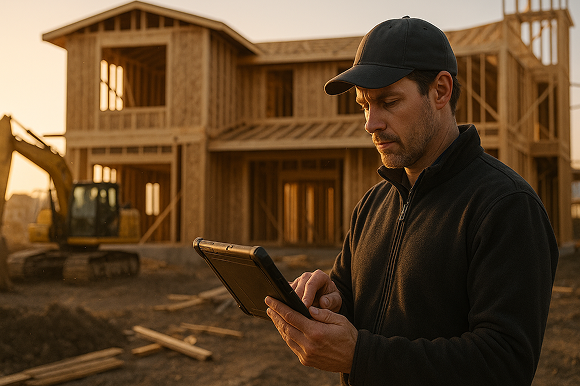

Specialty contractors are cutting their markup and measurement time in half by replacing paper plans and manual spreadsheets with modern digital takeoff software that runs directly on a mobile device in the field. In this guide, we break down how ArcSite helps you capture accurate measurements, perform takeoffs, and generate estimates faster - without sacrificing accuracy or professionalism.
Why traditional markups and measurements are slowing you down
If you are still printing plans, using a scale ruler, and re-keying measurements into spreadsheets, you are spending too much time on low-value work. Every manual step - from counting fixtures to calculating linear footage - is a chance for errors and delays.
For specialty contractors, those delays show up as:
- Late estimates that miss bid deadlines
- Inconsistent measurements between field staff
- Handwritten notes that are hard to read or easy to lose
- Scope gaps that lead to change orders and margin erosion
- Hours of office time translating field markups into usable numbers
The stakes are high. One missed count on a lighting plan, an incorrect linear footage on a pipe run, or an outdated version of a drawing can quickly wipe out the profit on a job.
That is why more teams are moving to digital workflows that keep plans, markups, measurements, and pricing all connected - right on a tablet or phone.
How ArcSite speeds up plan markups with mobile CAD
ArcSite combines mobile CAD, field-friendly drawing tools, and automated calculations so you can complete precise plan markups without going back to the office.
Here is how it changes your day-to-day work:
- Draw and edit directly on-site - Import PDFs or start from a blank canvas, then sketch, drag, and drop symbols with CAD-level precision using your tablet or phone.
- Use smart symbols for your trade - Create reusable symbols for the components you install - from fixtures and valves to cabinets and duct fittings - each tied to labor and material data.
- Auto-capture quantities as you draw - Counts, lengths, and areas update in real time as you place symbols and trace paths.
- Keep everything in one place - Plans, notes, photos, and customer details are connected to the same project file, so nothing gets lost.
Instead of redlining printed plans, taking photos, and then trying to reconcile everything back at your desk, you mark up once in ArcSite and all your measurements and quantities are captured automatically.
Turning digital markups into instant takeoffs and estimates
Digital markups are only half the story. The real time savings come when your drawings feed your quantities, and your quantities feed your estimates - without manual re-entry.
From sketch to takeoff in a few taps
With ArcSite, your field sketch or plan markup becomes a live source of takeoff data. As you add lines, symbols, and shapes, the system tracks:
- Counts of each symbol (fixtures, devices, fittings, terminations, etc.)
- Total linear footage of pipe, conduit, wire, duct, or trim
- Areas for flooring, concrete, coatings, or insulation
- Perimeter lengths for base, flashing, or edging
There is no need to re-measure or manually tally. You can review and adjust your takeoff on-site, confident that it reflects the latest design.
Building fast, consistent estimates
Once your quantities are captured, ArcSite helps you apply your own pricing logic consistently:
- Link each symbol or item to material and labor rates
- Apply standard markups or margins for different job types
- Save templates for common scopes so every estimator follows the same structure
- Generate professional, customer-ready proposals straight from the project
Instead of exporting to multiple spreadsheets and cutting and pasting numbers, you can move from site walkthrough to preliminary estimate in hours - sometimes minutes - instead of days.
Practical workflows to complete markups and measurements in half the time
To make the most of digital takeoff workflows, it helps to standardize a simple step-by-step process your team can repeat on every project.
1. Start with clean, up-to-date plans
Import the latest PDF plans into ArcSite or create a new drawing in the app if you are working from scratch. Verify scale once so every subsequent measurement is accurate without extra checks.
Tip: Establish a naming convention for plan versions (for example, v1, v2, ASI-01) so your field and office teams are always aligned on what is current.
2. Use trade-specific symbol libraries
Configure symbol libraries for your specific trade - mechanical, electrical, plumbing, low voltage, fire protection, concrete, or others. Each symbol should represent a real-world item you install, with attributes that matter for your estimates.
This lets your team:
- Drag-and-drop instead of freehand drawing every component
- Automatically count items as they are placed
- Standardize how different estimators represent the same thing
3. Trace once, measure forever
Use ArcSite to trace runs and areas directly on the plan:
- Trace pipe, wire, and duct runs to capture precise linear footage
- Outline rooms, slabs, or roof sections to capture area and perimeter
- Use snapping and alignment tools to maintain accuracy with less effort
Because the system stores all geometry, you can later change scale or refine a design without having to re-measure everything by hand.
4. Capture site conditions and notes as you go
During walkthroughs, document constraints while they are fresh in your mind:
- Add text notes anchored to specific locations on the plan
- Attach photos to objects or areas that may affect cost
- Tag alternates or options (for example, alternate fixture types or routing paths) to keep all decision points visible for estimating and review.
Instead of juggling a notepad, phone camera, and plan printouts, everything lives in one place—your ArcSite project. That makes it easier to hand off to estimators, PMs, or field crews without anything getting lost in translation.
5. Turn it all into a customer-ready proposal
Once your markup and measurements are complete, ArcSite automatically generates a takeoff summary and applies your estimating rules. With just a few taps, you can:
- Select the appropriate pricing template
- Adjust labor or material pricing as needed
- Include optional upgrades or alternates
- Export a branded, itemized proposal or estimate
This proposal includes a visual plan with labeled elements so your customer can see exactly what they’re getting—and why it costs what it does. Clear visuals reduce confusion and back-and-forth, leading to faster approvals and fewer change orders later.
The bottom line: faster workflows, fewer mistakes, higher margins
Specialty contractors who switch to ArcSite consistently report:
- Cutting time spent on takeoffs and estimates by 50% or more
- Improving proposal turnaround from days to same-day
- Reducing missed items, rework, and callbacks
- Increasing win rates by 10–30%, especially for same-day quotes
You don’t need to overhaul everything overnight. Start by digitizing your markups and measurements, then build in estimating and proposals once your team is comfortable.
By using ArcSite’s mobile takeoff workflows, you turn field knowledge into profitable proposals faster—with fewer steps, fewer errors, and a lot less hassle.
Book a demo to see how ArcSite can transform you workflow.
Categories
INDUSTRY


FAQs
Traditional methods like printing plans, using scale rulers, and manual data entry cause delays, errors, and inconsistent measurements that reduce profitability.
ArcSite allows on-site drawing and editing with CAD precision, uses smart trade-specific symbols, auto-captures quantities in real time, and keeps all project data synchronized on a mobile device.
Digital markups provide live takeoff data that tracks counts, linear footage, areas, and perimeters automatically, enabling fast, accurate estimates without manual re-entry.
ArcSite links symbols to material and labor rates, applies standard markups, saves scope templates, and generates professional proposals directly from the project file.
Teams should start with clean, current plans; use trade-specific symbol libraries; trace once to measure permanently; and capture site notes and photos during walkthroughs.
Related posts