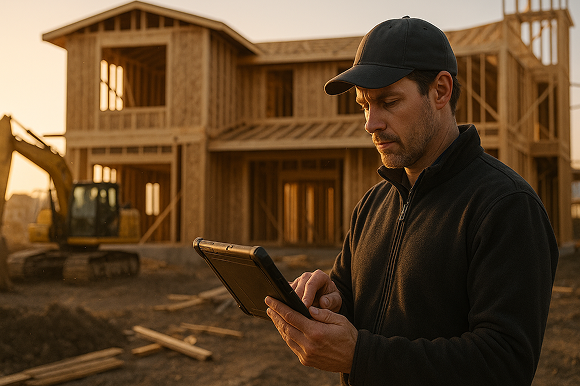

Manual takeoffs drain time, introduce errors, and slow down your bidding process. This article explains how modern digital takeoff software helps specialty contractors win more profitable jobs with faster, more accurate on-site design and estimating.
If you are still doing takeoffs with paper plans, highlighters, and spreadsheets, you are competing against contractors who can complete the same work in a fraction of the time - and with far fewer mistakes. Manual workflows might feel comfortable, but they quietly erode your margins and your ability to respond quickly to new opportunities.
As specialty contractors ourselves, we have seen how moving to mobile CAD, takeoff, and estimating transforms bid speed, professionalism, and profitability. The right tools pay for themselves in time savings and jobs won.
The hidden costs of manual takeoffs
Manual takeoffs seem cheap on the surface, but the real costs show up in lost time, missed details, and inconsistent pricing. When you add them up, they directly impact your bottom line.
Time you cannot get back
Every hour spent measuring from a printed plan or redrawing sketches is an hour you are not:
- Meeting new customers
- Walking additional job sites
- Following up on open quotes
- Coordinating crews and subs
For many specialty contractors, that means late nights in the office or weekends spent catching up on bids. It is not sustainable, and it makes scaling your business difficult.
Errors that kill profit and credibility
Manual takeoffs increase the risk of:
- Missed items or assemblies
- Incorrect measurements and counts
- Double-entry mistakes between sketch, spreadsheet, and proposal
- Outdated pricing being copied from an old estimate
One missed line item can wipe out the profit on a project. Repeated errors damage your reputation with GCs and owners who expect tight, dependable numbers.
Slow bids that lose work
Turnaround time is a competitive advantage. If it takes you days to turn a site visit into a polished proposal, faster competitors will get their numbers in first. Even if your price is better, you may never get the chance to present it.
This is where digital workflows shine: they compress sketching, takeoff, and estimating into a single on-site process.
How ArcSite modernizes takeoffs with mobile CAD and estimating
ArcSite is built specifically for specialty contractors who work in the field. Instead of juggling clipboards, tape measures, and spreadsheets, you can perform design, takeoff, and estimating on a tablet during the site visit itself.
Draw once, use everywhere
With ArcSite, you sketch directly on your tablet using intuitive mobile CAD tools. As you draw walls, fixtures, equipment, and assemblies, the system:
- Captures precise measurements and counts
- Maps objects to your products, labor, and assemblies
- Builds a live bill of materials in the background
You are not just drawing a picture - you are building a data-rich plan that feeds your materials list, labor, and pricing automatically.
Instant quantities and pricing
Because quantities are tied to your drawing, ArcSite automatically:
- Calculates lengths, areas, and counts
- Applies your pricing, labor factors, or production rates
- Rolls everything into a professional estimate within minutes
No more re-entering takeoff numbers in spreadsheets. No more chasing down pricing in old files. You can show the customer options, adjust scope, and see the impact on price in real time.
Field-ready, customer-ready output
ArcSite produces:
- Clean, scaled drawings to share with crews and GCs
- Detailed material and equipment lists
- Professional, branded proposals you can send from the field
The same information that wins the job guides installation, reducing misunderstandings and callbacks.
Practical workflows with digital takeoff software
Winning with digital tools is not about flashy features; it is about repeatable workflows that match how you actually work. Here are practical ways specialty contractors use ArcSite day to day.
1. On-site design and estimate in a single visit
- Walk the site with your tablet.
- Sketch the space and place symbols for your systems or fixtures.
- Capture notes, photos, and customer requirements directly in the drawing.
- Let ArcSite auto-generate quantities, materials, and pricing.
- Review options with the customer and send a proposal before you leave.
This approach shortens your sales cycle and shows customers you are organized and professional.
2. Standard assemblies and templates
Most specialty work relies on repeatable assemblies: a typical run, a standard install, a common layout. In ArcSite you can:
- Create reusable assemblies for your common installations
- Attach accurate labor and material costs to each assembly
- Drop those assemblies into drawings to estimate instantly
That keeps pricing consistent across your team and reduces training time for new estimators or sales reps.
3. Clear communication with crews and partners
Your crews do their best work when they can see exactly what was sold. With ArcSite they get:
- Clear, visual layouts exported from your original sketch
- Accurate counts and material lists tied to the plan
- Notes and photos from the walkthrough embedded in the job file
Less confusion means fewer change orders, fewer revisits, and smoother installs.
Rolling out digital takeoff software to your team
Moving from manual to digital workflows does not have to be disruptive. The key is a structured rollout that respects how your team already works.
Start with a pilot group
Choose a small group of field leaders or estimators to pilot ArcSite on real jobs. Have them:
- Document their current process and time spent per estimate
- Run the same type of jobs using ArcSite
- Compare speed, accuracy, and close rates
Use their feedback to fine-tune templates, pricing libraries, and assemblies before a full rollout.
Train on workflows, not just features
Training should focus on end-to-end workflows, such as:
- From walkthrough to signed proposal in one visit
- From accepted proposal to crew-ready drawing and material list
When the team sees how the entire process becomes easier, adoption goes up.
Keep manual backup during transition
For the first few weeks, some teams like to run digital and manual in parallel for key jobs to build confidence. Once results are clear, most users do not want to go back.
Measuring ROI: proving the value of your digital upgrade
To justify any new tool, you need to see measurable results. Here are practical ways to track the impact of ArcSite.
1. Estimate time per job
Track how long it takes to go from site visit to delivered proposal before and after implementation. Many contractors reduce this time by hours per job, which compounds quickly over weeks and months.
2. Bid volume and hit rate
With faster takeoffs, you can:
- Bid more jobs without hiring additional staff
- Respond to opportunities that would have been ignored
- Follow up earlier and more consistently
Track both the number of bids sent and the percentage you win to see the effect.
3. Margin protection
Monitor how often jobs go over budget due to missed scope, incorrect quantities, or change orders tied to unclear plans. Accurate takeoffs and clear drawings should reduce these surprises and help protect your profit on each project.
4. Team capacity and lifestyle
Finally, consider qualitative ROI: fewer late nights, less paperwork, and more time with customers and crews. A sustainable, efficient process is easier to grow.
Next steps: see ArcSite in action
If manual takeoffs are slowing you down or causing costly mistakes, upgrading to a modern, field-ready digital workflow is one of the highest-ROI changes you can make.
ArcSite brings mobile CAD, takeoff, and estimating together in a single, easy-to-use app built for specialty contractors. Draw once, and get the measurements, materials, and pricing you need to win the job and deliver it profitably.
Ready to see how this could work for your business? Book a demo with our team and walk through real workflows based on the type of work you do every day.
Categories
INDUSTRY


FAQs
Manual takeoffs consume time, increase errors, slow bidding, and lead to missed details and inconsistent pricing, all of which harm profitability and competitiveness.
ArcSite allows specialty contractors to sketch, measure, and estimate on a tablet during site visits, automatically generating precise quantities, pricing, and professional proposals in real time.
ArcSite supports on-site design and estimation in a single visit, use of standard assemblies and templates for consistent pricing, and clear communication with crews through detailed, accurate job documentation.
Teams should start with a pilot group to compare performance, focus training on end-to-end workflows rather than just features, and optionally run manual and digital processes in parallel during the transition.
Contractors can measure time saved per estimate, increased bid volume and win rates, reduced budget overruns, and improvements in team capacity and work-life balance.
Related posts