
This guide explains how specialty contractors can connect modern gutter estimate software and other digital estimating tools directly to their accounting platforms to reduce manual data entry, speed invoicing, and improve job profitability.
For many specialty contractors, the estimate is digital - but the accounting process is still stuck in spreadsheets, duplicate entry, and paper notes. That disconnect creates delays, errors, and confusion between the field and the office.
At ArcSite, we work with contractors who want to take the next step: turning accurate, on-site digital estimates into clean, structured financial data that flows straight into their accounting system. When your estimating, takeoff, and invoicing tools talk to each other, the entire business runs smoother.
Why contractors need connected estimating and accounting
Whether you install gutters, fencing, concrete, or any other specialty trade, your estimate is the backbone of your job. If that data is not connected to accounting, you feel it in several ways:
- Double entry and wasted time - Office staff retype line items, quantities, and prices from PDFs or paper into accounting software.
- Transcription errors - A single mis-typed number can wipe out the profit on a job.
- Slow invoicing - Invoices wait until someone has time to pull information from the estimate, delaying cash flow.
- Poor visibility into margins - It is hard to compare estimated vs actual costs when the data is stored in different systems.
- Inconsistent pricing - Without a shared price list and item catalog, sales teams may discount differently or forget required materials.
The stakes are high. Margins are already tight. One missed downspout, one underpriced linear foot, or one forgotten change order can turn a profitable job into a loss.
How ArcSite connects field estimates to the back office
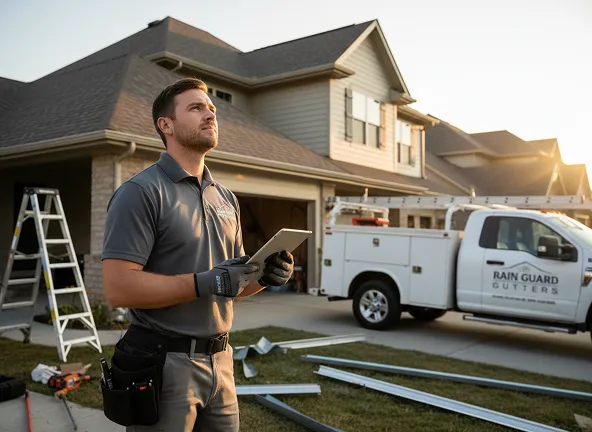
ArcSite is built for specialty contractors who need mobile CAD, takeoff, and estimating in the field - and reliable data in the office. On a tablet or phone, sales reps can sketch, measure, and build professional estimates in minutes while standing in front of the customer.
For gutter contractors, that starts with laying out a precise drawing of the roofline, calculating linear feet automatically, and applying catalog-based pricing for gutters, downspouts, hangers, and accessories. Similar workflows apply for other trades: draw, measure, and let the software calculate materials and labor.
The real power comes when these detailed estimates do not stay trapped in a PDF. With the right integrations and exports, ArcSite can feed structured estimate data directly into your accounting platform or ERP, so finance teams see:
- Customer and job information captured on site
- Itemized materials and labor lines
- Pricing, taxes, and discounts
- Change orders and revisions
This alignment means field teams focus on selling and designing, while the office gets clean data they can trust.
Practical workflows: from gutter estimate to invoice
1. Capture the job accurately in the field
The first step is building consistent estimating workflows that every rep can follow. For a typical gutter job, that might look like:
- Open the project on a tablet when you arrive on site.
- Use mobile CAD tools to trace the roofline and mark corners, miters, and drops.
- Automatically calculate linear footage for each gutter section and downspout.
- Select standard profiles, colors, and accessories from a centralized catalog.
- Apply labor rates, waste factors, and any service fees.
- Generate a professional, branded proposal for customer review and e-signature.
Because everything is digital and structured, you now have clean line-item data instead of a handwritten sketch.
2. Standardize item catalogs and pricing
Before you integrate with accounting, it is important to standardize how you define and price your items. That means:
- Creating a single catalog of materials and labor items used by all reps
- Aligning item names, SKUs, and categories with your accounting or ERP system
- Defining default units (linear feet, each, hour) that match your financial reporting
- Setting clear rules for discounts, taxes, and fees
When the estimating catalog mirrors the accounting catalog, moving data between systems becomes straightforward and less error-prone.
3. Export or integrate with your accounting platform
There are two common ways to connect digital estimates to accounting tools:
- File-based exports - Export estimate data as CSV or similar structured formats, then import it into your accounting platform. This works well for smaller teams or those testing a new workflow.
- Direct integrations or APIs - Use built-in integrations or custom API connections so that accepted estimates automatically create jobs, invoices, or sales orders in your accounting system.
In both approaches, the goal is the same: one source of truth for items and quantities, no retyping, and a clear handoff from sales to finance.
4. Automate job setup and invoicing triggers
Once digital estimates are flowing into accounting, you can streamline downstream processes:
- Automatically create new customers or update existing records.
- Generate job numbers from accepted estimates.
- Trigger deposit invoices immediately after customer approval.
- Prepare final invoices based on completion milestones or measured quantities.
This level of automation shortens the gap between doing the work and getting paid, which is critical for cash flow.
Implementation and change management
Even the best technology fails without good change management. Integrating estimating and accounting is not just an IT project; it is a process upgrade for the whole business.
Some practical steps:
- Involve both field and office stakeholders - Include sales reps, project managers, and accounting in the design of the new workflow. They each see different risks and opportunities.
- Start with a pilot group - Choose a small group of reps or a single region to test the new digital estimates-to-accounting pipeline before rolling it out company-wide.
- Document the new process - Create simple, visual guides: how to build an estimate, which items to select, how approvals work, and what happens after acceptance.
- Train on both tools together - When you train reps on estimating software, show how their work impacts accounting and job costing. That context increases buy-in.
- Plan for cleanup - Align naming conventions and remove duplicate items in your accounting catalog before you start syncing data.
Change is easier to accept when teams see that the goal is not surveillance, but fewer mistakes, faster pay, and less administrative work for everyone.
Measuring ROI and success metrics
To justify the investment in digital estimating and integration, track a few key metrics before and after implementation:
- Time to produce an estimate - How long does it take a rep to go from site visit to customer-ready proposal?
- Estimate-to-invoice cycle time - How many days pass between customer approval and sending the invoice?
- Error rates and change orders - How often are jobs reworked or discounted due to estimate inaccuracies?
- Gross margin per job - Are margins more consistent now that takeoffs and pricing are standardized?
- Administrative hours - How many hours per week are saved in the office by eliminating manual data entry?
Most contractors see value in three main areas:
- Time savings - Faster estimates and less back-office data entry.
- Accuracy - Fewer missed items and more consistent pricing across reps.
- Cash flow - Quicker, more accurate invoicing and fewer billing disputes.
Quantifying these improvements helps you refine the workflow and confirm that the integration is delivering real business results, not just checking a technology box.
Next steps: connect your estimates and accounting with ArcSite
Integrating digital estimates with your accounting platform turns every proposal into reliable financial data. For specialty contractors, especially gutter and exterior trades, that means:
- Detailed, accurate takeoffs created on site
- Standardized pricing and item catalogs
- Smoother handoffs from sales to operations and accounting
- Faster, more predictable cash flow
Check out the integrations from ArcSite including QuickBooks and Salesforce.
If you are ready to explore how ArcSite can help your team move from disconnected tools to a unified workflow, we would be happy to walk you through typical setups, integration options, and best practices for your trade.
Ready to see what integrated estimating and accounting could look like for your business? Book a demo with our team to see ArcSite in action and discuss the right workflow for your organization.
Categories
INDUSTRY


FAQs
Connecting estimating software with accounting platforms reduces manual data entry, minimizes errors, speeds up invoicing, and improves job profitability by ensuring accurate and efficient financial data flow.
ArcSite enables contractors to create precise digital estimates on mobile devices that automatically calculate materials and labor costs, then feed structured estimate data directly into accounting systems for seamless coordination.
The workflow includes capturing accurate job details in the field using mobile CAD, standardizing item catalogs and pricing, exporting or integrating estimate data with accounting platforms, and automating job setup and invoicing triggers.
Successful integration involves involving both field and office stakeholders, piloting with a small group, documenting processes, training on tools together, and cleaning up data to align naming conventions and remove duplicates.
Contractors should track time to produce estimates, estimate-to-invoice cycle time, error rates and change orders, gross margin per job, and administrative hours saved to evaluate integration success.
Related posts