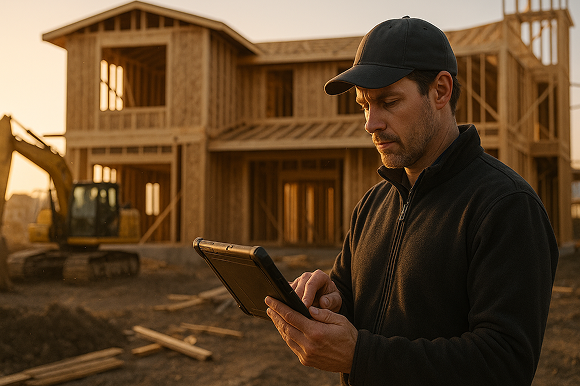

For anyone leading a field-based specialty contracting business, you know the pace of your team directly impacts your bottom line. When your crews can scope, draw, calculate, and close jobs accurately in one site visit, you outpace competitors and reduce wasted time on callbacks, rework, or missed opportunities. That is where mobile CAD solutions—designed for real-world field workflows—make all the difference.
Why Moving Fast Matters in Field Services
We have all felt that drag between an initial walk-through and actually getting a signed contract. Traditionally, contractors would measure by hand, jot rough sketches on paper, manually enter data into spreadsheets, and cobble together proposals after returning to the office. This process introduces errors and delays—sometimes stretching out for days. By then, prospects may have received competing quotes and your window to win the job has shrunk.
Speed to quote is not just about hustle—it is about having a process that lets you turn site measurements into professional drawings, accurate estimates, and client-ready proposals on the fly. The first contractor to provide a clear, confident proposal nearly always has the upper hand.
The Evolution — What Mobile CAD Really Solves
Mobile CAD (Computer-Aided Design) for the field is not like traditional desktop CAD built for architects or engineers. Its job is to bridge the gap between what you see on-site and what you deliver to the customer—right at the point of sale. With ArcSite, teams use intuitive apps on iPad, iPhone, Android, and Windows tablets to:
- Draw to-scale plans on-site, no CAD background required
- Automatically capture measurements, photos, and data
- Instantly calculate quantities (lengths, areas, volumes, counts)
- Turn those quantities into material lists and estimates
- Generate and share proposals before leaving the jobsite

How Mobile CAD Speeds Up Every Step
From Sketch to Scalable Drawings — In the Field
Forget your old, blurry graph paper. With a mobile solution, you open the app, import a satellite image or start a blank canvas, and sketch boundaries, shapes, or even complex layouts to scale. Whether you are measuring a residential fence, mapping drainage around a foundation, or laying out a commercial patio, you can use pre-made or custom templates to represent your exact workflow. As you sketch, every line, area, or component is dimensionally accurate—so the visual presentation matches the real world.
Automatic Takeoffs and Calculations—No Extra Steps
One of the most powerful features is that as you draw, ArcSite calculates all your material needs in real time. If you add another fence run, the total footage, number of panels, posts, gates, and even required concrete updates instantly. For concrete, landscaping, waterproofing, and similar trades, different zones or layers can have separate properties and formulas, so the material list reflects exactly what needs to be ordered or scheduled. Since the math is tied to the drawing, it eliminates those late-night double checks or costly misorders.
On-the-Spot Estimates and Proposals
Once you have an up-to-date drawing and takeoff, you can apply your pricing (materials, labor, margins, taxes) using stored templates. In many field workflows, this takes two or three taps, and you generate a polished PDF proposal that is ready for signature—often before you leave the driveway or jobsite. ArcSite also supports presenting Good/Better/Best options, so you can upsell or provide alternatives on the spot, giving homeowners and commercial clients the direct information they need to move forward.

Crystal-Clear Visuals to Build Trust and Remove Confusion
Often, clients hesitate or delay decisions because they are unclear about the project scope or how the end result will look or function. Sharing your plan directly on a tablet, with the ability to zoom in/out, toggle features, and annotate or add site photos, gives clients instant clarity. Everyone is on the same page, which means fewer disputes or change orders later—saving time and reputation.
Seamless Team Collaboration and Project Handoff
Miscommunication between sales, estimating, and production is one of the costliest problems for field teams. With ArcSite, all drawings, measurements, takeoffs, and proposals are backed up to the cloud. Role-based access ensures the right people see and edit the right information. Integration with leading CRMs and accounting platforms means the data moves cleanly from site visit all the way through invoicing. Any updates made in the field (for example, change orders) instantly show up across devices and teams, eliminating redundant data entry and reducing errors.
Direct Impact for Specialty Trades
Fencing
Field teams quickly draw property boundaries, gates, posts, and calculate all required hardware and concrete using customizable assemblies. All measurements and material needs instantly appear in the drawing, ensuring the installation crew shows up with the correct materials, every time. Proposals are generated within minutes of measurement—accelerating close rates and minimizing callbacks or misorders.
Concrete & Flatwork
By drawing to scale and identifying different pour zones or reinforcement areas, estimators can present accurate breakouts on materials, thicknesses, and labor. This prevents over- or under-ordering materials and makes scope presentation clear for large or multi-phase jobs.
Basement Waterproofing & Foundation Repair
The ability to sketch perimeters, illustrate proposed drain layouts, sum up linear footage for each unique wall or trench, and add site photos creates a bulletproof proposal. Since quantities auto-calculate as adjustments are made, estimators can confidently generate bids that protect both margin and reputation.

Key Features That Make Mobile CAD Work in the Real World
- Offline capability – Drawings and calculations work without internet, syncing back to the cloud when online.
- Device flexibility – ArcSite runs on iOS, Android, and Windows—use whatever device makes sense for your team.
- Seamless integrations – Pair with Bluetooth laser tools (Bosch, Leica, Moasure) for fast measurements. Connect to CRMs like Salesforce or accounting tools like QuickBooks to automate workflows.
- Enterprise security – SOC 2 Type II and ISO 27001 certified, with role-based controls and encrypted cloud storage.
- Custom templates and libraries – Use standardized or custom CAD shapes, assemblies, and price books to cut repetition and ensure accuracy for every job type or branch.
Implementing Mobile CAD: A Step-by-Step Roadmap
- Pilot with Target Teams – Select a division or crew where visual scope is critical and test the mobile CAD process on live jobs.
- Set Up Standards – Customize templates, assemblies, and pricing for your most common job types to ensure the system matches your real workflow.
- Parallel Testing – For a short run, have your team use mobile CAD alongside your current workflow to compare time saved, error reduction, and close rate improvement.
- Go Live with On-Site Proposals – Aim for most quotes to be produced and delivered in person, tracking both speed and win rates.
- Integrate and Expand – Connect ArcSite to business systems like CRM or accounting, then roll out proven workflows organization-wide and establish KPIs to ensure ongoing ROI.
Bottom-Line Value for Leaders
For CEOs and operations leaders in specialty contracting, adopting a mobile CAD solution like ArcSite is about more than technology—it is about fundamentally elevating how your business captures revenue and scales. You can:
- Standardize and accelerate how every project is scoped and close
- Improve documentation and reduce disputes or errors over time
- Protect margins by increasing estimating accuracy and reducing rework
- Maintain visibility and control across multiple teams, even as you grow
Ready to See It in Action?
If you are still juggling paper sketches and scattered spreadsheets, keep in mind that even small changes at the point of sale compound into huge savings and revenue opportunities. Mobile CAD is a force multiplier for every field rep—turning every site visit into an efficient, profitable opportunity.
To see whether ArcSite can accelerate your team’s workflows, schedule a custom demo. You might be surprised how much faster you can win jobs—and how much less friction you feel at every step.
Categories


FAQs
Traditional CAD is built for architects and engineers working at desks with complex, high-detail models. Mobile CAD, like ArcSite, is designed for field use—fast, simple drawing tools on tablets or phones that let contractors sketch to scale, calculate materials, and generate estimates directly from the job site.
Yes. With ArcSite, crews draw to scale, drop in smart symbols tied to real products and labor, and the app automatically performs takeoffs and applies pricing. Estimates can be generated and shared before leaving the site—no need for double data entry or spreadsheet follow-ups.
ArcSite eliminates manual calculations and inconsistent sketches. Every line, shape, and symbol in the drawing automatically tracks dimensions and quantities, ensuring accurate takeoffs and consistent pricing. Notes, photos, and measurements stay linked to the job, so nothing gets lost between field and office.
Yes. ArcSite is fully functional offline. Field users can draw, take measurements, calculate takeoffs, and build estimates without connectivity. Once back online, the app syncs data to the cloud so teams across the business have access to the latest updates.
Schedule a demo and your team can get setup with a short pilot. From there, you can customize symbols, products, templates, and pricing to match your workflows.
Related posts