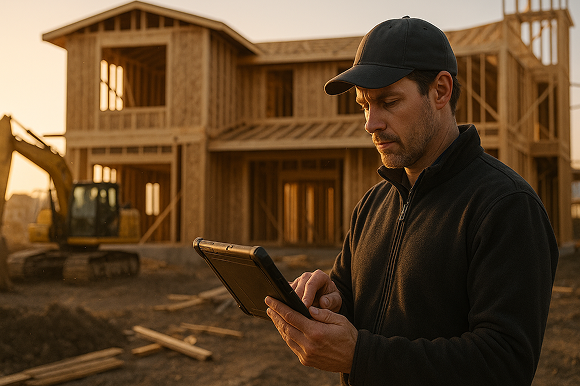

Specialty contractors are turning to digital takeoff software to move faster from plan review to profitable jobs, with fewer errors and less manual rework. In this guide, we break down how mobile, automated takeoff tools like ArcSite streamline estimating, improve accuracy, and tighten the connection between field and office.
If you still rely on highlighters, spreadsheets, and gut feel to create takeoffs, you are leaving time and margin on the table. Paper plans, manual counts, and disconnected estimating tools make it hard to bid quickly, confidently, and at scale.
At ArcSite, we work with specialty contractors every day who want a straightforward way to go from sketching and marking up plans to producing professional, accurate estimates - all in one mobile workflow. That is where modern digital takeoff software comes in.
The real pain points holding specialty contractors back
Whether you are in HVAC, electrical, plumbing, fire protection, security, fencing, or any other specialty trade, the challenges are similar:
- Slow, manual takeoffs - Measuring by hand, counting symbols, and re-entering data into spreadsheets eats hours out of every week.
- Costly mistakes - Missed counts, math errors, and outdated price sheets directly impact profit on every job.
- Disjointed tools - Sketch apps, email, spreadsheets, and estimating systems rarely talk to each other, so data has to be re-entered multiple times.
- Inconsistent bids - Different estimators use different methods, making it hard to understand true margins job to job.
- Limited visibility in the field - Crews often get incomplete information, forcing them to interpret plans on site and improvise.
On a bid-by-bid basis, these issues may feel like the cost of doing business. But across a year, slow and inaccurate takeoffs can mean fewer bids submitted, more jobs lost on price, and profit slowly eroded by avoidable mistakes.
How ArcSite connects plans, takeoff, and estimating in one mobile workflow
ArcSite is built to give specialty contractors a single, practical workflow - from site visit or plan review to a clear, professional proposal - without bouncing between five different tools.
Instead of marking up paper or static PDFs, your team works directly in a mobile CAD environment. You sketch, trace, or import floor plans on a tablet, and every line, symbol, and object can carry real-world information: quantities, materials, assemblies, and costs.
Key capabilities that change the game
- Mobile CAD sketching - Quickly draw or trace layouts on a tablet, on site or in the office, with the precision of CAD but the ease of pen and paper.
- Automated quantity takeoffs - As you draw and place symbols, ArcSite can automatically generate quantities for pipe runs, fixtures, panels, fence panels, posts, and more.
- Integrated material and labor data - Tie parts, assemblies, and production rates to your drawings so you can move from takeoff to estimate without manual re-entry.
- Consistent, repeatable templates - Standardize common layouts, materials, and pricing structures so every estimator follows the same playbook.
- Instant estimate outputs - Turn your completed drawings into clean, professional estimates you can send to customers the same day.
By combining mobile CAD, automated takeoffs, and estimating in one system, we help teams remove friction from the entire preconstruction process.
Practical workflows with digital takeoff software
Here are a few realistic ways contractors use ArcSite day to day.
1. Site visit to proposal in a single visit
- Capture conditions on site - Use ArcSite on a tablet to sketch the space or import a PDF if you have pre-existing plans.
- Draw and place components - Add devices, fixtures, equipment, or sections of material using your own symbol library and catalog.
- Generate takeoff automatically - Quantities update in the background as you draw, eliminating manual counts later.
- Review pricing with the customer - Because materials and labor are tied to the drawing, you can show high-level pricing ranges on the spot.
- Email a professional estimate - Back in the truck or office, finalize and send a polished proposal based on the same data you just captured.
2. Working from architect or GC plans
- Import the PDF plans into ArcSite on your tablet.
- Scale and trace critical elements - walls, utilities, equipment locations, line runs, or fence lines.
- Place your trade-specific symbols and assemblies directly over the plans.
- Let ArcSite generate quantities and summaries you can feed into your estimating workflow.
This is where a purpose-built digital takeoff software solution saves hours per project and dramatically reduces missed items.
3. Standardizing across multiple estimators and crews
- Build shared libraries of materials, assemblies, and symbols.
- Create standard layouts or templates for your most common job types.
- Train new estimators to follow the same workflow, using the same libraries.
- Hand off drawings and quantities to field crews so they see exactly what was bid.
The result is more consistent bids, predictable install processes, and fewer questions between field and office.
Implementing digital takeoff tools without disrupting your team
Rolling out new software can feel risky, especially when your current system “mostly works.” But modern digital takeoff tools like ArcSite are designed to reduce complexity — not add to it. Here’s how to introduce it without overwhelming your team:
Start with Your Most Common Jobs
Pick the job type you do most often — like a standard 6’ wood fence, a small security system install, or a warehouse pest control plan. Build a simple template in ArcSite:
- Preload materials, labor rates, and assembly logic
- Save commonly used symbols
- Test takeoffs on a few past jobs to verify accuracy
Once the team sees how fast and reliable that workflow becomes, adoption spreads naturally.
Train in the Field, Not the Classroom
The best way to get buy-in is to use real projects during onboarding. Walk a live job with a tablet, sketch it, drop in items, and build the estimate on the spot. When a technician sees they can finish the proposal before even leaving the site, the value clicks.
Sync Field and Office Teams
Because ArcSite outputs both a visual plan and a structured estimate, everyone sees the same thing:
- Estimators use drawings to check assumptions
- Installers follow the takeoff with confidence
- Project managers catch changes early before they hit the jobsite
It tightens the loop from quote to install and eliminates costly miscommunication.
The ROI of Moving from Manual to Digital Takeoffs
Let’s talk numbers. Contractors using ArcSite report:
Those gains come from eliminating double-entry, improving proposal quality, and giving your sales and field teams a shared, accurate view of the job.
From Plans to Profit — Faster
At the end of the day, the faster you move from “What’s this job going to take?” to “Here’s the price and plan” — the more jobs you win and the more margin you protect. Digital takeoff software gives you that speed without sacrificing accuracy.
And when it’s mobile, easy to use, and built for the way specialty contractors actually work? That’s when it starts paying for itself.
Try ArcSite — No CAD Experience Needed
ArcSite was built for contractors who want to quote faster, with fewer mistakes, using the tools they already carry in the field. If you're still spending hours on manual takeoffs and scattered proposals, there's a better way.
👉 Book a demo and see how ArcSite helps you go from first sketch to signed proposal — all in one app.
Categories
INDUSTRY


FAQs
Specialty contractors often face slow manual takeoffs, costly mistakes, disjointed tools, inconsistent bids, and limited field visibility when using traditional methods.
ArcSite provides a single mobile workflow combining plan review, mobile CAD sketching, automated quantity takeoffs, and instant estimate generation to streamline the entire preconstruction process.
ArcSite's mobile CAD sketching, automated quantity takeoffs, integrated material and labor data, consistent templates, and instant estimate outputs help reduce errors and manual rework.
Contractors can sketch or import plans on a tablet, place components using their symbol library, generate takeoffs automatically, review pricing on the spot, and email professional estimates all in a single visit.
Standardization leads to consistent bids, predictable installation processes, fewer questions between field and office, and streamlined training for new estimators.
Related posts