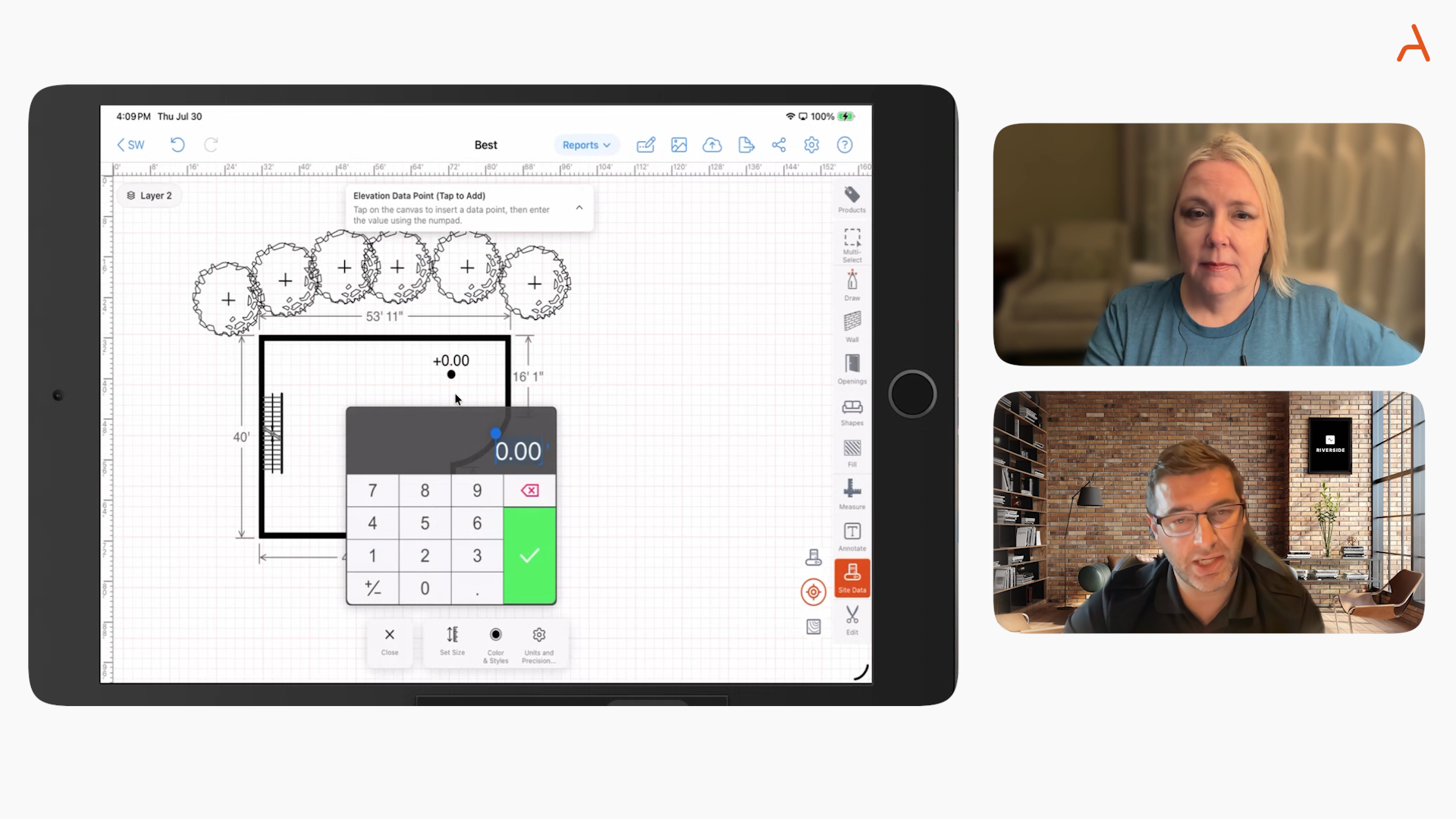

As specialty contractors, we know that every job hinges on producing a clear, accurate floor plan—one that isn’t just a drawing, but a living document that defines scope, pricing, and handoff for your whole team. The biggest difference between contractors who close deals on the first site visit and those who get stuck in follow-up emails? A job-ready floor plan that links your field work with your numbers, your clients, and your crew, leaving no room for confusion or costly mistakes.
Why Most Floor Plans Fail Contractors
Let’s be real. Traditional floor plans were never made for field teams running four, six, or even eight quotes a day. They focus on architectural perfection, not jobsite speed or sales clarity. This old process often looks like:
- Hand measurements on site
- Sketches on paper (sometimes lost or hard to read)
- Re-entering data in spreadsheets, then building quotes in another tool
- Hours lost on manual calculations and double data entry
That’s more time, more mistakes, and more deals lost to whoever can get a clear proposal into a customer’s hands first.
What Makes a Floor Plan Truly "Job-Ready"?
We define a job-ready floor plan as one that:
- Is fast and easy to create on a mobile device, on the actual jobsite
- Is accurate and scalable—trusted by your sales, ops, and install teams alike
- Turns measurements and sketches into takeoffs, estimates, and proposals automatically
- Keeps all your data (photos, notes, forms) attached to the drawing itself
Ultimately, it’s about answering three questions before you leave the jobsite:
- What exactly are we building?
- How much material, labor, and cost will it take?
- What’s the final, agreed-upon price we can document now?
Step 1: Gather and Structure the Right Site Data
Strong floor plans start with strong field data. That means having a checklist not just for measurement, but for what matters most in your trade. Let’s get practical:
- For fencing: property lines, fence runs, post/gate locations, grade changes, and problem obstacles
- For concrete: slab footprints, thicknesses, access points, grading, drainage, key obstacles
- For waterproofing: basement or perimeter walls, crack locations, drainage paths, sump placements
Standardizing this data by using custom checklists and attaching photos directly into your plans lets your office and field teams see the same conditions, reducing guesswork or disputes down the line.
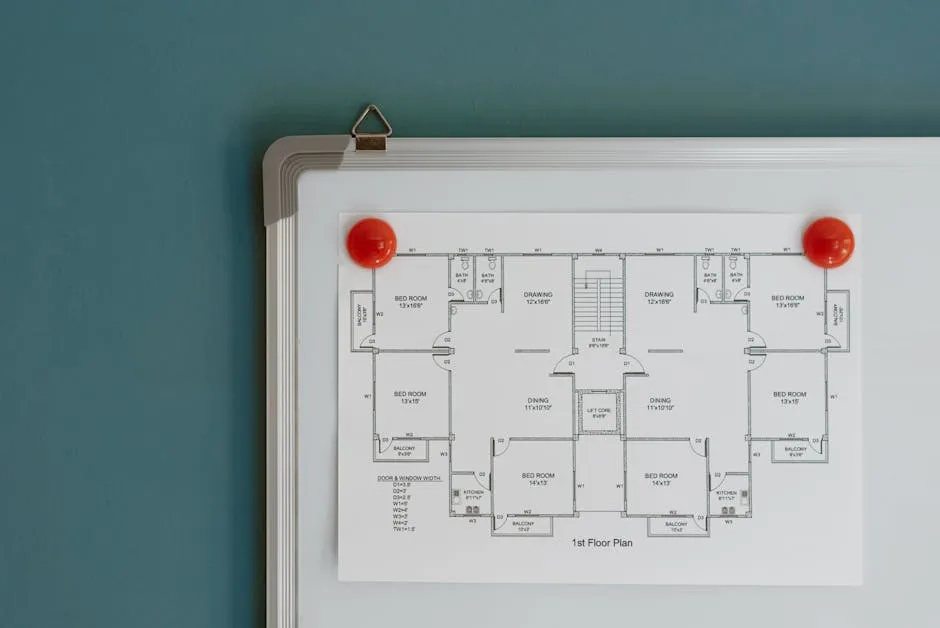
Leverage Modern Measurement Tools
- Bluetooth laser measures: Send dimensions right into your drawing via mobile app—no manual entry needed.
- AR room scanning (iOS Pro): Instantly capture room or footprint boundaries for precise plans in seconds.
- Embedded site photos: Mark up images directly in your plan to clarify obstacles or special conditions.
In ArcSite, these steps can be streamlined so that your drawing and your site data always stay in sync.
Step 2: Build a Floor or Site Plan That Drives Takeoffs
At this stage, the goal isn’t to create a perfect architectural drawing, but a plan that’s functional and clear for install and estimating. Let’s break down how to do this efficiently:
2.1: Establish Scale and Orientation
- Set your units—feet, inches, meters—before you draw
- Draw and input a real-world dimension to fix the plan to scale
- Include critical info like a scale bar or north arrow when needed
2.2: Outline the Project “Shell”
- Mark exterior footprints: the boundary of a patio, building, basement, or fence
- Add critical elements first—major walls, fence lines, base slabs
2.3: Add Key Labor and Material Drivers
- For fencing or decks: corners, gates, posts, deck supports
- For concrete: slab edges, thickness zones, control joints, pads
- For waterproofing/foundation: critical cracks, drain lines, sump locations, tie-ins
Don’t waste time on details that don’t impact your materials list or your quote.

2.4: Dimension What Matters
- Total length of each key run
- Offsets from reference points (corners, property edges)
- Heights or slopes for areas where level or depth matters
Mobile-first CAD means every line automatically tracks its measurement, minimizing missed dimensions.
Step 3: Link Data, SKUs, and Photos Directly to Your Plan
We want a single source of truth—not scattered notes and Excel sheets. By attaching structured data and standard forms, you make each field drawing actionable.
- Attach checklists or custom forms for inspections or site notes
- Add photos directly to the drawing so everyone sees the same issue with the same context
- Tag items with product SKUs and assemblies, linking your plan with your material lists and inventory
This automation ensures that the right data always follows the right job, and nothing gets lost between field, office, and crew.
Step 4: Automate Your Takeoffs as You Draw
Instead of taking plans back to the office and starting calculations all over, digital tools like ArcSite let you define material rules that instantly convert drawings into material lists, labor needs, and costs.
- Example rules: 1 vinyl panel per 8 feet, 1 post every 8 feet plus extras for ends/gates, 0.33 cubic yards per slab section
- Software adjusts counts in real time as you tweak the drawing for customer revisions
- If anything changes—dimensions, gate size, layout—the takeoff matches automatically
This reduces errors and removes “surprise” material overruns during production.

Step 5: Generate Estimates and Proposals Instantly
What sets high-performing contractors apart? The ability to present a customer with a branded, accurate, and clear proposal—on the same visit. Here’s how we do it:
- Apply your standard pricing and markups to material and labor as calculated by the drawing
- Offer clear Good / Better / Best options, making it easier for the client to say yes on the spot
- Generate a professional proposal or PDF that references job scope, materials, and even site photos for clarity
Paperwork becomes a competitive advantage, not a bottleneck.
Step 6: Handoff and Close Jobs With Confidence
Once a customer signs off, your job-ready plan can immediately flow to your install or production teams. Everything they need—measurements, notes, materials, site photos—is attached to the floor plan in the cloud, avoiding confusion between sales, office, and field.
- Capture signatures and payments right on the device with integrations for payment and invoice tracking
- Make sure that accepted plans, change orders, and field notes are always real-time and accessible, minimizing errors and rework
If you want to explore best practices in more detail, be sure to check our blog on reducing errors and rework in specialty contracting workflows.
Step 7: Standardize and Scale Your Process Across Teams
For larger specialty contractors, the big win is standardizing how every estimator and field rep creates and prices jobs. This is possible with:
- Reusable, trade-specific templates for common jobs (fence layouts, patio footprints, basement perimeter drains, etc.)
- Standard company symbols for assemblies, products, SKUs, and labor rates
- Centralized controls for pricing, visuals, and workflows—so every branch and crew works from a proven system
- Integrations with CRM, project management, and accounting tools, reducing duplicate entry and administrative headaches
Turning Site Visits Into Same-Day Closes
We’ve seen how using a connected, mobile-first platform on site allows contractors to close jobs in as little as 45 minutes—from initial measurement to signed proposal—with a detailed, job-ready floor plan as the foundation.
- Walk the site, capture a precise plan, and collect site data all in one go
- Let the software automate takeoffs, labor, and material pricing in real time
- Present crystal-clear proposals and take payments on the spot
- Sync all data for a reliable handoff to the team or into your business systems
Get Started: Bring Job-Ready Floor Plans Into Your Workflow
If you’re ready to cut quote turnaround times from days to minutes, standardize your workflow, and eliminate costly errors, we invite you to try ArcSite for yourself. You can download ArcSite here for iOS, Android, or Windows, or book a demo to see your specific trade and team needs in action. If you want to learn more about our unique approach, explore ArcSite.
Categories
INDUSTRY


FAQs
Related posts