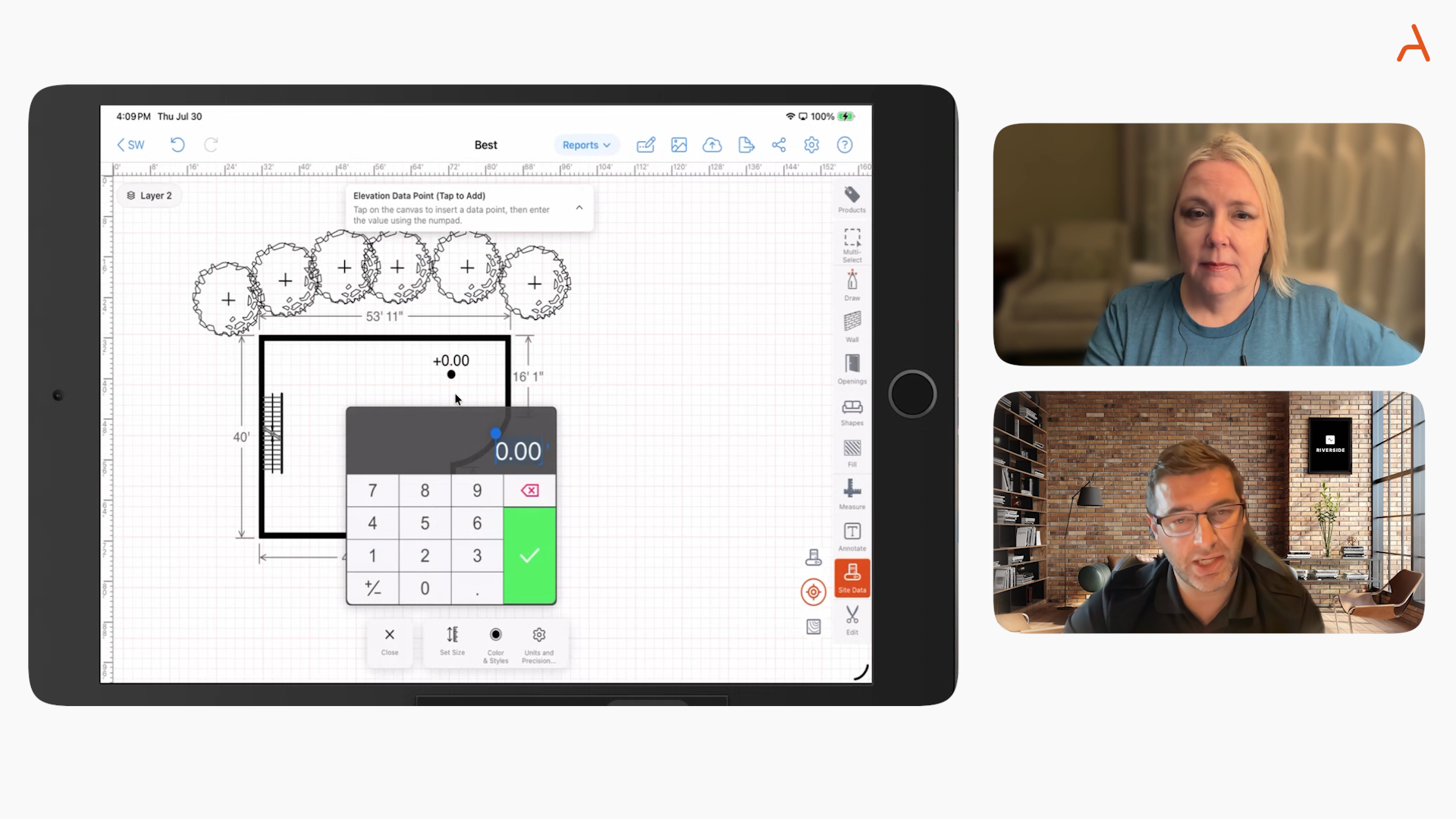

Tackling errors and rework head-on has become mission critical for specialty contractors aiming for healthy margins in 2025. The pressure to deliver precise work, on time, with full documentation isn’t easing up—especially with teams dispersed across job sites and multiple trades working in parallel. After working closely with hundreds of specialty contractors, and seeing their struggles firsthand, it’s clear that outdated, fragmented processes are the number one source of wasted hours, botched scopes, and margin leaks. We want to dive deep into the workflow strategies and hands-on practices that have made measurable differences for forward-looking teams across the industry—going beyond the theory, and focusing on actionable solutions.

Understanding Why Errors and Rework Happen in Specialty Contracting
From fencing to concrete, waterproofing to deck installation, we see clients run into the same core issues every year:
- Relying on hand measurements and paper sketches, which breed transcription mistakes.
- Non-standard scope descriptions, making it nearly impossible for production to trust what was sold.
- Duplicate data entry across paper, spreadsheets, and estimating tools—opening up endless opportunities for error.
- Information silos, where drawings, notes, and pricing live in different places (emails, hard drives, mobile devices).
- Incomplete feedback loops, so lessons from the field rarely update templates or assemblies back at the office.
While people make mistakes, these are fundamentally workflow and technology issues—not just matters of staff training or individual attention to detail.
Best Practice #1: Standardize Your Workflow from Lead to Closeout
Consistency is the first defense against costly mistakes. By creating one written, visual workflow that every job follows—no exceptions—you transform chaos into control. For specialty contractors, we recommend a clear seven-stage workflow:
- Lead & Qualification: Capture critical job details (address, access, decision makers, desired schedule) up front.
- Site Data Capture: Use digital forms and drawings to gather all measurements, conditions, and photos onsite.
- Takeoff & Material Calculation: Automate takeoffs based on your site drawings, not on manual math or guesswork.
- Estimate & Pricing: Price from standardized assemblies and margin rules, limiting one-offs and shortcuts.
- Proposal & Contract: Generate contracts using approved templates, not free-form documents.
- Production Handoff: Share one set of drawings, scopes, and material lists with crews—what was sold stays the scope of work.
- Change Orders, Invoicing, Closeout: Capture all changes in the same platform, for a complete audit trail.
Documenting this workflow (ideally with screenshots), training every new hire on it, and auditing a sample of jobs monthly keeps quality high and error rates low. Even for “quick quotes” or small jobs, skipping steps is a slippery slope.

Best Practice #2: Move from Paper to Mobile Drawings Onsite
Many contractors still measure, sketch, and notate jobs on paper, then type the results into a spreadsheet at night. This not only forces double work, but almost guarantees misreads, skipped measurements, and confusion about what was actually included in scope. Moving to a mobile-first drawing platform gives you:
- To-scale, accurate drawings: Eliminate guesswork and ensure geometry matches physical reality.
- Live photo markups: Link photos to drawing locations so everyone sees jobsite obstacles, fencing lines, or foundation issues in context.
- Instant syncing: Work offline at the site, but sync data to the cloud as soon as devices reconnect.
- Dynamic takeoffs: Quantities update in real time as the drawing changes—no separate math, no error-prone calculation steps.
We suggest piloting mobile drawing tools with a small team at first. Create a handful of templates (such as standard fence runs, driveway slabs, or waterproofing layouts), measure baseline mistakes, then compare after just 30 days. The difference in quoting speed, material accuracy, and customer communication becomes clear early on.
Best Practice #3: Automate Takeoffs and Material Calculations
Manual takeoffs from printed sketches or photos are one of the biggest sources of rework that we see. Material overages, shortages, and incorrect assemblies can snowball into days lost and profit wiped out. Instead, use a system where material lists flow straight from the drawing itself:
- Lengths (such as footages of fence, gutter, or perimeter drain).
- Areas (for slabs, coatings, or waterproofing membranes).
- Counts (posts, fixtures, anchors, sumps).
- Volumes (for concrete slabs or excavations).
Define assemblies once (for example, a vinyl fence needs posts every 8 feet, two bags of concrete per post, and a fixed number of rails) and let the system do the math. Before rolling out, test assemblies against real past jobs—verify actual usage and tweak for waste or local conditions. Once assemblies are in place, lock them down on the management side so field teams can't introduce mistakes or drift into custom builds.
Best Practice #4: Lock Down Proposal and Contract Templates
Ambiguities in proposal language or informal, handwritten estimates open the door to change order fights and free callbacks. Use one master template per product line, built and approved by your leadership (and legal advisers if needed). Your template should always include:
- Automated scope of work: Directly generated from the drawing/assemblies.
- Clear inclusions/exclusions: Make explicit what is and isn't part of the job.
- Payment schedules and triggers: No confusion about deposits or progress draws.
- Warranty and change order policy: Set expectations on both sides from the outset.
- Site access, prep, and responsibilities: Reduce day-one jobsite surprises.
We’ve also seen success with Good/Better/Best proposal options, but only when each choice is tied to a specific drawing assembly, so there’s zero scope ambiguity.
Best Practice #5: Make All Collaboration Visual and Centralized
Miscommunication between sales, the customer, and production crews is the root cause of much rework. The solution is one centralized job record—containing the drawing, proposal, photos, change orders, and signed contracts—shared live across all teams. Internal communication about jobs should reference this record, not verbal notes or scattered emails. For larger projects, formalize a 15-minute handoff: the sales rep walks the lead through the plan, discussing known risks, confirming schedules, and capturing any last adjustments before work starts. This bridges the gap between promise and reality—and stops the ‘he said/she said’ confusion cold.

Best Practice #6: Automate Approvals, Signatures, and Key Notifications
Waiting for paper approvals or missing that a job started before the contract was signed is a liability no high-functioning contractor can afford. By automating proposal approvals (over a certain dollar threshold or under margin limits), customer e-signatures, and change order authorizations—with automated reminders for unsigned documents—you dramatically cut missed handoffs and disputes. These are real process improvements that increase cash flow and confidence, without adding administrative labor.
Best Practice #7: Measure Errors and Rework Every Month
What gets measured, gets managed. We recommend tracking these six key indicators:
- Quote accuracy rate: Percentage of jobs where final cost was within 5% of the estimate.
- Material variance: Material cost variance between estimate and completion.
- Rework hours per job: Time spent fixing issues or performing callbacks divided by jobs delivered.
- Change order capture rate: Ratio of extra work properly documented and billed.
- Proposal cycle time: Average time between site visit and proposal delivered.
- First pass approval rate: Proposals signed without revision.
Monthly review helps identify process breakdowns—whether in pricing, takeoff, or handoff—so you can refine workflows and templates for continuous improvement.
Best Practice #8: Create a Real Feedback Loop Between Field and Office
No workflow stays perfect forever. As teams execute real jobs, new edge cases appear. Build a regular feedback cycle:
- End-of-job reviews: Five minutes to capture what deviated from plan, which assemblies were off, and what generated callbacks.
- Monthly template reviews: Estimating leads and foremen adjust assemblies, waste factors, or exclusions based on real results.
- Quarterly training refreshers: Share lessons from real jobs using your actual templates and data.
When field feedback feeds directly back into standardized templates and workflows, your quality keeps rising and error rates keep dropping.
Rolling This Out: Your 90-Day Error Reduction Plan
Days 1-30: Design and Pilot
- Define your ideal 7-stage workflow and document it.
- Pick a pilot team to test mobile drawing and automated takeoff tools.
- Build core assemblies and one proposal template per key product line.
- Begin measuring the six KPIs above.
Days 31-60: Standardize and Integrate
- Upgrade workflows and templates based on pilot data.
- Connect drawing, estimating, and proposal systems to your CRM or accounting system (if possible).
- Roll out new processes to your full sales and estimating team.
- Make production handoff meetings mandatory for larger jobs.
Days 61-90: Scale and Optimize
- Empower foremen and project managers to use field markups and complete change orders digitally.
- Turn on e-approvals for proposals and alert triggers for contract status.
- Compare improvement against your 90-day KPI baseline—look for big jumps in quote accuracy and reductions in rework.
-
Connecting It All: How a Platform Like ArcSite Supports Error-Free Workflows
By bringing site drawing, data capture, takeoff, estimating, proposals, and field collaboration into a single mobile platform, you radically simplify your operation. With ArcSite, for example, everything from on-site sketching and quantity calculation to proposal generation and payments stays in one system—accessible from iOS, Android, or Windows in the field or back in the office. Our solution is designed from the ground up to be easy for field teams, secure for enterprise buyers, and robust enough for 50+ trades.
If you want more detail on the concrete benefits of a mobile-first CAD and estimating workflow, we recommend reading How Mobile CAD Solutions Empower Field Teams to Close Jobs Faster.
For specialty contractors who are truly serious about cutting error and rework rates in 2025, the combination of disciplined process and the right technology is both achievable and transformative. If you’d like to see how these best practices could apply to your teams, product lines, and existing tech stack, you can always book an ArcSite demo or check out our resource hub for more practical templates and industry guides.
Categories


FAQs
Related posts