

Drawer CAD Block
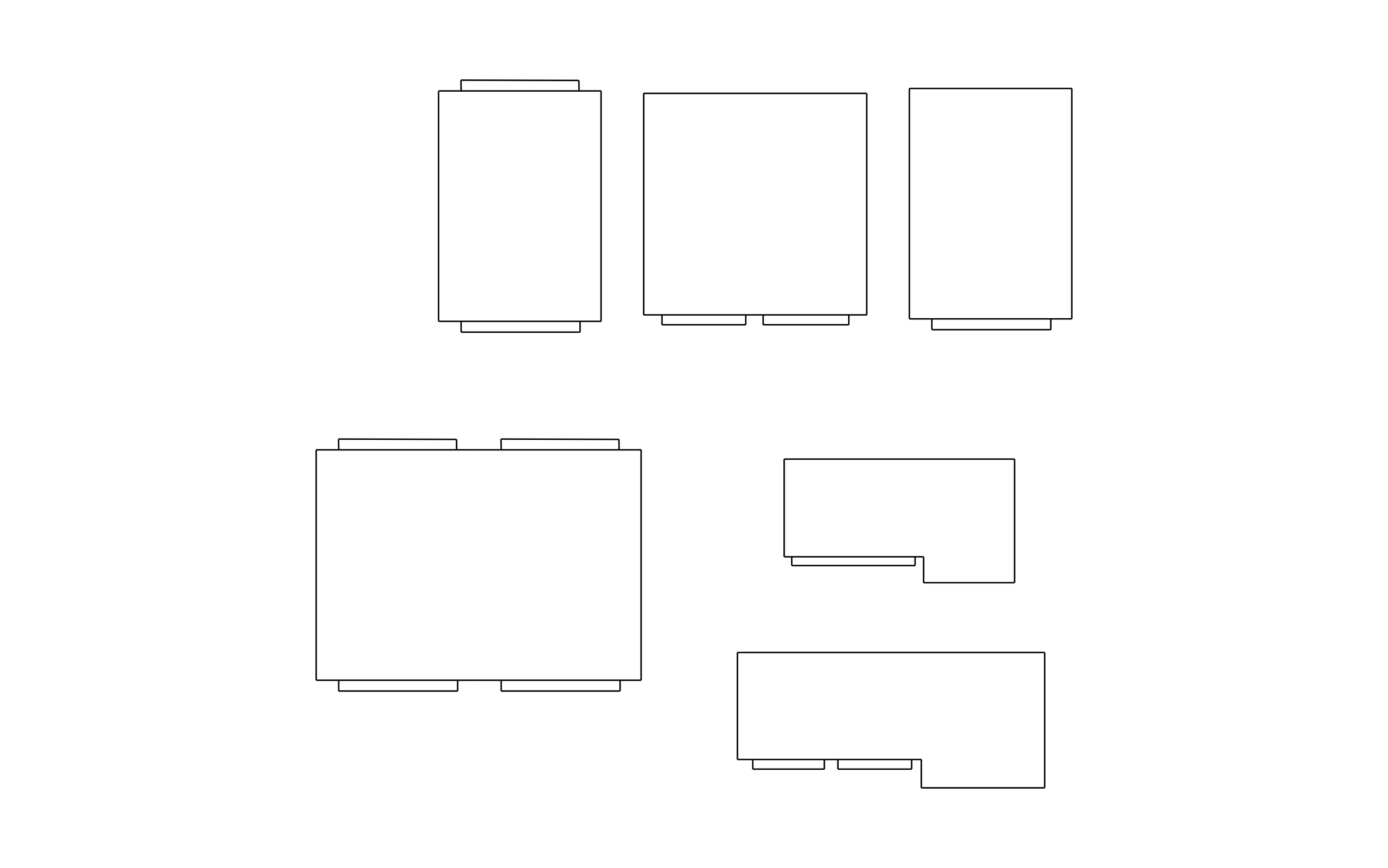
Drawer CAD block free in DWG, DXF, PNG, and PDF. Six units in plan view, from a narrow single-pull chest to stepped L-shaped pieces.
Key Features
ArcSite's Drawer CAD Block
- Six Unit Shapes: Narrow, square, and wide drawer units cover nightstands, chests, and dressers.
- Pull Placement: Tabs on the front edge show which side the drawers open from.
- Two-Sided Units: Two pieces carry pulls front and back for island or walk-through placement.
- Stepped Footprints: Two L-shaped units step back on one side to fit beside other furniture.
Unlock 1,200+ Free CAD blocks with the ArcSite app

CAD blocks. Floor plans. Estimates. Do it all with ArcSite's mobile app.
Free access to over +1,200 blocks included with the ArcSite CAD app
Trusted by the Pros. Honored for Innovation.





Based on 21,000+ reviews from


Furniture & Interior Design
CAD blocks you might like


FAQs
Which side do the drawers open from?
The side with the pull tabs, and two units open from both sides.
Can I use it to check drawer clearance?
Yes, place it on the plan and leave enough open floor in front of the pulls for the drawers to slide out fully.
What formats is it available in?
DWG, DXF, PNG, and PDF.





Ask AI about ArcSite:

