

Chair CAD Block
Chair CAD block free in DWG, DXF, PNG, and PDF. Three seats in plan view, from a simple dining chair to a two-seat loveseat with throw pillows.
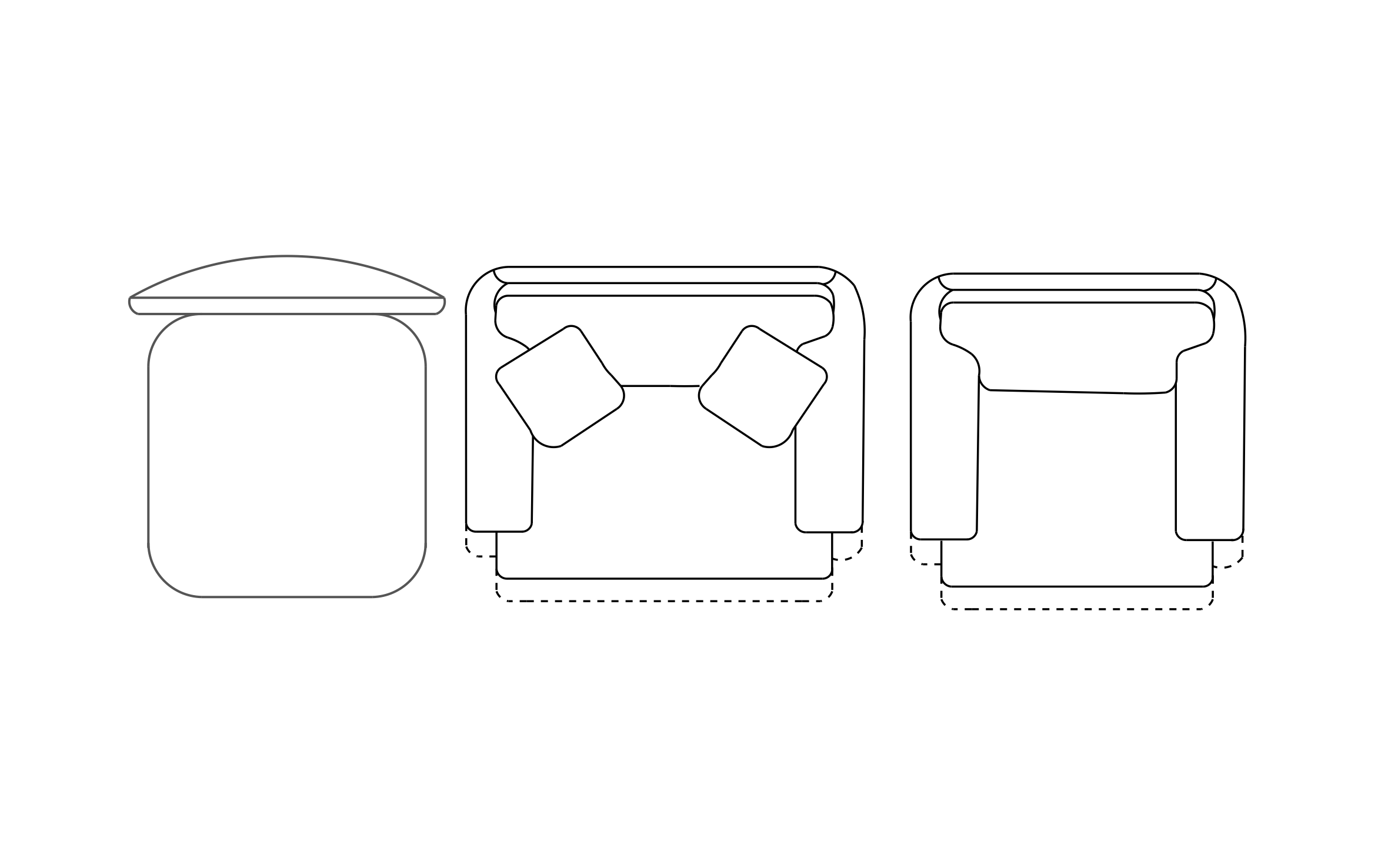
Key Features
ArcSite's Chair CAD Block
- Dining Chair: A plain side chair tucks under tables in kitchens, cafes, and conference rooms.
- Upholstered Armchair: A deep armchair with wide arms fills reading corners and lobbies.
- Loveseat With Pillows: A two-seat piece with throw pillows anchors a small living room or waiting area.
- Extended Seat Outline: Dashed lines on the armchair and loveseat show the extra floor space when the seat extends.
Unlock 1,200+ Free CAD blocks with the ArcSite app

CAD blocks. Floor plans. Estimates. Do it all with ArcSite's mobile app.
Free access to over +1,200 blocks included with the ArcSite CAD app
Trusted by the Pros. Honored for Innovation.





Based on 21,000+ reviews from


Furniture & Interior Design
CAD blocks you might like


FAQs
Which chairs are included?
A dining chair, an armchair, and a two-seat loveseat.
Should I pair it with the couch block?
Yes, the couch block adds full-size sofas when the room needs more seating than a loveseat.
What formats is it available in?
DWG, DXF, PNG, and PDF.





Ask AI about ArcSite:

