
Pest Control Diagram
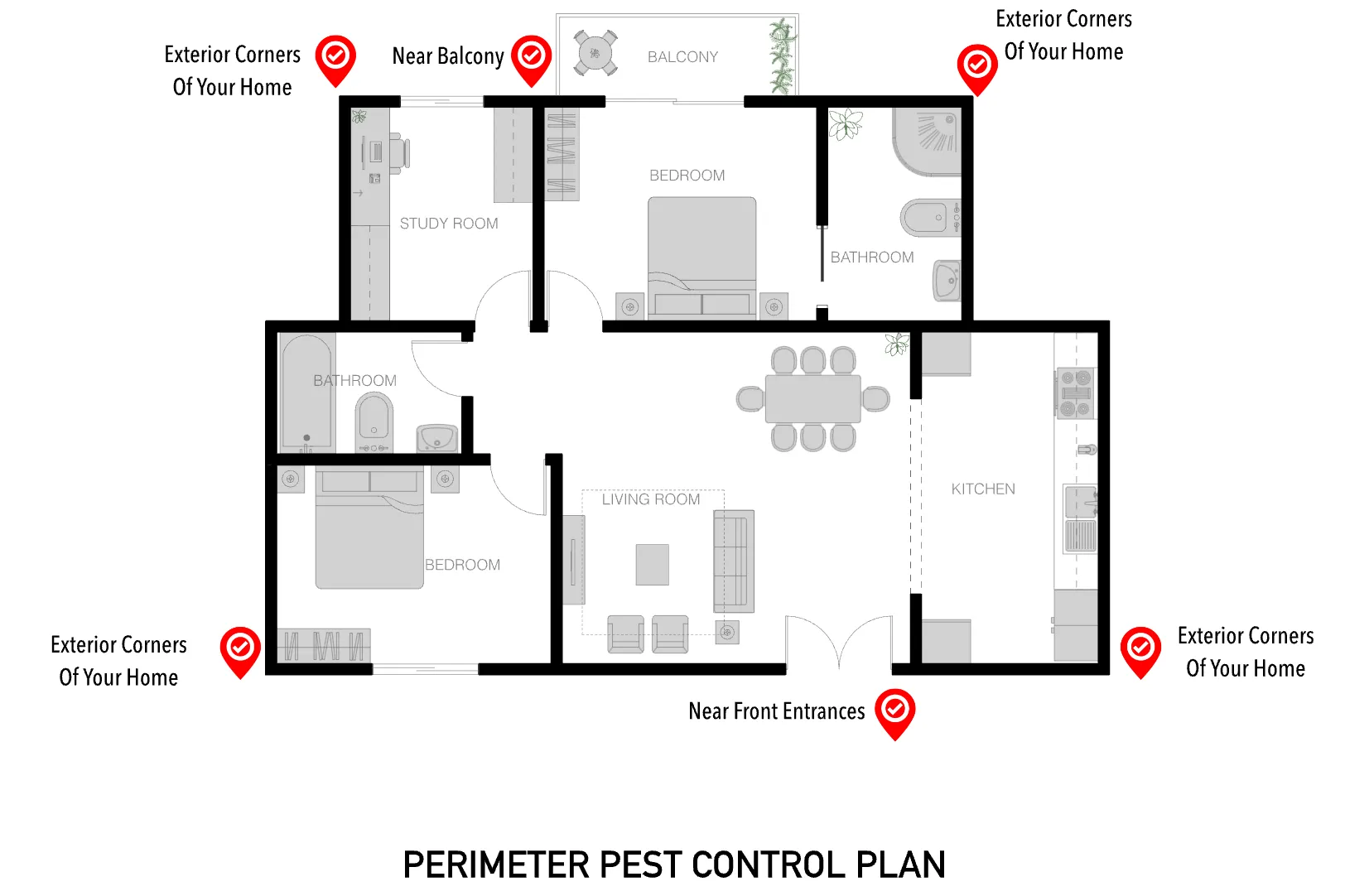
A pest control diagram shows a customer exactly where treatment gets applied around their home, not just that treatment happened somewhere. ArcSite's pest control diagram lays out those perimeter application points, ready to adjust to a specific property.
Key Features
This pest control diagram includes
- Exterior corner treatment points
- Application point near the balcony
- Application point near front entrances
- Key perimeter application markers around the home
The application points cluster around corners and entry points rather than running evenly along the whole perimeter, since that's where pests actually get in.


Fully customizable


Industry specific


Professional & accurate designs
Design tips
What is a Perimeter Pest Control Plan?
A perimeter pest control plan creates a treatment barrier around the exterior of a home to keep pests from getting in, with application points placed at the spots pests are most likely to enter. In ArcSite, you can mark up this diagram with your own application points for the property you're treating.
Trusted by Pros. Recognized by the Industry.
With top ratings across Software Advice, GetApp, and Capterra, professional contractors choose us for ease of use, powerful tools, and unmatched customer support.





Landscaping & Outdoor Living
templates you might like

Frequently asked questions
Why is it important to have an accurate pest control diagram in ArcSite?
How does using a digital tool like ArcSite benefit pest control planning?
Is ArcSite free to use?






